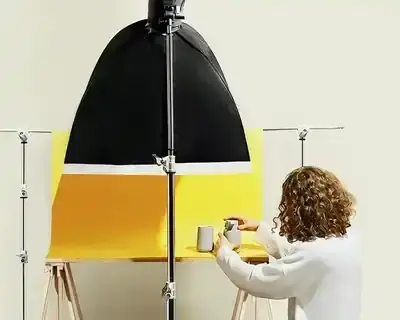
Packshot photography is the foundation of every serious e-commerce operation. At its simplest, a packshot is a studio photograph of a product on a clean, neutral background - most commonly white - showing it exactly as it is. No context, no styling, no models. Just the product, sharp, well-lit, and colour-accurate. You have roughly 7 seconds to make a potential buyer click. It's the packshot that decides whether they do.
At their simplest, packshots are simply photographs of products against white backgrounds.
In 2026, 90% of online consumers cite visual appearance as the single most important factor in a purchase decision. Blurry, inconsistent or low-resolution product images don't just underperform - they actively destroy trust. An online shop with poor-quality packshots reads as outdated and unreliable. That's a conversion problem you can solve with the right approach to product photography.
This guide covers everything: what packshot photography actually is, all 8 types currently in use, platform-specific technical requirements, equipment at three budget tiers, and how to decide between DIY and professional studio. If you want packshots that actually sell, start here.
What Is Packshot Photography?
Packshot photography is a specialised photographic discipline that captures product images isolated on neutral backgrounds, presenting items with maximum clarity and minimal visual distraction. The term comes from pack (packaging) + shot (photograph) - historically referring to images of product packaging for commercial catalogues.
Characteristics of a professional packshot:
- Clean background - white (#FFFFFF), grey, or gradient
- Even lighting - no harsh shadows, accurate colour rendering
- Full sharpness - front to back of the product
- True proportions - no geometric distortion
- High resolution - sufficient to zoom on fine details
Packshot photography is not the same as:
- Lifestyle photography - product in context (on a table, in someone's hands, in use)
- Lookbook - visual narrative presenting a collection
- Flat lay - product photographed from above in a styled arrangement
Core use cases in 2026: e-commerce product pages, marketplace listings (Amazon, eBay, Shopify), social media product feeds (Instagram, Pinterest), advertising campaigns and sponsored content, product catalogues, and internal inventory systems.
Packshot Photography: 8 Types You Need to Know
Speaking of packshot photography, it is worth pointing out that several distinct types are in active use. The most common are the classic white-background shots - but those who assume packshots must always have a white background are missing significant creative and commercial possibilities. Here are all 8 types currently produced at professional packshot studios:
1. Packshot Photography With Shadow or Reflection
A packshot with a shadow or reflection adds depth to the product presentation. This technique creates the illusion of three-dimensionality - the product appears "anchored" rather than floating in white space. Natural drop shadows or mirror reflections are added either in-camera (using a reflective shooting surface) or in post-production. Popular in cosmetics, fragrance, and premium consumer goods catalogues.


2. Shadowless Packshot
A shadowless packshot is ideal when you want to focus all attention on the product itself. In a professional packshot studio, the shadowless approach is used for clarity and simplicity of presentation - the product appears completely clean, with no competing visual elements. This style is the default for marketplaces like Amazon, where the platform explicitly prohibits shadows on hero images.


3. Organicshot
Organicshot is marszalstudio's original photographic format - product photography on natural backgrounds with an organic, unforced look. Unlike standard white-background packshots, Organicshot places the product in a natural material context (linen, wood, stone, plants) while maintaining the same precision of lighting and sharpness. The result reads as authentic and editorial while still serving its e-commerce function.


4. Ghost Mannequin Photography
Ghost mannequin photography is the standard for fashion e-commerce. The garment is shot on a mannequin, which is then removed in post-production, leaving the item looking like an invisible body is wearing it. This technique represents shape, fit and cut without the visual distraction of mannequin hardware - a key concept for any packshot studio specialising in fashion. Ghost mannequin results consistently outperform flat lays for conversion on premium fashion listings.


5. Flat Shot of Garment
A flat packshot of a garment uses a flat surface to reveal the detail and texture of the material. Shot from directly overhead, it displays prints, patterns, and fabric quality clearly. This technique is faster to produce than ghost mannequin photography and works particularly well for t-shirts, accessories and items where cut is less critical than surface detail.


6. Product Photography of Garment on Hanger
A product photo of garments on a hanger is ideal for presenting clothes in their natural hanging position. This method is fast, scalable, and works well for high-volume fashion e-commerce where ghost mannequin retouching costs would be prohibitive. The hanger approach is dominant in fast-fashion and multi-SKU operations where throughput matters as much as presentation refinement.


7. Group Product Photography
Group product photography presents a collection of products together in a single frame - product lines, colour variants, sets, or complementary items. Frequently used for promotional campaigns and catalogues. Producing a consistent group packshot requires careful arrangement and unified lighting: every product in the frame must read with the same tonal and colour quality.


8. 360-Degree Packshot
360-degree packshots consist of a series of 24-72 images captured from every angle, assembled into an interactive product spin. Visitors can rotate the product with their mouse or finger. This format generates 30-40% longer page dwell times compared to static images and supports AR/VR integration - making it a genuinely future-proof investment. Automated studios like Orbitvu handle 360-degree capture as part of their standard workflow.
Platform Technical Requirements for Packshots (2026)
Every major e-commerce platform has specific image requirements. Shooting below these minimums means your products are disqualified from key features - Amazon's zoom functionality, Google Shopping ads, Shopify's Retina-display optimisation. Here are the current specifications:
| Platform | Min. Resolution | Recommended | Format | Background | Key Requirement |
|---|---|---|---|---|---|
| Amazon | 1000 px (long side) | 1600+ px (zoom enabled) | JPEG/PNG/TIFF | Pure white (RGB 255,255,255) | Product fills 85%+ of frame |
| Shopify | No minimum | 2000×2000 px | JPEG/PNG | Any (white preferred) | Square format preferred |
| Google Shopping | 800×800 px | 1200×1200 px | JPEG/PNG/WebP | White (mandatory for PLAs) | Product fills 70-90% of frame |
| eBay | 400×300 px | 1000×1000 px | JPEG/PNG | White or neutral recommended | First image = search result thumbnail |
Amazon is the strictest. The platform rejects images with grey backgrounds, shadows, decorative borders, superimposed text, or watermarks on the hero image. White must be clean (RGB 255,255,255), the product must have sharp edges with no cutoff, and human models are prohibited on hero images except for apparel. Getting these details wrong costs you the Buy Box.
The cross-platform minimum is 1000×1000 px, but the practical working standard in 2026 is 2000-3000 px on the longest side - sufficient for full zoom on desktop and mobile without quality loss, and usable for print if the campaign requires it.
Professional Packshot Workflow: 5 Stages
Understanding what happens at each stage of a professional packshot session explains why the results look the way they do - and why cutting corners at any stage shows up in the final image.
Stage 1: Product Preparation
The camera captures everything. Fingerprints, dust, bent labels, creased packaging - all of it visible at 2000 px resolution. Thorough product preparation eliminates 80% of retouching work before the camera is switched on.
- Cleaning - microfibre cloth, isopropanol (metal/glass), anti-static spray (plastic)
- Steaming/ironing - garments, textiles, cardboard packaging
- Filling - bottles and packaging shoot better when full (the shape doesn't collapse)
- Labels - straight, fully adhered, aligned
- Removing protective elements - protective film, price tags, security seals
Stage 2: Studio Setup
Background: Paper or PVC sweep. White (e-commerce standard), grey (neutral), black (jewellery, watches). A gentle infinity curve eliminates the horizon line in the background.
Lighting: Minimum two sources plus a reflector. Standard setup: two 60×90 cm softboxes at 45° either side, reflector below. Optional additions: rim light, strip lights for product edges. Colour temperature ~5500K throughout.
Camera: On a tripod with a remote shutter release or timer. Manual mode, f/8-f/11 aperture, ISO 100, RAW capture.
Stage 3: Shooting - 6 Standard Angles
| Shot | Description | Purpose |
|---|---|---|
| Front | Product face-on, straight | Hero image (main listing photo) |
| Back | Label, ingredients, instructions | Product information |
| Side (L + R) | Profile view | Shape, depth, lateral details |
| Top/bottom | View from above or below | Closures, base, dimensions |
| Detail/macro | Close-up on texture, logo, finish | Quality, material, craftsmanship |
| Scale | With a ruler or contextual object (optional) | Product size reference |
Pro tip: Always shoot more than you think you need. 10-15 shots per product, from which 4-6 will go to the listing. The rest serve social media, advertising, and print.
Stage 4: Post-Production
Resize Packshot Photos for Any Marketplace
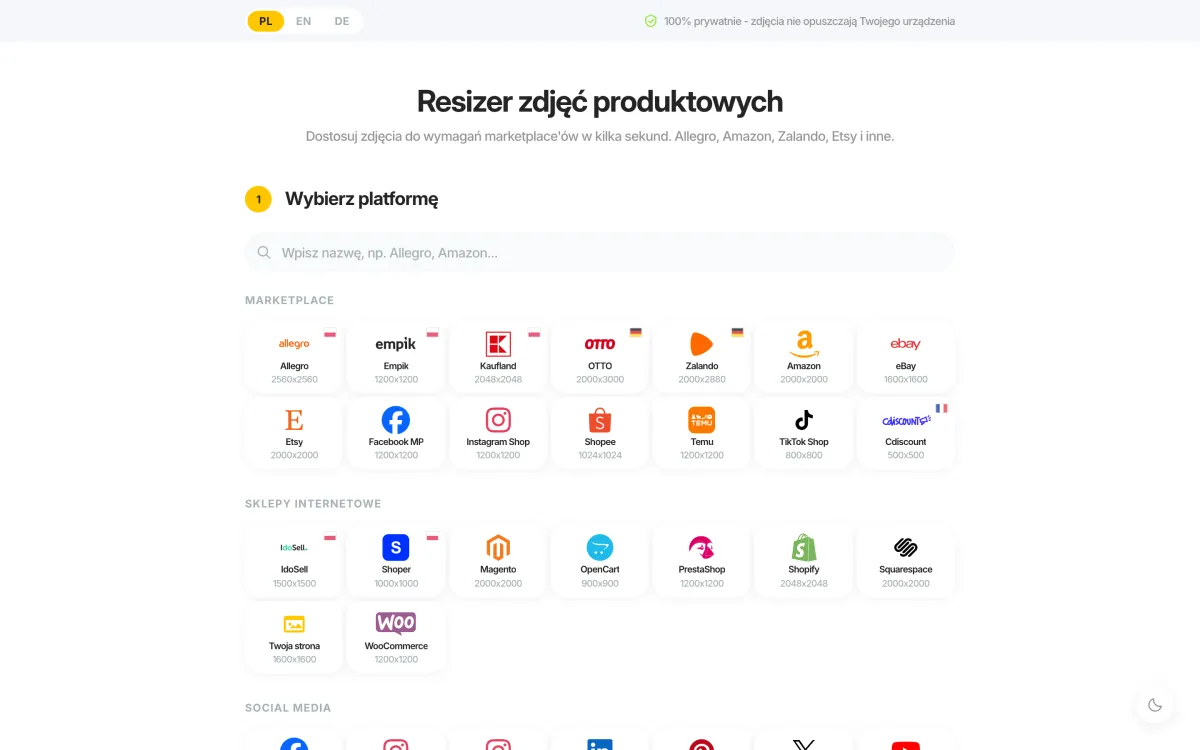
Every e-commerce platform has different image requirements. Amazon needs 2000x2000 px minimum for zoom, eBay recommends 1600x1600 px, Etsy works best at 2700x2025 px. Manually resizing each packshot for every channel wastes hours. Our product photo resizer solves this: select a marketplace preset, drop your packshots in, and get correctly sized files in seconds. It handles batch processing (up to 20 images at once) and runs entirely in your browser - your product photos never touch external servers.
Post-production for packshots follows a consistent four-phase process:
1. RAW selection - choosing the best frames technically and compositionally
2. RAW processing - exposure correction, white balance, sharpness, noise reduction (Lightroom or Capture One)
3. Retouching - background removal, dust and scratch removal, colour correction, dodge and burn. See our guide to white background photography for detail on this step.
4. Export - preparing files in required formats, resolutions, and colour profiles for each platform.
Batch processing (Photoshop Actions, Lightroom presets) reduces post-production time by ~70% for consistent product series.
Stage 5: File Delivery
A professional studio delivers: master files (TIFF/PSD, full resolution), web versions (JPEG sRGB, compressed), platform-specific versions (if ordered), and optionally an online gallery for client selection. Standard turnaround: 3-7 business days. Express: 1-2 days. Rush (24h): typically +50-100% to the base price.
Equipment for Packshot Photography: 3 Budget Tiers
Tier 1: DIY / Starter (€500-2,000)
| Item | Example | Cost |
|---|---|---|
| Camera | Canon EOS 250D, Nikon D5600, Sony a6100 (APS-C) | €400-700 |
| Lens | 50mm f/1.8 (Canon/Nikon) or kit 18-55mm | €70-150 |
| Lighting | 2× LED softbox (Neewer, Godox SL60) | €80-180 |
| Background | Colorama paper or white PVC sheet | €15-50 |
| Tripod | Basic (Manfrotto Compact) | €50-100 |
| TOTAL | €615-1,180 |
Quality ceiling: sufficient for your own webshop and marketplaces like eBay. Limitations: no macro capability, weaker dynamic range, manual consistency issues across large product series.
Tier 2: Professional Studio (€4,000-12,000)
| Item | Example | Cost |
|---|---|---|
| Camera | Canon R6 III, Nikon Z6 III, Sony a7 IV (full-frame) | €2,000-3,000 |
| Macro lens | Canon 100mm f/2.8L, Sony 90mm f/2.8 | €700-1,200 |
| Lighting | 3-4 studio strobes (Godox AD300/400, Profoto B10) | €800-4,000 |
| Background system | 3-4 paper rolls + shadowless table | €150-600 |
| Studio tripod | Manfrotto 055, Gitzo | €250-700 |
| Accessories | Reflectors, diffusers, cards, mounts | €150-500 |
| TOTAL | €4,050-10,000 |
Tier 3: Automated Systems (€20,000+)
| Item | Example | Cost |
|---|---|---|
| Automated system | Orbitvu Alphashot, Styleshoots, PackshotCreator | €20,000-60,000 |
| Features | 360° rotation, auto lighting, AI background removal, batch | - |
| Output speed | 50-100+ products per day | - |
| Best for | Large e-commerce (1,000+ SKUs), fulfilment, wholesalers | - |
Automation makes financial sense above approximately 500 products per month. Below that threshold, outsourcing to a professional studio gives better flexibility and lower unit cost.
DIY vs Professional Studio: Which Makes More Sense?
This is the question every growing e-commerce business eventually faces. The honest answer depends on volume, product complexity, and how much your brand positioning depends on visual quality.
| Factor | DIY | Professional Studio |
|---|---|---|
| Cost per image | €0 (+ equipment + time) | €5-30 outsourced |
| Time per product | 20-30 minutes | 3-5 minutes (automated) |
| Consistency | ~70% match across series | 99%+ match (automated) |
| Reflective products | Very difficult | Specialist technique available |
| Scalability | Limited by your time | 100+ products per day |
| Amazon compliance | Hard to guarantee | Built into workflow |
DIY packshots typically achieve 70-80% of professional quality - which is genuinely adequate for small stores and low-competition niches. For competitive marketplaces (Amazon, Google Shopping), the gap is costly: low-resolution or inconsistently lit packshots correlate with 20-30% lower conversion rates compared to professional-grade images.
The hybrid approach is growing in 2026: automated systems for high-volume standard SKUs, manual professional shooting for specialty or luxury items requiring higher creative control, and a separate editorial team for lifestyle content. All packshots feed into a centralised Digital Asset Management system.
Where To Get Ready-Made Product Photos?
- Online - you can find photos of many products by searching the manufacturer's name. If you want to use them, you must have written consent from the image owner. Using them without permission may infringe copyright with financial and legal consequences.
- Wholesaler - the company supplying your goods for sale may also provide packshot photography. Always establish the terms clearly: sometimes images are provided free of charge, but paid arrangements are also common.
- Manufacturer - manufacturers may also offer packshot photography as part of their trade relationship. Clarify usage rights, resolution, and any restrictions before relying on these images for your listings.
Who Should You Outsource Your Packshot Photography To?
Product photography can be outsourced to a specialist packshot studio. To get product photos that actually drive sales, pay attention to the following when choosing a studio:
Portfolio and industry experience. Choose studios with a track record in your product category. A fashion packshot studio and a packshot studio for electronics have different equipment and retouching workflows. Review work they've done for brands in comparable market positions.
Communicate your expectations precisely. Specify lighting style, product positioning, required angles, and any brand visual guidelines. Provide reference images. Ambiguous briefs produce generic results.
Verify platform compliance. If you sell on Amazon, confirm that the studio understands Amazon's image requirements - pure white background at RGB 255,255,255, no shadows on hero images, product filling 85%+ of frame. Many generalist photographers are unaware of these specifications.
Working with a professional product photography studio means access to the right equipment, retouching expertise, and consistent quality. Good communication with the studio team ensures the entire process runs smoothly and the results align with your brand expectations.
Why Packshot Photography Pays for Itself: Key Data
- 90% of consumers cite visual appearance as the primary factor in online purchase decisions
- High-quality product images increase conversion rates by 5-15% (median 8%) compared to low-quality equivalents
- 360-degree packshots generate 30-40% longer page dwell times compared to static images
- Packshot resolution below 1000 px correlates with 20-30% lower conversion rates
- Professional images reduce returns by up to 22% because the product accurately matches customer expectations
- E-commerce listings with 4+ images per product average 30% higher conversion versus listings with 1-2 images
The Best Packshot Studio?
At marszalstudio, we provide our clients with the possibility of online photo shoots with live access. This means we are available to you regardless of which city or country you are in, and you can participate in the product shoot in real time - watching frames as they are taken, providing feedback immediately, and avoiding the delay of traditional briefing-and-review cycles.
With an individual account manager guiding you through the entire project, we provide support and expert advice at every stage of the collaboration. Our app makes it easy to order a photo shoot in as little as 2 minutes and receive professional product photos even within the next 24 hours.
Packshot Photography: Summary
Packshot photography is the foundation of e-commerce. It doesn't need to be expensive or complicated - but it must be consistent, sharp, and colour-accurate.
Product photography and the packshot photography contained within it are complex yet relatively straightforward concepts. The different production techniques, creation approaches, and use cases mean that packshots can differ significantly from one another - and that variation is precisely what makes it possible to select those ideally suited to the individual needs of online shops, brands, and manufacturers.
Key principles to take away:
- Prepare the product more thoroughly than you think is necessary
- Standardise your setup - same lights, same background, same settings
- Shoot more angles than you need (4-6 per listing)
- Match resolution to platform requirements (minimum 1600 px for zoom features)
- Invest in post-production - retouching accounts for 40% of final image quality
Properly executed packshot photography plays a significant role in the e-commerce industry and a decisive role in the moment of purchase. Packshots also extend beyond the product page: social media feeds, YouTube advertising inserts, billboards, banners, and product packaging all use the same white background photography that begins with a well-executed packshot session.
If you photograph products regularly and need consistent, platform-ready quality, explore our packshot services. We work with e-commerce brands, own-label manufacturers, and agencies across Europe.