What is a packshot? A packshot is a professional photograph of a product on a clean, plain background, most often white, that shows it exactly as it is: no context, no styling, no models. Just the product, sharp, well lit and colour-accurate.
The word is pack (the packaging) plus shot, and it comes from television advertising, where since the 1960s it has meant the close-up of the product in its pack, usually at the end of the ad. Online, it became the standard main image of a listing on Amazon, eBay, Walmart or Google Shopping.
How many marketplace photos actually meet that definition? We measured 2,197 main images pixel by pixel from Kaufland (Kaufland.pl and Kaufland.de) and from Allegro, Poland's largest marketplace. On Kaufland, only one main image in two (49%) meets four basic packshot rules at once: pure white 255, no shadow, the product on at least 85% of the search-results tile and at least 1,000 px.
We shoot packshots for online shops and marketplaces every day, so the examples are our own photos. Test your own file in the Packshot Checker: it measures the white, framing and size against 10 platforms, and the photo never leaves your computer.

What is a packshot? Definition and 7 features of packshot photography
In an online shop, a packshot stands in for picking the product up. It is usually the first image in the listing, the one that does the work as a thumbnail in search results; Amazon calls it the MAIN image. Packshot photography is the studio discipline behind it: light, background, retouching and export that make every product in a catalogue look consistent.
Fashion platforms use the word in their rules: Zalando's post-production guide says that "primary packshots must have a white background". We check a good packshot against seven points:
- The product alone, with no props or models, one variant per image.
- A plain background, usually white RGB 255, 255, 255, sometimes light grey (fashion) or transparent (PNG for graphics).
- Soft, controlled light that models the shape and leaves a clean edge.
- Sharp from front to back, which with jewellery often means stacking a dozen or several dozen frames.
- True colour: a colour checker in the shoot's light, RAW capture and export in sRGB.
- True proportions: a longer focal length from further away, so bottles do not bulge as they do from a wide angle.
- Resolution for zoom: from 1,000 px (Amazon) to 2,200 px (Walmart's recommended size) on the longest side.
Anatomy of a packshot
7 packshot features on one real photo
A natural soap with a paper band from our portfolio, file 1920 × 1920 px. Every layer is a measurement of this file, calculated by a script pixel by pixel, not drawn by eye.

- Product only1 silhouette59.4% of the frame areaWith the background masked out, one silhouette is left, covering 59.4% of the frame: just the soap, with no props, hands or added text. More: Definition and 7 features
- 255 background99.9%of pixels near the edge = 255In the 58 px band along the frame edges, 99.9% of pixels are exactly RGB 255, 255, 255 (the rest are 254); only the shadow and a narrow transition at the edge of the soap fall below 255. More: Why a 255 background
- Contact shadowabout 42 pxshadow band, darkest at RGB 163, 158, 157A contact shadow lies under the soap, a band of about 42 px: darkest at RGB 163, 158, 157 right at the edge, then fading gently to 255, so the soap stands on a surface instead of floating in white. More: Packshot with and without a shadow
- Sharpness1.4 pxtransition from white to black (10-90%)A 1:1 crop from the file, with no sharpening: the black line on the paper band goes from white to black in 1.4 px (10-90%), and the halftone dots of the print show in the flower. More: Sharpness and focus stacking
- Product whiteRGB 244, 243, 243brightest spot on the paper band, typically 234The brightest spot on the paper band reads RGB 244, 243, 243 (11 × 11 px eyedropper) and its typical white is 234: close to the 235-242 target recommended by Calibrite and clearly below the 255 background, so the paper does not merge with the background. More: Background exposure and product white
- Framing87.6%of the frame width taken by the soapThe soap fills 87.6% of the frame width: more than the 85% Amazon asks for, less than the 95% in the GS1 standard, and it touches no edge (the narrowest margin is 118 px). More: Tight crop and the square tile
- Resolution1920 pxon each side, file 1920 × 1920The file is 1920 × 1920 px: Amazon enables zoom from 1000 px, and it is 128 px short of the 2048 px Kaufland recommends (the median on Kaufland is 1500 px). More: Technical requirements


 1:1, no sharpening
1 silhouette, 59.4% of the frame
58 px band: 99.9% = 255
darkest RGB 163, 158, 157
RGB 244, 243, 243
soap: 87.6% of the width
95% GS1
85% Amazon
1920 px
1920 px
1:1, no sharpening
1 silhouette, 59.4% of the frame
58 px band: 99.9% = 255
darkest RGB 163, 158, 157
RGB 244, 243, 243
soap: 87.6% of the width
95% GS1
85% Amazon
1920 px
1920 px
Choose a feature or click a number on the photo.The layers are measurements of this file: background mask, pixel map, edge profile and eyedropper, calculated by a script.
255: pure white90.4% of background250-254: white to the eye4.1%below 250: visibly grey5.5%
235-242234244background 255Yellow band: the 235-242 target. Circles: the typical white of the paper band (234) and its brightest spot (244); scale from 225 to 255.
1000 Amazon2048 Kauflandthis file: 1920 pxLonger side in px on a scale up to 2400; the thresholds at which shops enable image zoom.
Seven packshot features measured on one photo from our portfolio (a packshot we shot for a Polish natural soap brand). Measured on 9 October 2026 on the same file you see: WebP 1920 × 1920 px, 69 KB.
A packshot is not the same as:
- a lifestyle shot: the product in context, on a table, on a model, in use;
- a lookbook: a collection presented as a visual story, usually with a model;
- a flat lay: several items shot from above, arranged with props.

Why packshot photography pays for itself: 4 verified numbers
- 56% of users start by exploring the product images as soon as they land on a product page (Baymard Institute, large-scale usability testing, 2020).
- 42% try to judge a product's size from the images, yet 37% of the 155+ sites in Baymard's benchmark have no image that shows it to scale (Baymard, updated 2026).
- +8.98% occupancy for Airbnb listings with photos by a professional photographer compared with the hosts' own photos (Zhang et al., Management Science 2022, 7,423 listings).
- 4.5% more likely to sell: eBay listings with better photos, meaning at least 500 px and no added text (eBay, 6.8 million listings).
To be fair, we know of no peer-reviewed study that measures, causally, how much a better packshot lifts marketplace sales.
Where good data exists, it shows the cost of a listing that does not match the product. In a Salsify survey of 2,712 shoppers in the US, Canada and the UK (October 2025), 45% had returned an online purchase because of incorrect or misleading information.
Packshot meaning: from TV adverts to your shop's main image
The Oxford English Dictionary records "pack shot" from 1960 (earliest evidence in the writing of O. Skilbeck). Collins, which labels the word British, defines it as a close-up of the advertised product in a television ad, "usually so that the viewer can register its logo and packaging".
Jeremy Bullmore described its job in Campaign in 2004: "to trigger what marketing persons like to call in-store, on-shelf recognition" (quoted by Wikipedia). UK broadcast rules still use the term: rule 11.20 of the BCAP Code says that a medicine ad making a product claim, "including legible on-pack product claims within a pack shot", must also include the product name, the active ingredient (if there is only one), what the product is for and wording such as "always read the label".
Pack shot, packshot or product shot: UK and US usage
Both spellings are correct. The OED and Collins list "pack shot" as two words, Cambridge's Business English Dictionary has "packshot" (also "pack shot"), and studios and platforms mostly write it as one word, as we do. The real difference is between British and American English.
In Google Books for 2010-2019 (British and American corpora), British books use "pack shot" almost twice as often as "product shot". American books use "product shot" about six times as often as "pack shot", and "packshot" as one word is too rare there to be counted. So in the US you will more often hear "product shot", "main image" (Amazon's term) or "white background product photography".
| Source | How it defines a packshot | Meaning |
|---|---|---|
| Oxford English Dictionary (from 1960) | earliest evidence 1960, in the writing of O. Skilbeck; the full definition is for subscribers only | first recorded use |
| Collins English Dictionary (British) | a close-up of the product being advertised, so that the viewer can "register its logo and packaging" | TV advertising |
| Cambridge Business English Dictionary | "a photograph or short piece of film showing a product and its package" in a way that can be used to advertise it | photo and film |
| Wikipedia | a still or moving image of a product, from a simple photo on a white background to a shot with elaborate props | advertising and e-commerce |
| FranceTerme (French official term, 2025) | "portrait de produit": a carefully crafted commercial photo or video that shows a product on its own | photo and video |
How the packshot moved from TV to online shops
From television the word moved into catalogues and online shops. IKEA shows the route well: by 2014 around 75% of its product images were 3D renders, and it all started with single pieces of furniture, "the ones you see on white backgrounds on the web" (CGSociety).
Packshot examples: 10 types of product shot you need to know
A packshot is one of several shots in a product gallery; the others answer what a white background photo cannot: how big the product is, what it is made of, what comes in the box and how it looks in use.
| Type | What it shows | Where it works |
|---|---|---|
| Packshot on white | the product alone on 255 white | main image on Amazon, Walmart, eBay |
| Packshot with a shadow or reflection | the product "stands" on a surface | own shop, catalogue |
| Detail (macro) | texture, seam, mechanism, label | gallery |
| Scale shot | the product next to a familiar object | gallery |
| Lifestyle | the product in a real setting or in use | gallery, ads |
| Flat lay | several items from above, composed | social media, gallery |
| Clothing: ghost mannequin, flat, on a hanger | a garment without a model; on an invisible mannequin it keeps its shape | fashion |
| 360° spin | the product rotating, from 24, 36 or 72 frames | own shop |
| Packshot video | a short, factual film of the product | Amazon, Shopify, Google |
| 3D render | an image made from a 3D model, not a camera | variants, products not yet made |
Packshot with a shadow, without a shadow and with a reflection
A contact shadow makes the product stand on a surface instead of floating in white. A shadowless packshot gives a clean silhouette that is easy to cut out and drop into graphics. A reflection is shot on acrylic or added in retouching.

Platforms do not agree on shadows. Amazon's clothing imaging guide (2021) allows a drop shadow added in post-production, while eBay's photo tips recommend soft, diffused light "to prevent shadows". Kaufland rules them out: "No shadows, frames or white space".
So it pays to get two versions from one shoot: shadowless for strict marketplaces and with a shadow for your own shop (in our app, a shadow is a +€3 per photo add-on). In our study, 13.5% of white background main images on Kaufland had a shadow despite the ban (visual check of a 104-image sample).


Product gallery: 7 shots in order, plus the group packshot
This is the order we use in a gallery:
- Front packshot on white: the main image.
- Back, side or three-quarter view.
- Detail: texture, seam, mechanism, label.
- Scale shot next to something whose size everyone knows.
- The product in use or styled.
- What is in the box: only what the buyer will actually receive.
- Packaging as a separate shot; first only when shoppers recognise the product by its pack (cereal, spices) or the box is a key feature, such as a gift box.

A group packshot, with several products in one frame, suits sets and collections. It does not work as the main image of a single variant: Google Merchant Center asks for one variant per image and advises against "group photos that showcase multiple colorways together".

Packshot vs lifestyle, organicshot and flat lay
A packshot shows the product alone on a neutral background; a lifestyle shot shows it in a real setting, on a model or in use. Google keeps lifestyle photos in a separate attribute (lifestyle_image_link). What works best: the packshot as the main image and one or two lifestyle shots in the gallery.
In between sits the organicshot, our term for a product on a coloured background with natural-looking light and shadow, made for the gallery, the brand's website and ads rather than a marketplace main image. Flat lay is likewise a gallery and social media format.


360° packshot, packshot video and 3D render
A 360° spin is a series of packshots taken around one axis: usually 24 frames (every 15°), 36 (every 10°) or 72 (every 5°).
Video is now a normal part of the gallery. Amazon reports that detail pages with a video saw an average 21.8% increase in sales compared with those without one (its own data, January to June 2024, 17 marketplaces outside the US).
A 3D render looks like a packshot but comes from a model, not a camera, and pays off with many variants or products that do not exist yet.

Check your packshot: white, framing and size against 10 platforms
White, framing and file size can be measured rather than judged by eye. The tool below checks whether the background really is RGB 255, 255, 255, whether the product casts a shadow, how much of the frame it fills and how big the file is. It then compares the result with the requirements of 10 platforms.
Tool: Packshot Checker
Will your photo pass on Amazon, eBay, Etsy, Walmart and Google Shopping?
Upload your main product image: we measure the background white (is it really 255?), the shadow, how much of the frame the product fills, the empty margins, the dimensions and the file.
Your photo never leaves your device. The analysis runs in your browser: the file is not uploaded to any server and nothing is stored.
The tool does all its calculations in your browser and needs JavaScript switched on. It checks what share of the background pixels is exactly RGB 255, 255, 255, whether the background is greyish (240-254) or tinted, whether there is a shadow under the product, how much of the frame the product fills and how wide the empty margins are on all four sides, plus the dimensions, aspect ratio, format and file size. Below are the platform requirements it compares your photo with.
or drag it here, or paste it from the clipboard (Ctrl+V). JPG, PNG or WebP, any size: large photos are analysed on a copy of up to 2,000 px, while dimensions and file size come from the original.
Or see how it works on a photo from our portfolio:
Your product category
Google has a higher minimum for clothing until 31 January 2027 (250 × 250 px) and Temu wants clothing in a 3:4 portrait ratio.
The example will appear in a moment.
Result
background 250-254: looks white, but is not 255background below 250: visibly greyproduct outline
What 10 platforms require of the main image
As of 9 October 2026. Each platform links to its source with the date of the page; where the page has no date, we give the date we read it. Open a card for the requirements and sources.
| Platform | Your photo | Requirements |
|---|---|---|
| Amazon (US and UK)MAIN image | The result appears once the photo has been analysed. | Pure white RGB 255, 255, 255, product filling at least 85% of the frame, no text, logos, borders or watermarks. 500 to 10,000 px on the longest side; zoom needs at least 1,000 px. JPEG, TIFF, PNG or non-animated GIF; Amazon.co.uk adds a 10 MB file limit.Sources: Amazon (US): 6 tips for taking product photos (4 December 2024), Amazon (UK): beginner's guide, image requirements (read 9 October 2026) |
| Google Merchant CenterGoogle Shopping, image_link | The result appears once the photo has been analysed. | No background colour required. At least 100 × 100 px (clothing 250 × 250 px) until 31 January 2027, then 500 × 500 px for all products; around 1,500 × 1,500 px recommended. Up to 64 MP and 16 MB, product on 75-90% of the image, no promotional overlays, borders or watermarks.Sources: Google: image_link [image link] (read 9 October 2026), Google: How to fix: Image too small (read 9 October 2026), Google: 2026 product data specification update (14 April 2026) |
| eBay (US and UK)listing photos | The result appears once the photo has been analysed. | At least 500 px on the longest side, about 1,600 × 1,600 px recommended, up to 12 MB per photo and 24 photos. White background recommended, not required (a darker one can suit jewellery). No added borders, text or watermarks, and no stock photos for used items.Sources: eBay: picture policy (US) (read 9 October 2026), eBay: picture policy (UK) (read 9 October 2026), eBay: adding pictures to your listings (read 9 October 2026) |
| Walmart Marketplacemain image | The result appears once the photo has been analysed. | Seamless white RGB 255, 255, 255, square 1:1. 2,200 × 2,200 px, at least 1,500 × 1,500 px for zoom; JPEG, PNG or BMP up to 5 MB. Crop as close to the item as possible; no watermarks, seller name, logo or promotional claims.Source: Walmart Marketplace Learn: image guidelines & requirements (read 9 October 2026) |
| Etsyfirst listing photo | The result appears once the photo has been analysed. | No background colour required. First photo at least 635 px wide and high (smaller ones show lower in search), 2,000 px recommended, landscape or square. No transparent PNGs; files over 1 MB may not finish uploading.Source: Etsy: requirements and best practices for images (read 9 October 2026) |
| Shopifyproduct media, your own shop | The result appears once the photo has been analysed. | Your own shop, so no background rule. Up to 5,000 × 5,000 px or 25 MP and under 20 MB; Shopify says 2,048 × 2,048 px usually displays best for square images.Source: Shopify Help Center: product media types (read 9 October 2026) |
| TikTok Shop (US and UK)main image | The result appears once the photo has been analysed. | Pure white background, front view of the product, square 1:1. At least 600 × 600 px in the US and 800 × 800 px in the UK. No added logos, text, borders or watermarks; up to 9 images.Sources: TikTok Shop US: Product Detail Pages & Listing Quality Guidelines (read 9 October 2026 (search excerpt)), TikTok Shop UK: How to Add a New Product (read 9 October 2026 (search excerpt)) |
| Temucarousel images | The result appears once the photo has been analysed. | Square 1:1, at least 800 × 800 px; clothing 3:4, at least 1,340 × 1,785 px. Up to 3 MB, JPG or PNG. Temu does not publish background rules; these values come from its EU seller documentation.Source: Temu: seller documentation (EU) (9 October 2025) |
| Wayfairprimary image | The result appears once the photo has been analysed. | At least 1,000 × 1,000 px to be featured, 2,000 × 2,000 px recommended. A single-product silhouette (silo) is one of five image types Wayfair expects; it publishes no background value.Source: Wayfair: Imagery 101 (10 August 2023) |
| Kauflandmain image (Kaufland.de and other EU stores) | The result appears once the photo has been analysed. | White background with a clear silhouette; no shadows, frames or white space, no mood shot or collage as the main image. At least 500 px (attribute sheet), 1,024 px recommended, 2,048 px for zoom; up to 10 MB.Sources: Kaufland Global Marketplace: product data guideline (read 9 October 2026), Kaufland: attribute sheet (read 8 October 2026) |
What the tool cannot check: text, logos, watermarks and stickers on the photo, sharpness, or whether the colour in the photo matches the product. It measures white and transparent products on white backgrounds less reliably: the outline can come out too small, so the frame fill is understated. It detects shadows generously and sometimes flags a darkening that is barely visible to the eye. The empty-margin thresholds for Kaufland (60% and 80% of the frame) and Walmart (75%) are our interpretation, because the platforms give no numbers. File formats and sizes that the source does not confirm explicitly are marked "check" and do not change the verdict. The result is based on the platforms' public rules, and each platform may check photos in its own way.
Vinted and similar second-hand marketplaces are a separate case: studio and manufacturer photos are not allowed there, and what counts is your own unedited photo of the item (Vinted catalogue rules).
Background not quite white, or the product lost in the frame? We can shoot your packshots on white for you
You send us the product and get packshots on a white background, with no text or borders. Tell us the size your platform needs in the brief. Packshots from €9 (clothing from €18). More on our packshot photography services.
A "fails" result can usually be fixed in retouching: pushing the background to 255, cropping or removing the shadow. When the problem lies in the photo itself (a file that is too small, soft focus, wrong colour), a reshoot is quicker.
White background product photography: why it has to be 255, not ‘almost white’
In a file, white is three numbers: red, green and blue all at 255 (#FFFFFF in hex). Amazon calls this white "an industry standard and also a default setting with Amazon", and Amazon.co.uk says the main image "must have a pure white background". Walmart asks for "seamless white (255/255/255 RGB)".
The photo sits on a white product page. A 255 background merges with it and the product stands with no frame; a greyish one shows as a rectangle and the photo looks pasted in. The CIE L* lightness scale shows the line, with a difference of about 2.3 as the point the eye notices:
| Background (RGB) | Lightness L* | Difference from white | On a white page |
|---|---|---|---|
| 255 | 100.0 | 0 | white, the background disappears |
| 254 | 99.65 | 0.35 | invisible |
| 250 | 98.27 | 1.73 | practically invisible |
| 248 | 97.58 | 2.42 | borderline |
| 245 | 96.54 | 3.46 | a grey rectangle |
| 240 | 94.80 | 5.20 | clearly grey |

Kaufland's search tile: a 4% black overlay will not hide a grey background
Kaufland's search results place each photo in a square tile and lay a semi-transparent 4% black layer over the whole tile (we checked the page code on 8 October 2026). 255 white and the empty part of the tile both turn the same light grey (about 245) and merge into one background.
The layer darkens the photo's own background in exactly the same way, though: 250 becomes 240 and 245 becomes 235, so the difference in lightness stays what it was on a white page.
How white is your background?
Move the slider: when does a white background stop looking white?
The same cut-out product from our portfolio on a background from 240 to 255: on a white shop page (255) and in a search-results tile with a 4% black overlay, as on Kaufland. Under each scene you see the lightness difference ΔL* from the surroundings and the verdict from the L* table.
Without JavaScript you see background 250; the results for the other values are in the list below the photos.
- Background 255: ΔL* 0 on the page and 0 in the tile, which means pure white, background vanishes
- Background 254: ΔL* 0.35 on the page and 0.33 in the tile, which means invisible
- Background 250: ΔL* 1.73 on the page and 1.67 in the tile, which means practically invisible
- Background 248: ΔL* 2.42 on the page and 2.34 in the tile, which means borderline visible
- Background 245: ΔL* 3.46 on the page and 3.35 in the tile, which means grey rectangle visible
- Background 240: ΔL* 5.20 on the page and 5.04 in the tile, which means background clearly grey
Takeaway: the tile overlay darkens the photo background and the empty field around it by the same amount, so a grey rectangle shows in the tile exactly as it does on a white page, no more.
A simulation on our photo; the actual look depends on the screen. The tile overlay #0000000a comes from the code of the kaufland.pl search results (8 October 2026); ΔL* is calculated with the sRGB and CIELAB formulas.
How many ‘white background’ photos are really 255
In our Kaufland study, 88% of main images with a light, uniform background have 255 white in the file, but only 63% are perfectly clean, without a single grey pixel at the edge of the frame. The rest carry stray 250-254 pixels: noise, an imprecise cut-out, brush marks.
- 7.3% of light-background photos sit at 250-254, impossible to tell from white with the naked eye.
- 4.4% are clearly greyish or cream (below 250).
- The most common "almost white" is 254 (5.0% of light-background photos): white after a colour profile conversion, or an export that rounded it down by one level.

Compression is not to blame: in our test, a flat white background saved as JPEG at any quality from 50 to 100 stayed 100% at 255. Grey at the edge comes from editing (an underexposed background "pulled up", noise, profile conversion, vignetting), not from saving.
On Allegro, 255 white breaks into bands of 254 and 255
95%
of the files that Allegro's server returns as the "original" (339 of 356) carry traces of re-encoding by the platform: the same metadata block with a server identifier, usually JPEG at quality 98.
In 65.9% of those files with a light background, the background is made of vertical bands of 254 and 255 running across the whole frame, and only 6.7% are clean 255.
The eye cannot see the difference between 254 and 255 (ΔL* 0.35), but an eyedropper on a file downloaded from Allegro reads 254, so it can look as if the photographer got the white wrong. We cannot see the files sellers uploaded, so this is a conclusion from the pattern (the same bands in 168 photos, 163 different files), not direct proof.

Pro tip: check the white in the file you send, not in one you download from the platform. In Photoshop, place colour samplers in the four corners and right next to the product (Info panel): every reading should be 255, 255, 255. Measure again after export, or drop the file into the Packshot Checker above.
When 255 white is not required: 3 cases
- Google Merchant Center, eBay, Etsy and Shopify do not set a background colour.
- Vinted wants a plain, neutral background, but your own unedited photo, so a studio packshot will not pass (see Vinted photos that sell).
- Gallery images: on Amazon, Walmart and TikTok Shop the white rule covers the main image, so the gallery can show the product in use or on colour (photo background ideas).
Got a photo on a grey background? We compared AI tools that remove the background online; whichever you use, check that it really writes 255.
Amazon image requirements and 11 other platforms: main image rules for 2026
Miss a minimum and the listing loses what sells: under 1,000 px Amazon's zoom does not work, and a Google Shopping image that breaks the rules does not appear at all. In the table, bold text is a hard requirement: break it and the image is rejected, the listing hidden or the account sanctioned. Plain text is a recommendation.
As of 9 October 2026; sources are listed at the end. TikTok Shop's seller pages would not open for us, so its values come from search excerpts.
| Platform | Background | Size | Other |
|---|---|---|---|
| Amazon (US, UK), MAIN image | pure white 255* | 500-10,000 px on the longest side; zoom from 1,000 px; UK: up to 10 MB | product on 85%+ of the frame; no text, logos, borders or watermarks; product out of its packaging unless the pack is a key feature |
| Walmart | seamless white 255 | 2,200 × 2,200 px; zoom from 1,500 px; up to 5 MB | square 1:1; no watermarks, logo or promotional claims; cropped close |
| eBay (US, UK) | white recommended | min. 500 px on the longest side; 1,600 × 1,600 px recommended; up to 12 MB | no added borders, text or watermarks; no stock photos for used items |
| Etsy | any | first photo min. 635 px (smaller ranks lower); 2,000 px recommended | first photo landscape or square; no transparent PNG |
| Google Merchant Center | any | min. 100 × 100 px (clothing 250 × 250); from 31 January 2027: 500 × 500 px; 1,500 × 1,500 px recommended | product on 75-90%; no promotional overlays, borders or watermarks; one variant |
| Shopify (own shop) | your choice | up to 5,000 × 5,000 px, under 20 MB; 2,048 × 2,048 px displays best | your shop, your standard |
| TikTok Shop (US, UK) | pure white | min. 600 × 600 px (US), 800 × 800 px (UK) | square 1:1, front view; US: no added logos, text or borders |
| Temu | not published | min. 800 × 800 px, clothing 1,340 × 1,785 px; up to 3 MB | square 1:1, clothing 3:4 |
| Wayfair | not published | min. 1,000 × 1,000 px to be featured; 2,000 px recommended | single-product "silo" shot |
| Kaufland (9 EU markets) | white, clear silhouette | 1,024 px, 2,048 px for zoom (attribute sheet: min. 500 px); up to 10 MB | no shadows, frames or white space; no snapshot as the main image, no collages |
| Zalando (EU, fashion) | white (shown light grey) | min. 762 × 1,100 px; 1,801 × 2,600 px recommended | portrait 1:1.44; no visible mannequins |
| Vinted (UK, EU) | plain, neutral | not specified | your own, unedited photos; no stock or advertising images |
* Amazon's US seller blog says product shots should be on white "in most cases", while Amazon.co.uk states the main image "must have a pure white background"; Amazon's listing guide warns that a product whose main image breaks the rules "may be suppressed and not appear in search results".
More on individual marketplaces in our guides to selling on Etsy UK, TikTok Shop UK and selling on Temu from the UK.
Google Merchant Center: 500 × 500 px from 31 January 2027
Until 31 January 2027 Google accepts a main image from 100 × 100 px (clothing from 250 × 250 px). Since 14 April 2026 Merchant Center has shown an "Image too small for upcoming enforcement" warning, and from 31 January 2027 it will enforce a 500 × 500 px minimum in all product categories. The other rules:
- Up to 64 megapixels and 16 MB per file.
- Banned: promotional overlays (price, "Free shipping", "New"), barcodes and QR codes, watermarks, borders, logos added in editing, single-colour images, and mockups or illustrations instead of the product.
- Do not upscale small images or submit thumbnails.
Where to get ready-made product photos: manufacturer, wholesaler, the internet
Ready-made packshots often come from the manufacturer, the brand owner or a wholesaler, free or for a fee. Agree in writing which channels you may use them in, for how long, and whether you may retouch them.
A photo found online is not yours to take. In the UK a photograph is an artistic work "irrespective of artistic quality" (Copyright, Designs and Patents Act 1988, section 4), so even a plain packshot on white is protected. In the US, a photo is protected as soon as it is "fixed in any tangible medium of expression" (17 U.S.C. § 102), with no registration needed.
Marketplaces act on complaints: brands in Amazon Brand Registry report infringement with the Report a Violation tool, and eBay's Verified Rights Owner programme lets rights owners report listings that "use copyrighted content without permission", and a listing found to violate IP rights "may be removed". Platforms also limit whose photos you may use:
- Amazon: if the product already has a detail page, you match your offer to it; your own packshots are needed when you create a new listing, for example for your own brand.
- eBay: no stock photos for used, damaged or defective items.
- Etsy: items in the "Made by a seller" category must be shown in your own photographs.
Stock libraries (free stock photos) help with backgrounds and lifestyle scenes, rarely with your exact product.
GS1 standard: a 15° angle, 95% of the canvas and the GTIN in the file name
GS1 is the organisation behind barcodes: GS1 UK issues the 13-digit numbers that retailers still call EANs, and GS1 US the 12-digit UPC. Manufacturers and retailers exchange product photos under its Product Image Standard (Release 5.0, July 2026), which settles what the platforms leave open:
- Angle: front view with the camera about 15° above, plus 15° left and right rotations when warranted; flat products such as blister packs straight on.
- Framing: the product centred, covering 95% of the canvas.
- Size: web images from 900 × 900 to 2,400 × 2,400 px, high resolution from 2,401 × 2,401 to 4,800 × 4,800 px.
- Retouching: undetectable at 100% magnification, expiry and best-before dates removed; no upscaling.
- File name: the 14-digit GTIN plus a shot code, e.g.
GTIN_A1C1is a web product image (A), front (1), centred with no rotation (C), in its packaging (1).
One packshot for every platform: how we export in 4 steps
This is our practice, not a platform rule, but with a few extra exports it covers every platform in the table above:
- A master file of at least 3,000 px, TIFF or PSD.
- For selling: JPEG in sRGB, 2,048-2,500 px on the longest side, square 1:1, usually 0.5-2 MB; 2,200 px meets Walmart's target and the zoom thresholds of Amazon and Walmart.
- The product on about 85% of the longer side, enough for Amazon, Google and Zalando; for Walmart ("as close as possible") we go tighter.
- Separate exports: a tight crop without white space for Kaufland, 1:1.44 for Zalando, 3:4 for clothing on Temu (up to 3 MB), and a lighter file for Etsy if uploads stall.
To fit a packshot to one platform, use our resizer below: it has marketplace presets and runs in your browser. Resizing by hand? How to resize product photos covers nine methods.

Our study of 2,197 images: only one in two Kaufland main images meets the basics
We measured 1,841 main images from Kaufland.pl and Kaufland.de product pages, downloaded at original resolution, and compared them with 356 Allegro listings saved in the Internet Archive (April-October 2026). A program did the measuring pixel by pixel, and we also checked 160 images by eye.
These are EU marketplaces: Kaufland sells in Germany and eight other EU countries (see selling on Kaufland), Allegro in Poland. We did not measure Amazon or eBay.
The results in 7 numbers
- 49% of Kaufland main images meet four basic rules at once: 255 white, no shadow, the product on at least 85% of the square tile and at least 1,000 px. Add Kaufland's recommended 2,048 px and only 12% remain.
- 13.5% of white background main images have a shadow under the product, although Kaufland bans shadows (visual check; the program flags about 20%).
- 95% of light-background images meet Amazon's "product on at least 85% of the frame", but in 65% the product touches the edge of the frame, which Amazon's main image rules do not allow.
- 21% of main images are square; 68.5% are cropped to the shape of the product.
- 25.6% of light-background images, one in four, show the product on less than half of the square search-results tile.
- 19.5% of images reach Kaufland's recommended 2,048 px, while 19.7% do not even have 1,000 px. The median is 1,500 px.
- 65.9% of light-background files re-encoded by Allegro have invisible vertical bands of 254 and 255.

The square tile: a long product will always look small in it
Kaufland sellers crop to the product instead of leaving a margin, in line with the ban on "white space". But a tight frame takes the product's proportions, say 2:1 for a table or 1:3 for a bottle, and search results fit it into a square. The product spans the tile's width but only part of its height (median: 69% of the area), so it looks small, even though it meets the "85% of the frame" rule.
In Europe a thumbnail is typically about 16 × 16 mm viewed from 40 cm, according to GS1's guideline for mobile images (August 2026); a 34 px Gaussian blur on a 3,000 × 3,000 px image simulates that view. If you cannot recognise the brand, product and variant after blurring, and text is not allowed, only a fuller frame helps.
A square with a margin does not fix this: a product on 85% of the longer side is 15% smaller in the tile than one cropped tight, as the phone tile preview below shows. On Allegro, where half of new-item main images are squares, even more photos show the product on less than half of the tile: 32.8%. What helps is the angle: we shoot long products in a three-quarter view, so the silhouette gets closer to a square (our practice, not a platform rule).

GS1 test simulation
Phone tile preview: tight crop or square?
Four packshots from our portfolio in square search-results tiles. Switch the crop (cut tight around the product, or a square with the product at 85% of the longer side) and the view: sharp, or the way a thumbnail of about 16 × 16 mm looks from 40 cm away.
Without JavaScript the tiles show the tight crop, with no blur.
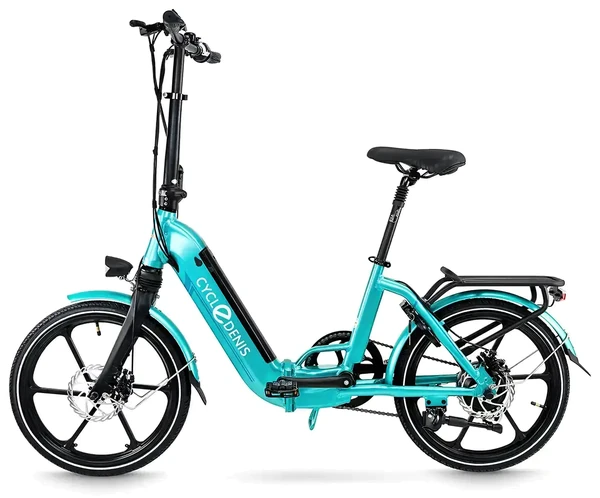
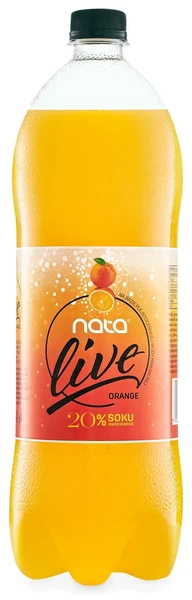

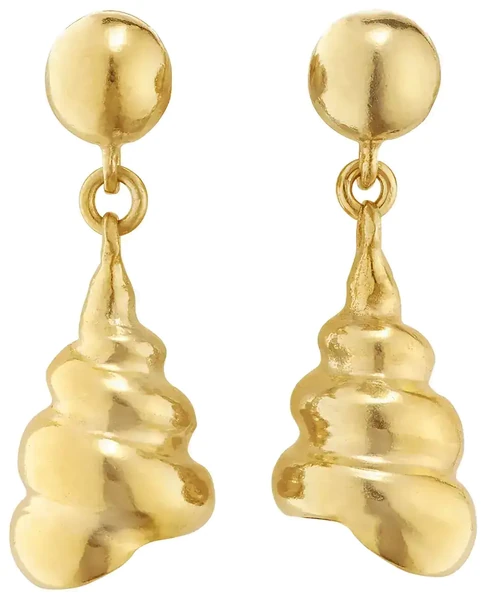
Photos from the marszalstudio portfolio. The blur is a simulation based on the test in the GS1 Mobile Ready Hero Images 2.2 guidelines (34 px on a 3000 px image). Bounding box: the rectangle around the product as a percentage of the tile area.
The GS1 test question: after the blur, can you still recognise the brand, the product and the variant? If not, and you are not allowed to add text to the image, the only fix is a larger product in the frame.
Kaufland vs Allegro: tight crops against squares in 8 measures
| Measure | Kaufland (1,841) | Allegro, new items (273) |
|---|---|---|
| 254-255 white among light backgrounds | 93.3% | 93.4% |
| clean 255 among light backgrounds* | 63.0% | 11.4% |
| 1:1 frame | 21.2% | 50.9% |
| product on at least 85% of the square tile | 91.4% | 75.1% |
| product from edge to edge | 58.3% | 20.1% |
| longest side below 1,000 px | 19.7% | 29.3% |
| longest side at least 2,048 px | 19.5% | 24.2% |
| median longest side | 1,500 px | 1,279 px |
* On Allegro this figure is understated by server-side re-encoding (bands of 254 and 255; among re-encoded files alone, clean 255 is 6.7%), which is why we compare the "254-255 white" row.
Used-item listings on Allegro are another world: 44% of their photos have no uniform background, because they are shot "on the table" or "on a hanger".

Categories: where the white is cleanest and where shadows are most common
- Fashion has the cleanest white: a 255 background on 89% of main images on Kaufland.pl and 98% on Kaufland.de.
- Home and interiors on Kaufland.de abandons white most often: 29% of main images have no uniform light background. On Kaufland.pl, garden and pets do it more often (20%) than home and interiors (14%).
- Kitchen and small appliances have the most shadows on Kaufland.pl: 32%, and 31% on Kaufland.de, level with baby and toys and with home and interiors (automatic measurement).
How we measured and what these numbers do not tell you
Kaufland: main images from product pages saved in the Internet Archive (837 pages from kaufland.pl and 1,004 from kaufland.de, April-October 2026), downloaded again in their original version from the public image server. Allegro: all 358 listings archived from 1 April to 7 October 2026, 356 of them with a photo; we did not visit allegro.pl and did not bypass any blocks. A Python program measures the background shade on a strip along the edge of the frame away from the product, plus the outline, shadow, proportions and dimensions; "clean 255" means at least 99% of the background edge pixels equal 255, 255, 255.
- Agreement with a visual check (120 Kaufland images): background 93.3%, product outline 90.5%, shadow 83.7%; Allegro (40 images): background 95%.
- This is not a random sample of all of Kaufland or Allegro: the archive saves popular pages more often. Allegro is a small sample (22% used items, mostly electronics).
- White and transparent products (5.1% of light-background images) are outlined too tightly by the program, so their fill is understated.
- Shadow is our weakest measure: visual check 13.5% (95% CI 8.2-21.3%), the program about 20%. The visual check was done by one person.
When citing, please give: marszalstudio study, 1,841 main images from Kaufland.pl and Kaufland.de product pages and 356 Allegro listings from the Internet Archive, April-October 2026.
How to make a packshot: a professional workflow in 8 steps
This is how we shoot a packshot on a white background.
- Shot list per platform: Amazon recommends at least six images, eBay takes up to 24, Google Merchant Center a main image plus up to 10 more.
- Product preparation: microfibre cloth, isopropyl alcohol for glass and metal, anti-static spray for plastic, gloves, filled packaging, steamed fabrics, protective film removed.
- Separate light for background and product: dedicated background lights; on the product usually two softboxes or stripboxes at about 45°, plus black flags against flare.
- Exposure: background at 255, product whites around 235-242, checked on a tethered live view.
- Sharpness: tripod, about f/8-f/11, ISO 100, RAW; for small high-end items (quoted individually) a series for focus stacking.
- Colour: a colour checker shot in the session light, and a new one after every change of light or lens.
- Retouching: cut-out, dust, scratches, shadow or no shadow, straightened verticals, identical framing across the series.
- Export: sRGB, sizes for each platform, versions with and without a shadow, the white measured again in the finished file.
Equipment for packshot photography: 3 tiers
| Tier | Camera and lens | Light and background | Who it suits |
|---|---|---|---|
| Starter | APS-C camera (about 50 mm lens) or a phone with a telephoto, a tripod | 2 LED lights with softboxes or a light tent, a paper or PVC background | a small shop, single products, eBay, Etsy and Vinted |
| Studio | full frame, about 100 mm macro, studio stand, tethered live view | 3-4 studio flash heads, background system, shooting table, white and black cards, flags | marketplaces, catalogues, glass, metal, jewellery |
| Automated | turntable station with a computer-controlled camera (e.g. PhotoRobot, Orbitvu) | lighting fixed for a repeatable series | large shops with thousands of products, 360° spins |
See our guides to the best camera for product photography and a home product photography setup, and the softbox glossary entry.
4 ways to get a white background
| Method | When it works | What to watch |
|---|---|---|
| White sweep (infinity cove), lit separately | small items to furniture; natural contact shadow | too bright a background flares and "eats" the edges; needs space, flags and more lights |
| Light tent | a quick start, even, soft light | flat light without shape, little room, seams in reflections |
| Shooting table of opal acrylic, lit from below and behind | glass, cosmetics; white to the bottom edge of the frame | the product "floats" without a shadow, reflects in the acrylic; scratches and dust show |
| Backlit background (a large diffuser) | the simplest route to an even 255 | light pointing into the lens causes flare; black flags help |
More on light box photography and the shooting table.
Exposure: 255 in the background, detail in the product's whites
For a colour checker shot used to build a profile, Calibrite wants the white patch at 180-242, ideally about 235. We keep product whites similar, around 235-242, and leave 255 to the background.
A blown-out product cannot be rescued later: Lightroom recovers detail with one or two clipped channels, not three. The basics are in our guide to exposure.
Pro tip: a reading of 255 does not tell you whether the background is just at white or already two stops past it. That is why Karl Taylor (Visual Education) sets the background to 253-254 and only then adds light in 1/10-stop steps.
Sharpness: how many frames to focus-stack for 3 products
When one frame is not enough, we combine several (focus stacking). We worked out the number of frames from the Zerene Systems tables:
| Product (depth) | Magnification | Aperture | Frames |
|---|---|---|---|
| ring (10 mm) | 1:1 | f/8 | about 26 |
| perfume bottle (60 mm) | 0.2x | f/11 | 9-10 |
| shoe (300 mm) | 0.1x | f/11 | about 14 (about 7 at f/16) |
The frames are merged in Helicon Focus, Zerene Stacker or Photoshop. More in our guides to focus stacking and depth of field.
Colour: colour checker, RAW and a calibrated monitor
In clothing, colour is the second most common reason for returns after size: 16% of the US apparel companies surveyed named it, against 53% for size or fit (Coresight Research and 3DLOOK, 2023, 100 companies). That is why we watch three things:
- A colour checker in the same light as the product: according to Calibrite, a chart shot under different light is useless for profiling.
- A RAW file, because JPEG bakes in the camera's own colour interpretation (more on RAW files).
- A calibrated monitor, or the rest is wasted.
Retouching: from the unretouched shot to 255 white
J. Lenton writes in the PetaPixel guide that an image used commercially without any post-production is "about as rare as hen's teeth". How much retouching is needed depends on the product:
- Cut-out: a pen-tool path for hard edges (bottles, boxes, electronics), a mask for hair, fur and fabric.
- Background to 255 across the whole frame, with no grey halo around the product.
- Dust, scratches, fingerprints, crooked labels and, following GS1, also the best-before date and batch number, so the image fits every delivery.

More before and after pairs are on our product photo retouching page.
Technical requirements: resolution, file format, colour profile and DPI
- Resolution: see our export routine; the resizer under it has platform presets.
- sRGB: browsers treat untagged images as sRGB (W3C); Amazon's home category guide requires it and Etsy advises converting photos to it before upload.
- JPEG for marketplaces: quality 80-90; Google's Lighthouse uses 85 as its benchmark.
- WebP and AVIF for your own shop: WebP files are 25-34% smaller than JPEG at the same quality (Google), AVIF often more than 50% smaller. Marketplaces mostly do not accept AVIF; eBay is the exception. More about WebP.
- White after export: in our test (libwebp 1.6, six packshots on 255), WebP at quality 91-95 turned 2-4% of background pixels, edge included, from 255 to 253 in one channel. Up to 90 and from 96, the edge stayed 100% at 255. So we save shop images at quality 97 and measure the background again.
- PNG with transparency, or TIFF or JPEG with a clipping path only for compositing and print. With glass and film, studios keep semi-transparent areas in the cut-out (Vierpunkt), or glass on colour stops looking transparent. Metadata: author and copyright in IPTC stay, GPS goes, and AI metadata must not be removed.
Pro tip: the DPI value stored in a file (72 or 300) makes no difference on screen. Shops and marketplaces count pixels. DPI only matters in print, so give your photographer the size in pixels.
5 difficult products: glass, metal, white-on-white, jewellery and clothing

Glass, liquids and clear packaging
Glass vanishes against white, so you define it by its edges. In the bright-field technique, a stripbox or a bright background stands behind the glass and its edges show as dark lines; the closer the light source, the thinner the lines and the less dust shows (D. Dolby, PetaPixel).
Dark red wine comes out black, so photographers dilute it 1:1 with water (Adorama). More in our guide to photographing glassware.
Metal, chrome and gloss
Metal reflects everything it "sees", including the studio, so we surround it with large, diffused planes of light and shape the reflections with cards: white in the reflection zone, black for a dark accent (Profoto).
- A polariser on the lens does not remove reflections from metal. Cambridge in Colour names metal as the one exception where the filter does not work.
- Cross-polarisation (film on the lights and a polariser on the lens) reduces glare on glass, water and glossy paper and, according to the film's maker Rosco, on "certain metallic objects". Removing every reflection makes metal look dead, so we keep some.
White-on-white: how not to lose the edge
A white product on a white background dissolves if the background lights it from behind. Two things help: a separate background light that does not spill onto the product, and black cards at the edges (PetaPixel). We often shoot on a slightly grey background and set 255 on the mask in retouching.
White-on-white also fools automated tools: in the Packshot Checker, the frame fill of a white product comes out too low.
Jewellery: dozens of frames and controlled reflections
Jewellery combines two problems: shallow depth of field and reflections. Lenton lists the tools: focus-stacked sets, tilt-shift lenses, extension tubes or bellows. We shape the reflections with white and black cards, and eBay notes that for shiny jewellery "a darker background may work better" than white. DIY tips are in our guide on how to photograph jewellery, and our own work is on the jewellery photography page.
Clothing packshots: ghost mannequin, flat lay, on a hanger
A ghost mannequin image merges at least two shots, the garment on a mannequin and its inside (collar, lining), into one picture without the mannequin (Pixelz). Platform rules differ:
- Amazon (clothing imaging guide, 2021): adult clothing on a model in the MAIN image, kids' and baby clothing off-model; visible and ghost mannequins are banned from MAIN images; at least 1,600 px tall.
- Zalando (for sellers shipping to the EU): no visible mannequins in mandatory packshots.
So a ghost mannequin suits your own shop and Zalando; for Amazon, check your category's current style guide in Seller Central first.


More on ghost mannequin photography, flat lay clothing photos and, for second-hand clothes, Vinted photos that sell.
Packshot with a phone: 5 steps and where it falls short
A 2026 flagship phone has manual controls, RAW and a telephoto. The iPhone 18 Pro has a 48 MP main camera (24 mm), a 100 mm (4x) telephoto and ProRAW; the Pixel 11 Pro and Galaxy S26 Ultra have 5x telephotos and their own RAW modes.
| A phone is enough | A phone is not enough |
|---|---|
| eBay pre-loved items, Vinted, Depop, Facebook Marketplace, social media | an Amazon MAIN image (pure white 255, product filling 85% of the frame) or a shadow-free main image (Kaufland), unless you light the background separately or retouch it |
| a small shop, one-off shots | a catalogue series with repeatable framing, colour and scale |
| products where colour is not critical | colour variants and clothing |
What matters most: distance, not megapixels
Perspective is set by how far you stand from the product (Cambridge in Colour). We worked it out for a 10 × 10 cm product filling about 85% of the frame width: with the main camera (24 mm) you are about 8 cm away and the front comes out about 2.3 times larger than the back. With the 2x setting (48 mm) from about 16 cm it is 1.6 times, and with a 100 mm telephoto from about 33 cm only 1.3 times.
Macro mode switches to the ultra-wide camera (13 mm on the iPhone 18 Pro, focusing from 2 cm), which gives the most extreme perspective of all. Telephotos only focus from further away: GSMArena measured "roughly 85cm" on the iPhone 17 Pro's 100 mm module.
This is how we take a packshot with a phone:
- Phone on a tripod about 30 cm from the product, the 2x setting and the self-timer on; tighten the framing later when cropping.
- A large window (Shopify recommends north-facing), a reflector or polystyrene board and a net curtain.
- A background of card curved into a sweep, or a light tent with LEDs.
- RAW (ProRAW, RAW + JPEG on Pixel, Expert RAW on Samsung) and a grey card in the first frame: phone RAW data is linear, JPEG is not (Burggraaff et al., 2019).
- Background to 255 and a clean cut-out in retouching, then a check in the Packshot Checker.
More in our guides to taking product photos with a phone and in our smartphone comparison for product photography.
Packshots and AI in 2026: EU, UK and US rules plus 5 platforms
AI now does the simplest part of retouching for free: Google Product Studio removes backgrounds and upscales images in Merchant Center, eBay's background enhancement tool (website and app) swaps backgrounds for white, and Shopify's file editor has a "Color background" tool.
EU: Article 50 of the AI Act, also for UK and US sellers
Since 2 August 2026, Article 50 of the AI Act has applied: anyone who uses AI to generate or manipulate an image that is a deep fake must disclose it. A deep fake is an image that resembles existing persons, "objects", places or events and would falsely appear authentic. The Act covers deployers outside the EU when the output is used in the Union (Article 2(1)(c)), so a UK or US seller listing on amazon.de or shipping to EU customers is in scope.
Fines reach €15 million or 3% of worldwide annual turnover, whichever is higher (for SMEs and, since the 2026 Omnibus, small mid-caps, whichever is lower).
The European Commission's guidelines on Article 50, approved on 20 July 2026 (non-binding) treat minor cropping, colour corrections, sharpening, removing dust spots and deleting backgrounds visible in the original file as standard editing (examples after para 92, in the part on marking by AI tool providers). For sellers, para 116 matters more: colour correction or background replacement in a product ad "for clearly aesthetic purposes" is likely to have only a minor impact. What crosses the line is an image that misleads about the product, for example showing it "more appealing or with improved quality than in real life".
UK and US: no AI labelling law, but misleading images are already illegal
- UK: there is no AI Act, but rule 3.1 of the CAP Code says marketing "must not materially mislead or be likely to do so". In February 2021 the ASA ruled against influencer ads for tanning products because beauty filters exaggerated what the products could do.
- UK, since 6 April 2025: the DMCC Act 2024 lets the CMA fine traders for misleading actions directly, up to 10% of global turnover.
- USA: section 5 of the FTC Act declares "unfair or deceptive acts or practices" unlawful, whatever tool made the image. FTC Chair Lina Khan said there is "no AI exemption from the laws on the books" (Operation AI Comply, September 2024).
- New York, since 9 June 2026: ads must disclose synthetic performers (AI-generated people, not AI product images); Amazon, citing "recent legislation", now asks for a metadata tag on AI-generated people.
If you commission photos and do not decide whether or how AI is used, the guidelines (example after para 14) say you are not the deployer: the studio is. If you do control the AI use, even through a freelancer, you are. Ask your supplier in writing whether generative AI was used; in our app you can add a signed no-generative-AI statement to the shoot. This is our reading of the rules, not legal advice.
How 5 platforms handle AI images
- Google Merchant Center: images made with generative AI must carry the IPTC tag DigitalSourceType = TrainedAlgorithmicMedia, and you must not remove it. In ads aimed at the EU, India and New York, assets designated as AI-created or AI-edited get a visible AI label.
- Amazon: since the announcement of 27 July 2026, photorealistic AI-generated people need the keyword "contains-synthetic-performer" in the dc:subject (XMP) field, in all Amazon stores. Product-only images are not affected.
- eBay: no separate AI rule, but under the User Agreement you take full responsibility for listing content created with "generative artificial intelligence tools", and the picture policy bans photos that "don't accurately represent the item".
- Etsy: items created with AI must say so in the listing (Creativity Standards).
- Shopify: "An invisible watermark is applied to all generated images" in its media generator, and it cannot be removed.
Risks: returns and trust
Under section 11 of the UK Consumer Rights Act 2015, goods must match their description, and eBay's Money Back Guarantee covers items that don't match the listing, even if you don't accept returns. A product that falls short of an AI-"improved" packshot gives the buyer grounds for a claim, not just a return.
~90%
of consumers in 25 countries, including the UK and US, want to know whether an image was created using AI, and 98% agree that "authentic" images and videos are pivotal in establishing trust (Getty Images and MarketCast, 7,500 people per survey, four surveys from July 2022 to September 2023; Getty sells photos).
Common packshot mistakes: 10 examples and a checklist
The percentages come from our Kaufland and Allegro study; the same mistakes cost sales on Amazon, eBay and Google Shopping.
- "Almost white" background: 7.3% of images with a light background sit at 250-254, and 4.4% are visibly greyish. Amazon wants pure white 255.

- A shadow where shadows are banned: one in seven main images on a white background on Kaufland has one (13.5%, visual check) despite the ban.
- Product too small in the search-results tile: on Kaufland one in four takes up less than half of the square tile because it is long or tall, and on Allegro one in four new-item listings shows the product below 85% of the tile because the margin is too wide.
- File too small: 19.7% of main images are under 1,000 px, so Amazon's zoom, which needs at least 1,000 px on the longest side, would not work on them.
- Dirty or creased product: at full resolution you see dust, fingerprints and bent labels.
- Blown highlights on a white product: once all three channels clip, no RAW converter can bring the detail back.
- Close-up perspective: a wide angle from a few centimetres turns a bottle into a barrel.
- Colour that doesn't match reality: in clothing, it is the second most common reason for returns after size and fit.
- An inconsistent series: thumbnails on a listing page should match in background, product orientation, lighting and scale (close-up or full length) (Nielsen Norman Group).
- Text, borders, watermarks and packaging on the main image: Google, Amazon and eBay ban text and watermarks, and Amazon and Kaufland do not want the packaging on the main image.
Packshot checklist (19 points to download)
Points marked (R) are our recommendations; the rest follow platform guidelines (as of 9 October 2026) or the law.
Printable checklist
The 19 points from this section with tick boxes, A4 PDF, about 155 kB, as of 9 October 2026
Main image
- Only the product, in one variant, with no props; in its packaging only if that is how it sits on the shelf or the packaging is a key feature.
- Background 255, 255, 255 along the whole edge of the frame and around the product.
- The outline stays readable, including white and transparent products.
- A shadowless version for marketplaces that ban shadows (Kaufland) and one with a contact shadow for your own shop (R).
- Square 1:1 with the product at about 85% of the longer side; on Kaufland, no empty margins (R).
- No text, logos, borders, watermarks or badges.
- Sharp from front to back, with clean cut-out edges.
- Readable as a thumbnail on a phone: brand, product and variant still visible after a 34 px blur on a 3,000 px image (the GS1 test).
Technical
- 2,048 px on the longer side, never below 1,000 px (R); on Google, at least 500 × 500 px from 31 January 2027.
- JPEG in sRGB with the profile embedded (R).
- File size within the platform's limit, e.g. 12 MB per photo on eBay and 16 MB on Google Merchant Center.
- Colour checked against the product in your hand on a calibrated monitor (R).
- White measured in the final file after export (R).
- Separate exports where platforms differ: 1:1.44 for Zalando, a landscape or square first photo for Etsy.
- The same camera height, light and scale across the series (R).
Law and AI
- The photo shows exactly the product and variant you sell.
- AI changes beyond standard editing are disclosed in the listing.
- AI metadata (IPTC, C2PA) stays in the file; AI-generated people on Amazon carry the "contains-synthetic-performer" tag.
- You hold the rights to the photos: your own, the manufacturer's with permission, or a photographer's under licence.
Packshot FAQ: 12 questions sellers ask
-
What is a packshot?
A packshot is a professional photo of the product alone on a clean, plain background, usually pure white (RGB 255, 255, 255), showing its shape, colour and detail without props or models. In an online shop it is usually the main image.
-
What does packshot mean?
It comes from TV advertising: pack (the packaging) plus shot. The Oxford English Dictionary records "pack shot" from 1960, and Collins defines it as the close-up of the product in a TV ad. American English more often says "product shot".
-
Can you provide an example of a packshot?
A bottle, a candle or a pair of earrings photographed alone on pure white, sharp and in true colour, as the main image of a listing. You will find 10 types with examples in this guide and more in our portfolio.
-
What does a product photographer do?
A product photographer prepares and cleans the product, lights it and the background separately, shoots a consistent series, then retouches the files and exports them to each platform's rules, for example a 255 white main image for Amazon.
-
What are the types of packshots?
On white, with a shadow or reflection, shadowless, detail, scale shot, group packshot, ghost mannequin, flat lay, on a hanger, 360° spin and packshot video. Usually only the first works as a marketplace main image.
-
What is the difference between a packshot and a lifestyle photo?
A packshot shows the product alone on a neutral background and works as the main image. A lifestyle photo shows it in a real setting or in use and belongs in the gallery and in ads.
-
How to get white background on product photos?
Light the background separately from the product, so it reaches 255 without burning the product's edges. Shoot RAW from a tripod, then check the white with an eyedropper, cut out the product and export a square sRGB JPEG.
-
What is the best background to use for product photography?
For a main image, pure white RGB 255, 255, 255: Amazon and Walmart require it, while Google, eBay and Etsy do not set a colour. An off-white 245 background turns into a grey box on Kaufland's tinted search tiles.
-
What is the recommended size for product images?
At least 500 px on the longest side for Amazon and eBay; zoom needs at least 1,000 px on Amazon and 1,500 px on Walmart. Google requires 500 × 500 px from 31 January 2027. We export 2,048-2,500 px.
-
Can you take a packshot with a phone?
Yes, for Vinted, pre-loved eBay listings and social media: use the 2x or telephoto lens from about 30 cm and shoot RAW by a large window. For an Amazon or Walmart main image you will usually still need to push the background to 255.
-
Can AI be used for product photoshoots?
For editing, yes: removing a background or dust and fixing colour needs no label. A product generated or "improved" by AI must be labelled when you sell into the EU from 2 August 2026, and in the UK and US it can be misleading advertising.
-
How much does product photography cost in the UK?
It depends on the product, the number of shots and the retouching. At marszalstudio a packshot on a white background starts from €9 per photo, with every 5th photo free on your next order; see our product photography pricing.
Packshot photography summary: 6 rules for a good packshot
- A packshot is evidence, not decoration: just the product, with true shape, colour and detail.
- Measure the white, don't judge it by eye: only 63% of light-background main images in our Kaufland sample are truly 255 along the whole edge of the frame.
- Frame for the platform: a square with the product at about 85% of the longer side for Amazon and Google, no empty margins for Kaufland, and long products shot at an angle.
- 2,048 px on the longer side: only one main image in five on Kaufland has it.
- Two versions from one session: without a shadow for strict marketplaces such as Kaufland, with one for your own shop.
- AI for editing, not for changing the product: a removed background is fine, an "improved" product needs a label in the EU and can be misleading advertising in the UK and US.
Sources
Dictionaries and history
- Oxford English Dictionary: pack shot (accessed 9 October 2026)
- Collins English Dictionary (via Dictionary.com): pack shot (accessed 9 October 2026)
- Wikipedia: Packshot (accessed 9 October 2026)
- Google Books Ngram Viewer: pack shot, packshot, product shot (accessed 9 October 2026)
- CGSociety feature (Internet Archive copy, 2014) (accessed 9 October 2026)
Platforms
- eBay: photo tips for listings (accessed 9 October 2026)
- Walmart Marketplace Learn: item content and imagery (accessed 9 October 2026)
- Kaufland Global Marketplace: product data guideline (accessed 9 October 2026)
- Amazon: Fashion and Apparel Imaging Guidelines (PDF) (accessed 9 October 2026)
- Google Merchant Center: image_link (accessed 9 October 2026)
- Google Merchant Center: lifestyle_image_link (accessed 9 October 2026)
- Amazon: tips for product photos (accessed 9 October 2026)
- Amazon UK: adding videos to product pages (accessed 9 October 2026)
- Amazon (UK): beginner's guide, image requirements (accessed 9 October 2026)
- Amazon: Listing Creation Guide (PDF) (17 March 2022)
- Amazon: Home Selection Image Guide (PDF) (Q3 2020)
- Amazon Seller Forums: MAIN image rules, Amazon staff tip (7 September 2023)
- Amazon: how to create Amazon product listings (29 April 2026)
- Jungle Scout: Amazon image requirements (5 April 2024)
- eBay: picture policy (US) and (UK) (accessed 9 October 2026)
- eBay: adding pictures to your listings (accessed 9 October 2026)
- Etsy: requirements and best practices for images (accessed 9 October 2026)
- Etsy: what can I sell on Etsy? (accessed 9 October 2026)
- TikTok Shop: US product detail page and listing quality guidelines, UK how to add a new product (search excerpts, 9 October 2026)
- Temu: seller documentation (EU) (9 October 2025)
- Wayfair: Imagery 101 (10 August 2023)
- Zalando Partner University: image guidelines (1 October 2026)
- Vinted (UK): catalogue rules (accessed 9 October 2026)
- eBay: Money Back Guarantee (accessed 9 October 2026)
Research and data
- Baymard Institute: image resolution and zoom (accessed 9 October 2026)
- Baymard Institute: state of product page UX (accessed 9 October 2026)
- Zhang et al., Management Science (2022): property photos and demand on Airbnb (accessed 9 October 2026)
- Salsify consumer research 2026 (accessed 9 October 2026)
- Internet Archive: Wayback Machine, source of the archived Kaufland.pl, Kaufland.de and Allegro pages in the marszalstudio study (April-October 2026)
- Coresight Research and 3DLOOK: the true cost of apparel returns (2023)
- Getty Images and MarketCast: consumers and AI transparency (accessed 9 October 2026)
- Nielsen Norman Group: product photos on listing pages (accessed 9 October 2026)
Law and AI
- ASA: BCAP Code, section 11 (accessed 9 October 2026)
- Copyright, Designs and Patents Act 1988, section 4 (accessed 9 October 2026)
- 17 U.S.C. § 102: subject matter of copyright (accessed 9 October 2026)
- Amazon: Report a Violation in Brand Registry (31 July 2026)
- eBay: Verified Rights Owner programme (accessed 9 October 2026)
- Regulation (EU) 2024/1689 (AI Act), Article 50 (accessed 9 October 2026)
- European Commission: guidelines on Article 50 transparency obligations (accessed 9 October 2026)
- ASA: CAP Code, section 3 (misleading advertising) (accessed 9 October 2026)
- ASA: the (mis)use of social media beauty filters in cosmetic product ads (11 February 2021)
- Digital Markets, Competition and Consumers Act 2024 (accessed 9 October 2026)
- 15 U.S.C. 45 (FTC Act, section 5) (accessed 9 October 2026)
- FTC: Operation AI Comply (September 2024) (accessed 9 October 2026)
- Google Merchant Center: images made with generative AI (accessed 9 October 2026)
- Google Merchant Center: visible AI label (accessed 9 October 2026)
- Amazon Seller Forums: announcement of 27 July 2026 (accessed 9 October 2026)
- eBay: User Agreement (accessed 9 October 2026)
- Etsy: Creativity Standards (accessed 9 October 2026)
- Shopify Help Center: media generation (accessed 9 October 2026)
- Consumer Rights Act 2015, section 11 (accessed 9 October 2026)
Technique
- PetaPixel: product photography guide by J. Lenton (updated 11 February 2025), glassware on a pure white background (1 July 2017), cosmetic products on a white background (15 June 2017); B&H: shooting tents and tables (updated 25 November 2024); Adorama: glass photography (16 March 2021)
- Broncolor: electronic device (10 January 2020), Broncolor: white-on-white packshot (20 May 2020), Profoto: sunglasses for e-commerce, Rosco: polarising filter data sheet (November 2025)
- Cambridge in Colour: polarising filters, macro lenses, diffraction, tilt-shift lenses; Zerene Systems: depth of field tables (27 December 2024), focus by ring or rail; Photoshop: Auto-Blend Layers
- Calibrite: camera ICC workflows (December 2024), guide to the 24-patch ColorChecker Classic (8 September 2026); Adobe Lightroom Classic: image tone and colour
- W3C: CSS Color Module Level 4 (8 October 2026); Lighthouse: efficiently encode images (2 May 2019); Google: WebP (7 August 2025); web.dev: AVIF (7 June 2021)
- Pixelz: invisible ghost mannequin photography
- Apple: iPhone 18 Pro technical specifications (accessed 9 October 2026)
- Apple Support: Apple ProRAW (accessed 9 October 2026)
- Google Store: Pixel 11 Pro specs (accessed 9 October 2026)
- Samsung UK: Galaxy S26 Ultra (accessed 9 October 2026)
- Cambridge in Colour: wide-angle lenses and perspective (accessed 9 October 2026)
- Apple iPhone User Guide: macro photos (accessed 9 October 2026)
- GSMArena: iPhone 17 Pro review, camera (accessed 9 October 2026)
- Shopify blog: natural lighting for product photos (accessed 9 October 2026)
- Burggraaff et al. (2019): standardised spectral and radiometric calibration of consumer cameras (accessed 9 October 2026)
Standards and studio practice
- GS1 Product Image Standard, Release 5.0 (July 2026)
- GS1 Mobile Ready Hero Images Guideline, Release 2.2 (August 2026)
- GS1 UK: what is an EAN? (search excerpt, 9 October 2026)
- GS1 US: what is a UPC code? (accessed 9 October 2026)
- Karl Taylor, Visual Education: creating white backgrounds, clean white background pack shots, pack shots workshop (recording) (accessed 9 October 2026)
- picbasic (5 July 2026); Vierpunkt (18 May 2025); WearView: consistent product images (30 June 2026)
- marszalstudio: WebP export test (libwebp 1.6, six packshots on a 255 background, 2026); diffraction limits and focus stacking frame counts calculated from Cambridge in Colour and Zerene Systems data; before and after background measurements from our photo retouching page
The marszalstudio study: 1,841 main images from Kaufland.pl and Kaufland.de product pages (Internet Archive copies from April-October 2026, original files downloaded on 9 October 2026) and 356 Allegro listings from the Internet Archive (1 April-7 October 2026); automated measurement plus a visual review of 160 images.