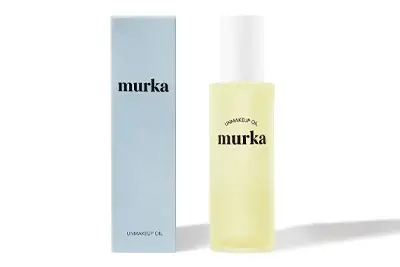
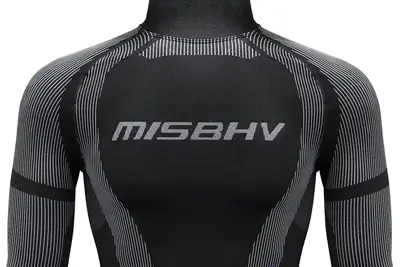
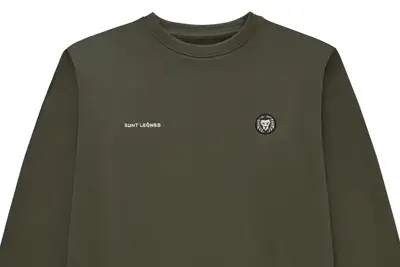
Render meaning: what is a render?
A render is an image, or a single frame of animation, that a computer program calculates from a digital 3D scene. Rendering is the calculation itself: the software works out how light from virtual lamps bounces off the model and what a virtual camera would see.
The word reached English through Old French rendre, "to give back", from Latin reddere (Wiktionary). It keeps its everyday senses, such as "to cause to become" (a drop can render a lens useless), and on a building site render is the coat of plaster or stucco applied to a wall. In design, architecture and e-commerce, though, a render is a finished image from 3D software, as opposed to a photograph captured by a camera.
What goes into a render
Before anything can be rendered, a 3D artist has to describe the whole scene in software (Rendering, Wikipedia):
- geometry - the shape, size and position of every object,
- materials - colour, roughness, transparency, refractive index and textures,
- lights - the position, type, brightness and colour of each source,
- camera - where the virtual lens stands, where it points and how much it takes in.
A product photographer juggles exactly the same variables, only in a physical studio. The difference: in a render every one of them has to be set by hand, while in front of a camera glass, metal and fabric obey the laws of physics on their own.
Rasterisation, ray tracing and path tracing
Rasterisation works out which pixels each shape covers. It is fast, and real-time graphics, video games included, typically rely on it. Ray tracing follows rays of light pixel by pixel, so it handles reflections and refraction more faithfully, at the cost of time.
For photorealistic images the most common technique today is path tracing, a form of ray tracing that averages random samples of light paths. With too few samples the picture is grainy, so renderers add denoising, a step neural networks can help with. A single high-quality frame can take hours or even days, which is why studios spread the work across clusters of computers known as render farms.

Render, product photo or AI image?
A good render can pass for a photograph, so the three are easy to confuse on a product page. What separates them is how the image comes into being:
| Render | Product photo | AI-generated image | |
|---|---|---|---|
| How it is made | calculated from a 3D model | captured by a camera from the real item | generated by a model from a text or image prompt |
| Needs the physical product | no, CAD files or drawings are enough | yes | no |
| Strongest use | products that do not exist yet, many colourways from one model | the actual colour, texture and detail of what the buyer receives | scenes and backgrounds; Google Merchant Center requires metadata marking AI images |
A render earns its keep when the product is still on the drawing board or has to appear in a dozen colourways. Once the stock is in the warehouse, the model still has to be built from scratch, while a photo can be taken of the finished item straight away. If you are weighing up generative tools, see our ranking of AI image generators and the guide to labelling AI images under the EU AI Act.
From the studio: marszalstudio does not make 3D renders. We photograph real products, which clients send by courier to our studio in Warsaw. A packshot on a white background starts at €9 net per photo (€18 with retouching), and delivery takes 1-4 working days. Full rates are on our product photography pricing page.

3D visualisation: how it is made and what it is for
3D visualisation is the whole process of presenting an object with computer graphics: building the model, setting up materials and light, rendering, then finishing the image. The render is the output of the last stage, so the two words are related but not interchangeable.
American sources spell it visualization; the meaning is the same. Outside 3D work the word also covers charts and data graphics, but in architecture, product design and online retail it almost always means images made in 3D software.
How a 3D visualisation is made, step by step
- Model. The artist builds the product's geometry from technical drawings, a CAD file from the engineer, or measurements and reference photos.
- Materials and textures. Every surface gets a colour, roughness, gloss, transparency and texture maps: a printed label, wood grain, the weave of a fabric.
- Light and camera. Virtual lamps, a backdrop and the framing are set up much as a photographer would in a studio, only without tripods or walls getting in the way.
- Rendering. The software calculates the image. The higher the quality and resolution, the longer it takes.
- Finishing. Colour, contrast and small flaws are corrected, the same stage photographers call post-production.
The model is built once. Further angles and colour variants come from the same scene by moving the camera or swapping a material, with no physical sample needed in every colour.
Types of 3D visualisation
- Product - the item on a plain background or in a styled scene, colour variants, cross-sections and exploded views. An exploded view shows how the parts fit together and is a staple of parts catalogues and assembly manuals (Wikipedia).
- Architectural - images, animations, walkthroughs and virtual reality scenes that show a proposed building to clients and planners before it exists (Wikipedia).
- Interactive - a 3D model in an online shop that the shopper spins in the browser or places in their room with augmented reality (AR). The image is rendered in real time on the shopper's phone; the file formats are covered in the 3D photography section below.
- Animation - a film built from consecutive renders: a product turning, parts snapping together, a mechanism at work.

Software for 3D visualisation and rendering
| Software | What it does | Worth knowing |
|---|---|---|
| Blender | complete 3D creation suite | free and open source (GNU GPL); Cycles path tracer and EEVEE real-time engine |
| KeyShot | product visualisation | keeps CAD geometry intact on import |
| V-Ray | render engine that runs inside other programs | works in 3ds Max, SketchUp, Rhino, Revit, Cinema 4D and Blender |
Blender is the obvious place to start: it costs nothing and includes both kinds of engine (Blender rendering features). KeyShot is built around products and CAD data, while V-Ray adds photoreal rendering to the programs designers already use.
Mockup: what it is and how to make one
A mockup (also written mock-up) is an image that shows a graphic design on the object it is meant for: a label on a bottle, a print on a T-shirt, a logo on a mug or a campaign on a billboard. It answers one question before anything goes to print or production: what will this look like for real?
The word has more than one meaning. In manufacturing and design, a mockup is a scale or full-size model of a design or device, used for demonstration, design evaluation or promotion; in packaging it helps visualise a design in 3D and speeds up approvals (Wikipedia). In e-commerce and graphic design it usually means a digital image.

Mockup, wireframe and prototype
In web and app design the three terms mark successive stages of work (UXPin):
- Wireframe - a low-fidelity, static blueprint of the layout: blocks and content hierarchy, no visual design.
- Mockup - a medium-to-high-fidelity static picture of the finished screen, with colours, fonts and images. Nothing in it is clickable.
- Prototype - an interactive simulation you can click through to test navigation and features.
How a product mockup is made
- Photoshop template with a smart object. Double-click the smart object's thumbnail and its contents open as a separate document. Bring your design in (Envato recommends File > Place Linked rather than pasting), save and close, and the main mockup updates (Envato Tuts+). Legitimate ways to try the software are in our guide to a free Photoshop trial.
- Online generator. In February 2021 Canva bought Smartmockups, a Czech service for realistic mockups of everything from T-shirts and flyers to mugs, books, magazines and devices (tech.eu). Our Canva guide shows how to build product graphics there.
- 3D scene. The artist models the object and applies the design as a texture. A mockup made this way is a render, so the pack can be turned to any angle.
Common mockup mistakes
- the perspective of the design does not match the perspective of the object,
- flat artwork pasted onto a curved surface (a mug, bottle or tube) without wrapping at the edges,
- light and shadow on the print differ from the rest of the scene,
- artwork at too low a resolution, so the print turns soft when the shopper zooms in,
- a template used commercially without checking its licence, as risky as a stock photo used without understanding royalty free terms.
Mockups work well for design sign-off and pre-orders. On a product page, however, shoppers judge the real item, and sales channels set their own rules. Google Merchant Center tells sellers not to submit line art, mock-ups or illustrations that don't depict the physical product, and says the primary image must clearly show the exact item being sold (Google Merchant Center Help).
From the studio: for mockups, banners and composites, the most useful starting point is a product shot without a background. With a packshot you can order the "Remove background" add-on: a PNG file with a transparent background, ready to drop into a template. To cut out photos you already have, compare the AI apps for removing backgrounds online.
3D photography: how it works and how to take a 3D photo
3D photography (stereoscopic photography) captures two images of the same scene from two points shifted sideways. When each eye sees only its own image, the brain fuses them into a single picture with depth, just as it does in normal vision (Stereoscopy, Wikipedia).
Charles Wheatstone invented the method in 1838, and David Brewster improved it into the first portable 3D viewer. Today "3D photo" also covers depth effects on social media, spatial photos from phones and, in online shops, 360 spins and 3D models. Each of these works differently.
How to take a stereoscopic photo
For a natural-looking view, the distance between the two lenses, called the stereo base, matches the distance between a person's eyes. Close subjects need less: the 1/30 rule sets the base at 1/30 of the distance to the nearest object in the frame (Stereo photography techniques, Wikipedia). A product 60 cm from the camera therefore needs a shift of about 2 cm.
- Two cameras on one bar, fired at the same moment - the only option when anything in the scene moves.
- One camera shifted sideways between two exposures, the so-called cha-cha method - works when nothing in the frame moves, which suits products.
- A phone with a spatial mode - the iPhone 16 Pro takes spatial photos for viewing with depth on Apple Vision Pro (Apple Newsroom).
- One photo plus AI - Facebook launched 3D Photos in 2018 using portrait-mode depth data from dual-camera phones, and in 2020 added a neural network that estimates depth from any single 2D photo (Meta AI). The result is an animated depth effect, not a true stereo pair.
How to view 3D photos
- anaglyph glasses (red and cyan) - each eye receives the image filtered in a different colour,
- polarised glasses, as in 3D cinemas, and shutter glasses that darken each eye in turn in sync with the screen,
- autostereoscopic screens and lenticular prints - lenticular lenses or a parallax barrier send each view to the right eye with no glasses (the Nintendo 3DS uses a parallax barrier), and on paper a layer of tiny lenses creates an illusion of depth (Lenticular printing, Wikipedia),
- VR and AR headsets - each eye gets its own image.
Some viewers get tired eyes or headaches after a while. The cause is the vergence-accommodation conflict: the eyes converge on the apparent depth of the object but have to focus on the screen (Wikipedia).
3D product photos in an online shop
When a seller asks for "3D photos" for their shop, they usually mean one of three things, and each needs different material:
| What it is | How it is made | Where it works |
|---|---|---|
| 360 spin | a series of photos of the product from successive angles, played back as a rotation | in the product gallery, on any screen |
| 3D model (GLB, USDZ) | from a CAD file, in 3D software or by photogrammetry | 3D viewer and AR in the shop and on phones |
| Stereo photo | two photos shifted sideways | 3D glasses, VR headsets, 3D screens |
A shop-ready 3D model is saved as GLB, the single-file binary form of the royalty-free glTF standard (Khronos Group), or as USDZ, which AR Quick Look opens in Safari on iPhone and iPad (Apple Developer). Shopify accepts both as product media, up to 500 MB per file (Shopify Help Center).
Photogrammetry builds a 3D model from many photos taken from different positions: the software finds the same points in several frames and triangulates where they sit in space. Dark, shiny or clear surfaces often leave gaps in the model (Photogrammetry, Wikipedia). The same materials need special lighting in front of a camera too, as we explain in photographing glassware.
From the studio: we shoot product rotation as a 360 packshot: 24 or 36 frames per full turn (every 15° or 10°), JPG files at 2000 × 2000 px on a white background, priced individually. It is not a 3D model, but shoppers can spin the product in the gallery and see it from every side. More in our 360 product photography guide.
Frequently asked questions
What does render mean?
In graphics, a render is a finished image or animation frame that software calculates from a 3D model. The word comes from Old French rendre, "to give back". The calculation is called rendering, and the program that does it is a render engine.
What does render mean in building?
On a building site, render is a coat of plaster or stucco applied to a wall, and rendering a wall means covering it with that layer. Apart from the spelling, it has nothing to do with a 3D render.
How long does rendering take?
It depends on scene complexity, the number of light samples, resolution and computing power. A real-time preview takes a fraction of a second, while frames of photorealistic animation can take hours or even days, which is why studios use render farms.
What is a render engine?
It is the program, or part of a program, that turns a 3D scene into a 2D image. Examples include Cycles and EEVEE in Blender, V-Ray running as a plug-in for 3ds Max, SketchUp or Rhino, and KeyShot, which is built for product visualisation.
Is a mockup the same as a render?
No. Render describes how an image is made, by calculation from a 3D model; mockup describes its purpose, showing a design on an object. A mockup can be a render, but it is just as often a photo with a smart object in Photoshop.
How do I take a 3D photo with my phone?
Take two photos of a still subject, moving the phone sideways by about 1/30 of the distance to the nearest object, then combine them into a stereo pair. The iPhone 16 Pro also has a spatial photo mode for viewing on Apple Vision Pro.
Is a 360 product photo the same as 3D photography?
No. A 360 photo is a series of flat images taken from successive angles, at our studio 24 or 36 per turn, played back as a spin. It holds no geometry, so it cannot be placed in a room with AR; that needs a GLB or USDZ model.
Does marszalstudio make 3D renders?
No. We photograph real products in our Warsaw studio: packshots from €9 net per photo, advertising images and 360 spins. Clients send products by courier, and a live online session lets them approve each shot while it is being taken.
Sources
- render - Wiktionary
- Rendering (computer graphics) - Wikipedia
- Image link [image_link] - Google Merchant Center Help
- Exploded-view drawing - Wikipedia
- Architectural rendering - Wikipedia
- About Blender - blender.org
- Blender: Rendering (Cycles, EEVEE) - blender.org
- KeyShot - keyshot.com
- V-Ray - chaos.com
- Mockup - Wikipedia
- Prototype vs. Wireframe vs. Mockup - UXPin
- How to Insert a Photo Into a Product Mock-Up in Adobe Photoshop - Envato Tuts+
- Canva acquires Kaleido and Smartmockups - tech.eu (22 February 2021)
- Stereoscopy - Wikipedia
- Stereo photography techniques - Wikipedia
- Lenticular printing - Wikipedia
- Vergence-accommodation conflict - Wikipedia
- Apple debuts iPhone 16 Pro and iPhone 16 Pro Max - Apple Newsroom
- Powered by AI: Turning any 2D photo into 3D - Meta AI (28 February 2020)
- glTF - Khronos Group
- AR Quick Look - Apple Developer
- Product media types - Shopify Help Center
- Photogrammetry - Wikipedia