Exposure in photography
Exposure is the amount of light that reaches the camera's sensor while a photo is being taken. It decides whether the picture comes out too dark, too bright or just right. Strictly speaking, exposure is set by shutter speed and aperture together with the brightness of the scene, and ISO then decides how bright that exposure looks in the file. In practice all three are adjusted together, which is why they are called the exposure triangle (Exposure (photography), Wikipedia).
A correct exposure is not one ‘proper’ level of brightness. It is the one that keeps detail where you need it. In a packshot that means the texture and true colour of the product, plus a clean white or even background.

Exposure is measured in stops (EV): each stop is twice or half the light. The camera suggests an exposure from its light meter, and the photographer checks the result on the histogram. Further down you will find the shutter and the exposure triangle with each of its settings, then metering and exposure compensation and underexposure and overexposure.
Shutter: what it does and the main types
The shutter is the part of a camera that lets light reach the sensor for a set length of time and then cuts it off. That length of time is the shutter speed. The type of shutter decides how short the exposure can be, whether flash works at every speed and whether fast movement comes out distorted.
In most interchangeable-lens cameras the mechanical shutter is a focal-plane shutter: a pair of curtains just in front of the sensor. One curtain opens, and the other closes after the set exposure time. Its life is quoted as a number of shutter cycles (actuations), and the more complex focal-plane design wears out sooner than simpler shutters (Shutter, Wikipedia).
| Type | Where and how it works | Strengths | Limits |
|---|---|---|---|
| Leaf shutter | in the lens or just behind it, opens fully | flash sync at every shutter speed | lower top speeds than a focal-plane shutter |
| Focal-plane shutter | two curtains in front of the sensor, one following the other | very short speeds (1/8000 s on the Nikon Z6III), interchangeable lenses | flash only up to the X-sync speed (1/200 s on the same camera) |
| Electronic (rolling) shutter | sensor read out line by line, no moving parts | silent, no vibration, exposures of 1/32000 s or shorter | fast movement can skew; a flash may light only part of the frame |
| Global shutter | the whole sensor exposed and read out at once | no motion skew, flash at every shutter speed | rare; reviewers note a slightly smaller dynamic range |
Many cameras also offer a hybrid: the electronic front-curtain shutter (EFCS), in which an electronic start replaces the first curtain and the mechanical second curtain ends the exposure. Nikon lists all three options, mechanical, electronic front-curtain and fully electronic, for the Z6III (Nikon).

Which shutter to use with flash
With studio flash, the mechanical shutter is the safer choice. A line-by-line electronic shutter can catch a short flash in only one band of the frame and leave the rest dark (Rolling shutter, Wikipedia). On the Nikon Z6III, flash syncs at 1/200 s or slower with the mechanical shutter, but only at 1/60 s or slower with the electronic one.
Global shutter sensors remove that limit. The Sony α9 III, the first full-frame mirrorless camera with one, syncs flash at all shutter speeds and shoots at up to about 120 frames per second (Newsshooter). With continuous light, an ordinary electronic shutter earns its place on a tripod, where silence and zero vibration matter, and with a product that stands still, rolling-shutter skew is not a practical problem.
Shutter speed
Shutter speed (exposure time) is the length of time the sensor is exposed to light, given in seconds or fractions of a second, such as 1/125 s. Each step on the standard scale (1/1000, 1/500, 1/250, 1/125, 1/60, 1/30 s) doubles or halves the amount of light (Shutter speed, Wikipedia).
A fast shutter speed freezes movement and a slow one blurs it. For handheld shots, the old rule of thumb is a speed close to the reciprocal of the focal length: about 1/60 s with a 50 mm lens. Anything slower calls for a tripod. A current mirrorless body such as the Nikon Z6III covers 1/8000 to 30 s with its mechanical shutter, plus Bulb and Time for longer exposures (Nikon).
Shutter speed with studio flash
In the studio, shutter speed does a different job. It is set no faster than the camera's flash sync speed: studio guides recommend around 1/125 s, because the 1/250 s in a specification can be too fast for studio flash heads (TutKit). Movement, such as a falling drop or a pour, is frozen by the short flash itself, and flash makers build dedicated short-duration modes for it (Profoto D30).
A slower shutter speed under flash does not brighten the flash-lit product; it only lets in more ambient light. If a glow or a colour cast appears around the product, continuous light reaching the frame is a common cause.

If you would rather receive finished photos than dial in settings yourself, a packshot on a white background at marszalstudio starts at €9 net per photo without retouching, or €18 with retouching. Basic editing (crop, exposure and colour) is included in the price of every photo.
From the studio: during the Live session the client sees each photo as it is taken and marks it as OK or for correction. A frame that looks too dark or too bright can be flagged straight away, with a brush or a pin on the image or in the chat with the photographer and the retoucher.

The exposure triangle
The exposure triangle is the relationship between shutter speed, aperture and ISO, which together set how bright a photo is. Change one of them by a stop and, to keep the same brightness, you have to move another by a stop the other way.
The common unit is the stop, or exposure value (EV). One stop is twice or half the light: 1/125 s instead of 1/250 s, f/5.6 instead of f/8, or ISO 200 instead of ISO 100 (Exposure value, Wikipedia). So f/8 at 1/125 s and f/5.6 at 1/250 s give the same exposure, but not the same picture.

| Setting | Brighter when | Side effect | For product photos |
|---|---|---|---|
| Shutter speed | slower (1/60 s instead of 1/125 s) | camera shake or a blurred moving subject | with flash, usually around 1/125 s |
| Aperture | lower f-number (f/5.6 instead of f/8) | shallower depth of field | a higher f-number, so the whole product is sharp |
| ISO | higher value (ISO 400 instead of 200) | more visible noise, less dynamic range | the lowest ISO the light allows |
In the studio there is a fourth factor: flash power. With flash, the brightness of the product is set by flash power, aperture and ISO, while shutter speed mainly decides how much ambient light gets into the frame (Profoto). How to check brightness in these conditions without relying on the camera's meter is covered under metering and exposure compensation.
Aperture
Aperture is the adjustable opening in a lens. Its f-number (f/8, for example) is the focal length divided by the diameter of the opening, so the bigger the number, the smaller the opening. The full stops are f/2.8, f/4, f/5.6, f/8, f/11 and f/16, and each one lets in half as much light as the one before (F-number, Wikipedia).
In packshot work, aperture is mainly a depth-of-field control: a higher f-number keeps the product sharp from front to back. At very small apertures, though, diffraction softens the whole image slightly, so ‘the higher, the sharper’ has a limit. Theory and examples: aperture in photography, theory and practice.
Depth of field
Depth of field is the distance between the nearest and the furthest points in the frame that look acceptably sharp. It depends on aperture, focal length, subject distance and sensor size, and it becomes much shallower close up (Depth of field, Wikipedia).
That is why a small product, such as a ring or a perfume bottle, is hard to get sharp in a single frame, even with the lens stopped well down. The fix is a series of shots with the focus moved between them, described below under bracketing. A shallow depth of field with a blurred background is a creative tool in styled shots: see the bokeh effect and our introduction to depth of field.
ISO
ISO is the sensitivity setting of a camera; in a digital camera, a higher ISO means stronger amplification of the sensor signal before the image is recorded. Doubling the value (from ISO 100 to 200) makes the image one stop brighter, and the way digital camera sensitivity is rated is set out in the ISO 12232 standard (Film speed, Wikipedia).
For product photos the rule is simple: use the lowest ISO the light allows, because it gives the cleanest image. When light runs short, add a light or use a longer exposure on a tripod rather than raising ISO. More on sensitivity and noise removal: ISO in photography, what noise is and how to remove it.
Noise in photography
Noise in photography is random variation in the brightness or colour of neighbouring pixels, seen as grain or coloured speckles, strongest in shadows and on smooth surfaces. There are two kinds: luminance noise (grain in brightness) and chroma noise (coloured dots). Most people find chroma noise more objectionable, and noise reduction software treats it far more aggressively (Image noise, Wikipedia).
Where noise comes from
- Too little light. In the brighter parts of an image the main cause is shot noise, the random variation in the number of photons the sensor catches. The less light it collects, the more visible the noise. ISO, applied correctly, does not create noise by itself; it amplifies a weak signal along with its noise.
- Underexposure lifted in editing. A dark frame brightened afterwards reveals noise that a correct exposure would have kept invisible.
- Long exposures and heat. Dark current in the sensor grows with temperature, and the hot pixels it causes in long exposures are removed by subtracting a dark frame.
- A small sensor. Noise depends mainly on the total light collected over the whole camera sensor, not on how that area is divided into pixels, so at the same framing and exposure a larger sensor gives a cleaner image.
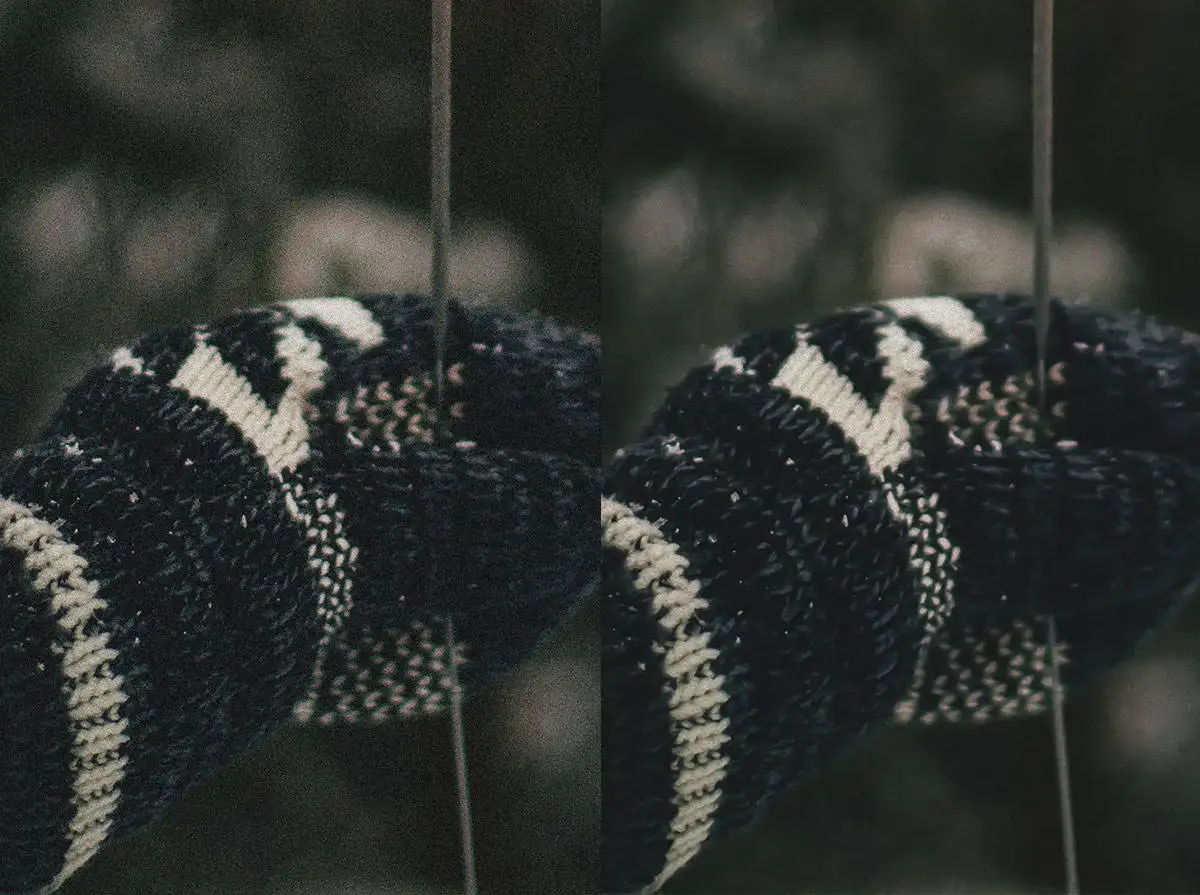
On a packshot, chroma noise undermines accurate product colour, and grain on a white or grey background shows as soon as the image is enlarged. Noise reduction in editing is always a trade-off, because the software has to decide what is noise and what is the texture of the material. More in the entry on photo denoising.
PASM shooting modes
PASM refers to the four modes on a camera's mode dial that decide who sets the exposure triangle: the camera, the photographer or both. The letters stand for Program, Aperture priority (A, or Av on Canon), Shutter priority (S, or Tv on Canon, from ‘time value’) and Manual (Mode dial, Wikipedia; Canon manual).
| Mode | You set | The camera sets | Typical use |
|---|---|---|---|
| P (Program) | exposure compensation, partly the speed and aperture pair | shutter speed and aperture | quick shots with no time for settings |
| A / Av | aperture | shutter speed (and ISO with Auto ISO) | controlling depth of field under continuous light |
| S / Tv | shutter speed | aperture (and ISO with Auto ISO) | movement: freezing it or blurring it on purpose |
| M (Manual) | shutter speed, aperture and ISO | nothing, it only shows the meter reading | studio flash, a series with identical brightness |
With studio flash, P, A and S do not work: the camera's meter reads the continuous light, modelling lamps included, not the flash, so the exposure comes out wrong (TutKit). In M the settings stay where you put them, so every shot in a series has the same brightness, which makes a consistent catalogue much easier.
Metering and exposure compensation
A camera's light meter does not know what you are photographing. It assumes a scene of average brightness and sets the exposure so that the frame as a whole comes out as a mid-grey. With light scenes, such as snow, a white background or a white product, the photo therefore comes out too dark. With dark ones, for example a black product on black, it comes out too light (Exposure compensation, Wikipedia).
Metering modes
| Metering mode | What it measures | When to use it for products |
|---|---|---|
| Evaluative (matrix, multi-zone) | the whole frame, split into zones that are assessed separately | ambient light, handheld shots, styled scenes |
| Centre-weighted | the whole frame, with extra weight on the centre (Nikon Z6III: 75% of the weight on a central circle) | a product in the middle of the frame on a neutral background |
| Partial | a central area, typically 10-15% of the frame (Canon EOS R50: about 5.8%) | a bright background behind the product, metering from the product alone |
| Spot | typically 1-5% of the frame (Canon EOS R50: about 2.9%) | a single spot: a label, a texture, the brightest highlight |
Area sizes come from Metering mode, Wikipedia and from the specifications of the Canon EOS R50 and the Nikon Z6III. Makers name the modes differently (Canon: evaluative, Nikon: matrix), but the principle is the same.
How exposure compensation works
Exposure compensation is a deliberate departure from what the light meter suggests. It works in P, A and S, where the camera chooses part of the settings itself, and on many cameras also in M with Auto ISO, as on the Canon EOS R50 (Canon manual). The value is given in EV: +1 EV is twice the light, -1 EV half, and +2 EV four times as much.
Compensation is usually set in 1/3-stop steps, and the range depends on the camera. The Nikon Z6III, for example, allows ±5 EV for stills in 1/3 or 1/2 EV steps (Nikon specifications).
- White background and light products: plus. Without correction, white turns grey, just like snow. The histogram shows how far to go.
- Dark products on a dark background: minus. Otherwise black turns charcoal and the shadows look washed out.
- A backlit product: plus. Without it you get a silhouette, unless that is exactly what you want.
- Glass, chrome and gloss with reflections: slightly minus. Shadows are easier to lift later than blown highlights are to recover.
- Not sure of the value: shoot an exposure bracketing series and pick the best frame.

When the shoot is over, set compensation back to 0. On the Canon EOS R50 the value stays set even after the camera is switched off, and on a small camera screen a series that is a little too light or too dark is easy to miss.
Studio flash: M mode and the histogram
Compensation only works when the camera calculates the exposure. With studio flash you work in M and set brightness with flash power and aperture. The camera's meter sees the modelling light at most, so its reading tells you nothing about the flash.
Instead, take a test shot and look at the histogram. In a packshot on white, the background tones reach the right-hand edge of the graph, while the product's tones stay in the middle of the scale. The highlight warning in playback helps too: the background may blink, but the label and the edge of the product must not.
Underexposure and overexposure
Underexposure means a photo that is too dark: the sensor got too little light, the shadows merge into black, and lifting them in editing brings out noise. Overexposure means a photo that is too bright: the brightest areas are recorded as pure white with no detail, which photographers call blown or clipped highlights (Exposure (photography), Wikipedia).
The two mistakes are not equally serious. A lot can be recovered from an underexposed RAW file, at the cost of noise. No software can bring back blown highlights, because the file no longer holds the data. That is why, with shiny products, it is safer to expose a little darker.

Examples in product photography
- A white cream in a white jar on a white background. With overexposure the edge of the jar disappears into the background. The background may reach pure white, the product may not.
- A black leather handbag. With underexposure the stitching and the grain of the leather vanish into black. Side light helps, and so does setting the exposure for the texture rather than for the background.
- A glass perfume bottle. The reflections blow out to white first, so set the exposure for them and lift the darker parts with a reflector.
High key and low key
Sometimes the brightness departs from the average on purpose. High key is a light image with few shadows: it suits cosmetics and products for children. Low key is a dark, contrasty image in which the light picks out only part of the shape: it works well for spirits, watches and perfume.

In both cases it is a decision, not an exposure error. Whatever sells the product, its logo, texture and colour, still needs detail.
Dynamic range
Dynamic range (also called tonal range) is the span of brightness, from the darkest to the brightest parts of a scene, across which a camera still records detail. It is measured in stops (EV), and each stop doubles the brightness, so 14 stops means a ratio of about 16,000:1.
| Device or medium | Dynamic range |
|---|---|
| Nikon D850 (full-frame DSLR) | 14.8 stops |
| Nikon Z7 II (DXOMARK test) | 14.7 EV |
| Human eye | about 10-14 stops |
| iPhone 15 Pro (video, tested) | about 12 stops |
| LCD monitor | about 9.5 stops |
| Glossy photo paper | about 7 stops |
Data: Dynamic range, Wikipedia and DXOMARK. The table makes one point that matters for product photos: the camera records more than a screen or a print can show. So the contrast of the scene is controlled with light, then compressed in editing so that the background is clean white and a dark product does not turn into a black blob.
Common dynamic range mistakes in product photos
- Blown highlights. A reflection on chrome, glass or gloss paint that goes past the top of the sensor's range is stored as pure white with no detail. Shadows can be lifted (at the cost of noise); blown highlights cannot be recovered.
- A white background set by eye. It is easy to overexpose the background together with the light edges of the product. The histogram shows it at once, before you shoot the whole series.
- Too much lighting contrast. When the difference between the lit side and the shadow exceeds what the sensor can hold, fill the shadows with a reflector or a second light, or shoot a bracketed series.
From the studio: the standard file our clients receive is a JPG, 2000 × 2000 px, RGB, on a white background by default, and premium retouching includes a perfectly white background. A clean white background and the detail of a light-coloured product have to fit into one file, so the dynamic range is settled when the light is set up, not in editing.
Bracketing
Bracketing is a series of shots of the same frame in which the camera automatically changes one setting, usually exposure or the point of focus. The shots are then merged into one image or the best one is picked (Bracketing, Wikipedia).
- Exposure bracketing (AEB) - frames lighter and darker than the base exposure, merged into an image with a wider dynamic range, in other words HDR.
- Focus bracketing - the focus moves step by step from the nearest to the furthest point; once the frames are combined (focus stacking), the whole product is sharp.
- White balance and flash bracketing - variants in colour or flash power; with RAW files, white balance can be changed later anyway.
For product photos, focus bracketing pays off the most. On Nikon Z mirrorless cameras a focus shift series can run to 300 shots, and Nikon advises a smaller step and more frames for subjects shot close up, where depth of field is shallowest (Nikon Z9 manual). There is one condition: the camera on a tripod and a product that does not move, otherwise the merged image shows ‘ghosts’.
Sequence (burst mode)
A sequence (burst mode, continuous shooting) is a drive mode in which the camera keeps taking pictures one after another for as long as you hold the shutter button down. Its pace is given in frames per second (FPS), and its length is limited by the buffer, the fast memory where images wait to be written to the card (Shutter Muse).
The word also describes the result: a set of frames that shows one movement in stages, read like a strip of film. How long a burst lasts in practice depends on a few things:
- RAW or JPG - bigger RAW files fill the buffer sooner, which is why manufacturers quote separate burst lengths for each format.
- A slow memory card - the camera takes longer to clear the buffer, and the burst slows down.
- Studio flash - a flash head needs a moment to recharge between flashes, so the pace of the series is set by the flash, not by the camera.
In product photography, a burst in time helps with movement: a pour, a cloud of powder, fabric caught in a draught. More often, though, a product ‘sequence’ is a series in space rather than in time.
From the studio: a 360 packshot is a series of 24 or 36 frames per full turn of the product, one frame every 15° or every 10°, each delivered as a JPG, 2000 × 2000 px, on a white background. How such a spin is put together: 360 product photography guide.
FPS: frames per second
FPS (frames per second) is the number of frames recorded in one second. In stills photography it describes how fast a burst is; in video, how smoothly movement plays back (Frame rate, Wikipedia).
| Use | Typical FPS |
|---|---|
| Cinema film | 24 fps |
| Video in the UK and most of Europe (PAL heritage) | 25 or 50 fps |
| Video in North America and Japan (NTSC heritage) | 30 or 60 fps |
| Burst on a global shutter camera (Sony α9 III) | up to about 120 fps |
The UK figures come from PAL television, which ran at 50 fields or 25 frames per second, against 60 fields or 30 frames for NTSC (PAL, Wikipedia). High FPS counts in sport and wildlife. For product stills, a repeatable frame and repeatable light matter more than speed.
In product video, a higher frame rate is there for slow motion: footage recorded faster than it is played back looks slowed down, so 50 fps played at 25 fps shows movement at half speed (Slow motion, Wikipedia). For natural motion blur, video shooters treat a 180° shutter angle as normal, which means each frame is exposed for half the frame interval: about 1/50 s at 25 fps (Rotary disc shutter, Wikipedia).
White balance
White balance (WB) corrects the colour of a photo so that a white object comes out white whatever the colour of the light. The colour of light is described by its colour temperature in kelvins: a standard incandescent bulb is about 2400 K, studio tungsten lamps 3200 K, electronic flash and daylight 5500-6000 K, and an overcast sky around 6500 K (Color temperature, Wikipedia).
With products, white balance is a question of colour accuracy, not taste, because an online shopper judges colour from the photo alone. The safest method is a custom white balance set from a grey card under the light of the shoot, and RAW files can be corrected with less damage to colour than a finished JPG (Color balance, Wikipedia). More in our guide to understanding white balance.
Frequently asked questions
What is exposure in photography?
It is the amount of light that reaches the sensor during one photo. It is controlled by shutter speed and aperture, ISO decides how bright the result looks, and it is measured in stops (EV): one stop is twice or half the light.
How do I know if a photo is correctly exposed?
Check the histogram rather than the camera screen. In a correctly exposed product photo the tones that matter, such as the label, the texture and the colour, sit inside the graph without touching either edge. Only a white background may reach the right-hand edge.
When should I use exposure compensation?
When the scene is clearly lighter or darker than average and the camera is calculating the exposure (P, A or S). With a white background and light products, set it to plus; with dark products, to minus. With studio flash you work in M, so compensation does not come into play.
What does the shutter do in a camera?
The shutter opens to expose the sensor for the set shutter speed and then cuts off the light. Its type decides the shortest possible exposure, whether flash works at every speed and whether a fast-moving subject comes out skewed in the photo.
What shutter speed should I use for product photography?
With studio flash, usually around 1/125 s and never faster than the camera's flash sync speed, because the flash itself freezes movement. With continuous light and the camera on a tripod, the speed can be much slower; handheld, stay near 1/60 s with a 50 mm lens.
What is the best ISO for product photography?
The lowest ISO the light allows, because it gives the cleanest image and the widest dynamic range. If there is not enough light, add a light or use a longer exposure on a tripod rather than raising ISO, as noise on a smooth background shows at once.
What is dynamic range in a camera?
It is the range of brightness over which the sensor keeps detail in both highlights and shadows, measured in stops (EV). The Nikon Z7 II reached 14.7 EV in DXOMARK's test, more than an LCD monitor (about 9.5 stops) or glossy photo paper (about 7 stops) can show.
How do you remove noise from photos?
Noise reduction software can lower it, but always at the cost of some detail, because it has to tell noise from texture. Colour noise is easier to remove than luminance grain. The best fix is prevention: more light, a lower ISO and a correct exposure that needs no brightening.
What is the difference between 30 and 60 fps?
At 60 fps the camera records twice as many frames each second as at 30 fps, so movement looks smoother and the clip can be played at half speed in a 30 fps edit. In the UK the equivalent pair is 25 and 50 fps.
How do I use focus bracketing?
Turn on focus bracketing in the menu (Nikon calls it focus shift), set the number of shots and the step, put the camera on a tripod and start the series. Begin just in front of the nearest point of the product, use a small step and merge the frames in focus stacking software.
Which camera mode is best for product photography?
With continuous light, aperture priority (A or Av) is convenient: you choose the aperture, and so the depth of field, and the camera picks the shutter speed. With studio flash, switch to M, because the automatic modes meter the continuous light, not the flash.
Sources
- Exposure (photography) - Wikipedia
- Shutter (photography) - Wikipedia
- Rolling shutter - Wikipedia
- Nikon Z6III - specifications, Nikon
- Sony Alpha 9 III has world's first full-frame global shutter sensor - Newsshooter
- Shutter speed - Wikipedia
- Camera settings for studio and mobile flash systems - TutKit
- Profoto D30 - Profoto
- Flash photography for beginners - Profoto
- Exposure value - Wikipedia
- F-number - Wikipedia
- Depth of field - Wikipedia
- Film speed (ISO 12232) - Wikipedia
- Image noise - Wikipedia
- Mode dial - Wikipedia
- Tv: Shutter-Priority AE - Canon manual
- Exposure compensation - Wikipedia
- Metering mode - Wikipedia
- Canon EOS R50 - specifications, Canon manual
- Canon EOS R50 - Manual Exposure Compensation, Canon manual
- Nikon Z6III - specifications, Nikon online manual
- Dynamic range - Wikipedia
- Nikon Z7 II sensor review - DXOMARK
- Bracketing - Wikipedia
- Focus Shift Shooting - Nikon Z9 online manual
- Burst rate - Shutter Muse
- Frame rate - Wikipedia
- PAL - Wikipedia
- Slow motion - Wikipedia
- Rotary disc shutter - Wikipedia
- Color temperature - Wikipedia
- Color balance - Wikipedia