How will we test AI photography with Nano Banana?
We will test Nano Banana – or Gemini 2.5 Flash Image from Google. As a professional product photography studio, we are testing how the tool handles real-world tasks. Learn more about AI photo editors that can enhance your workflow.
Nano Banana is supposed to excel at maintaining product consistency through all edits – we will test this in practice.
In theory, we should avoid the ‘almost the same, but nevertheless different’ effect that we know from other generators.
What exactly will we test?
We will take real product images and show how Nano Banana copes with everyday e-commerce challenges. For more on this type of work, see our product photography examples.
- adding advertising effects
- retouching product photos
- removing and changing backgrounds
We will show each transformation step by step – the original, the prompt we used, the end result and practical conclusions.

How will we work?
We conduct all tests in Google AI Studio: https://aistudio.google.com/prompts/new_chat
This is the free and optimal environment for experimenting with Nano Banana – full control over parameters, no watermarks on images and the ability to iterate quickly.
Advertising coffee photo
We took a product photo of cups for a workshop. The aim: to add pour-over coffee and scatter the beans around to give character. Each approach is based on an original product photo. If you want to learn more about lighting, check our exposure guide.
First approach

Add coffee poured into cups and coffee beans scattered around them. The whole thing must look commercial.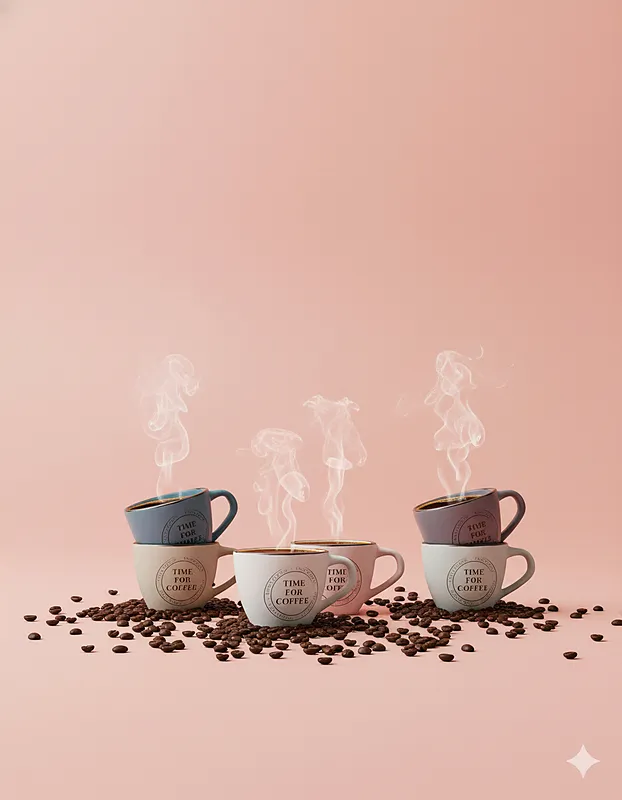 (nano banana)
What worked:
- Coffee beans added realistically, in the right quantity
- More commercial lighting of the cups
- Natural shadows in the bean areas
- Brilliantly integrated coffee in the cups
- The couple looking professional (effect known from commercial photography)
Problems:
- The cups have lost detail in the captions (can be recovered in post-production)
- No pour-over coffee from the top (as in TV commercials)
Rating: 7/10 – photo is usable after additional post-production
Second approach
Pour the coffee from above into the cups. Add the coffee beans scattered around the cups. The whole thing must look appealing.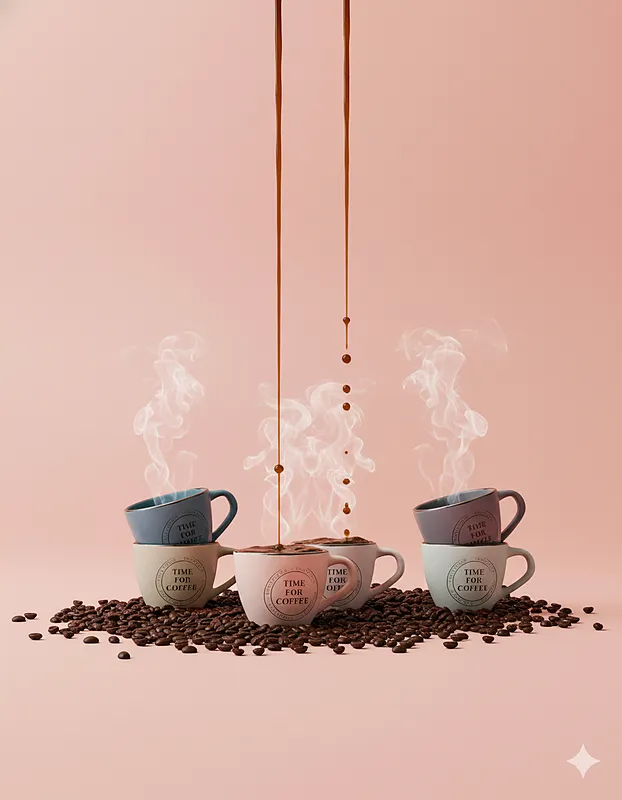 (nano banana)
What worked:
- Coffee pouring from above (according to the prompt)
- Light and details similar to the first attempt
Problems:
- Coffee overflows from cups – unadvertised effect
- The cups on the sides have lost their coffee, only steam remains
- Too many scattered beans around the cups
- The whole thing looks chaotic and unsightly
Rating: 2/10 – the photo is not suitable for commercial use
Third approach
Pour coffee into the front cup at an angle. All other cups should be filled with coffee. Scatter coffee beans around the cups. The whole thing should look like an advertisement. Do not change the position of the cups or add more.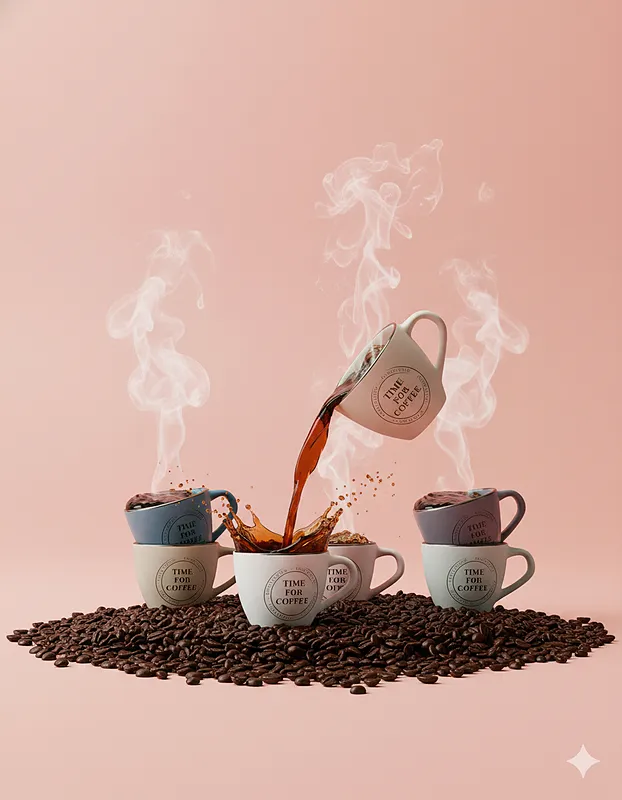
What worked: (nano banana)
- A realistic stream of pour-over coffee
- Great splash of coffee – a very advertising effect
- Cups made roomier
- Light still advertising
Issues:
- Model added pouring cup (contrary to instructions)
- Coffee pours out unnaturally from other cups
- Far too many coffee beans – exaggerated effect
- Content on cups still modified
Rating: 3/10 – some elements can be used in the composition
Summary of work
Conclusions:
- Only the first attempt produced a commercially useful image (after post-production)
- The model copes well with the addition of elements (steam, grain)
- Problem with retaining detail on products (lettering, logos)
- Tendency to “overdo it” with successive iterations
Recommendation: Nano Banana works well for adding advertising effects, but requires careful prompting and often post-production. It is worth combining the best elements from several generated versions using traditional graphic tools. You can also explore photo editing apps for refining results.
Product retouching of a hat
We took a finished shot from the studio that needs some light retouching. The goal: to clean up the background and improve the details while maintaining a natural look. This time we used a small-step methodology – each subsequent change builds on the previous result. Learn more about removing backgrounds online (nano banana).
First approach
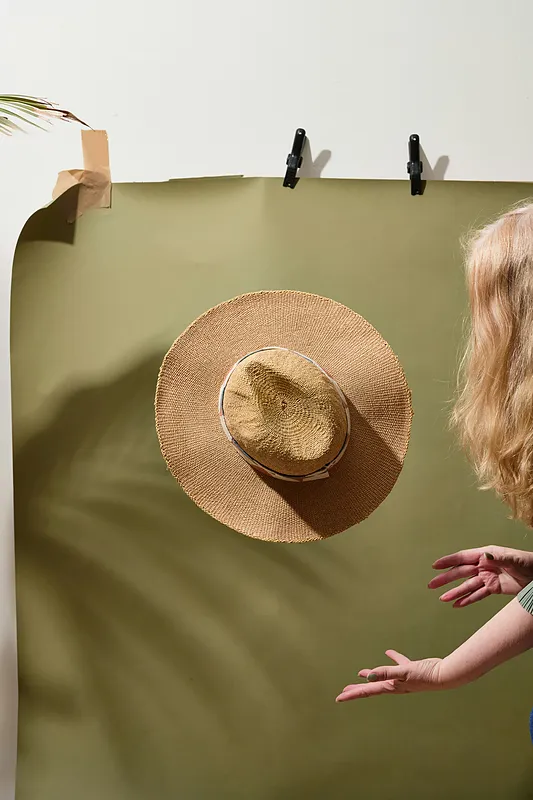
Stretch the green background across the entire photo and remove the clips and tape.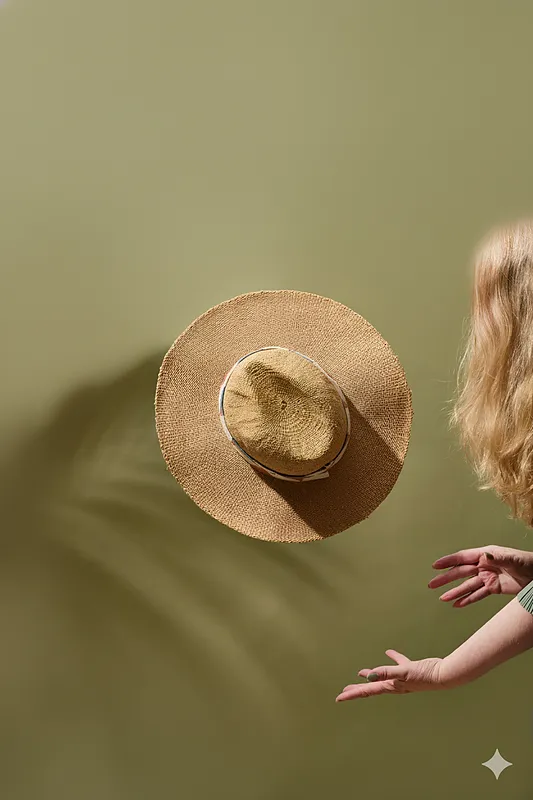 (nano banana)
What worked:
- Background stretched across the entire frame
- Clips and tape removed
- Smoothed out light and dark background areas
Problems:
- Blurring of the assistant’s head
- Loss of focus in the upper part of the frame
Rating: 7/10 – good effect, head problem can be turned into an advantage
Second approach
Remove the head from the photo, change the red color of the hand to a more natural, warmer tone.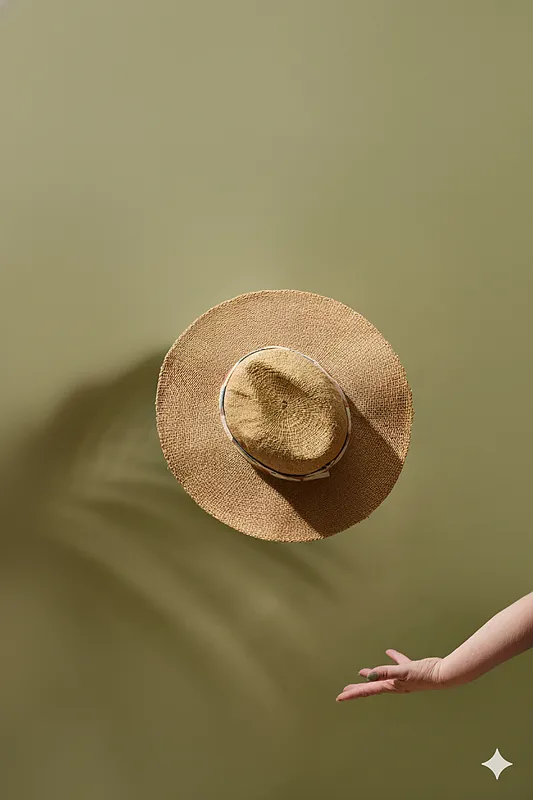
What worked:
- Head removed flawlessly
- Hand colour changed to a warmer and natural colour
- Preserved product sharpness
Issues:
- The arm has acquired a slightly unnatural shape (unseen element)
Rating: 8/10 – great execution, minor imperfections insignificant
Third approach
Remove the slight creases visible in the middle of the hat, maintaining realism.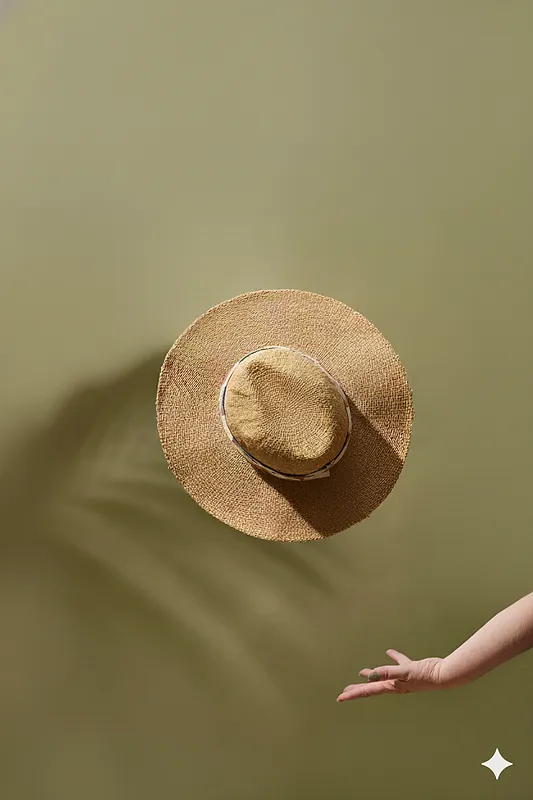
What worked:
- The top part of the hat was lightened
- Product better illuminated
- Natural texture preserved
Problems:
- Creases not removed (main task)
- The model made a different modification than the one in the instructions
- Specific instruction not carried out
Rating: 2/10 – positive result, but task not completed
Summary of work
Conclusions:
- The small steps methodology gives better control
- Model interprets commands creatively – sometimes favourably
- Better results with major changes rather than subtle retouching
- Final result natural and commercially useful
Recommendation: Nano Banana surprises with creativity – it is worth using unplanned but beneficial changes. An iterative approach works better than trying to do all the changes at once. For more inspiration, check our inspirations section.
AI retouching of a juice photo
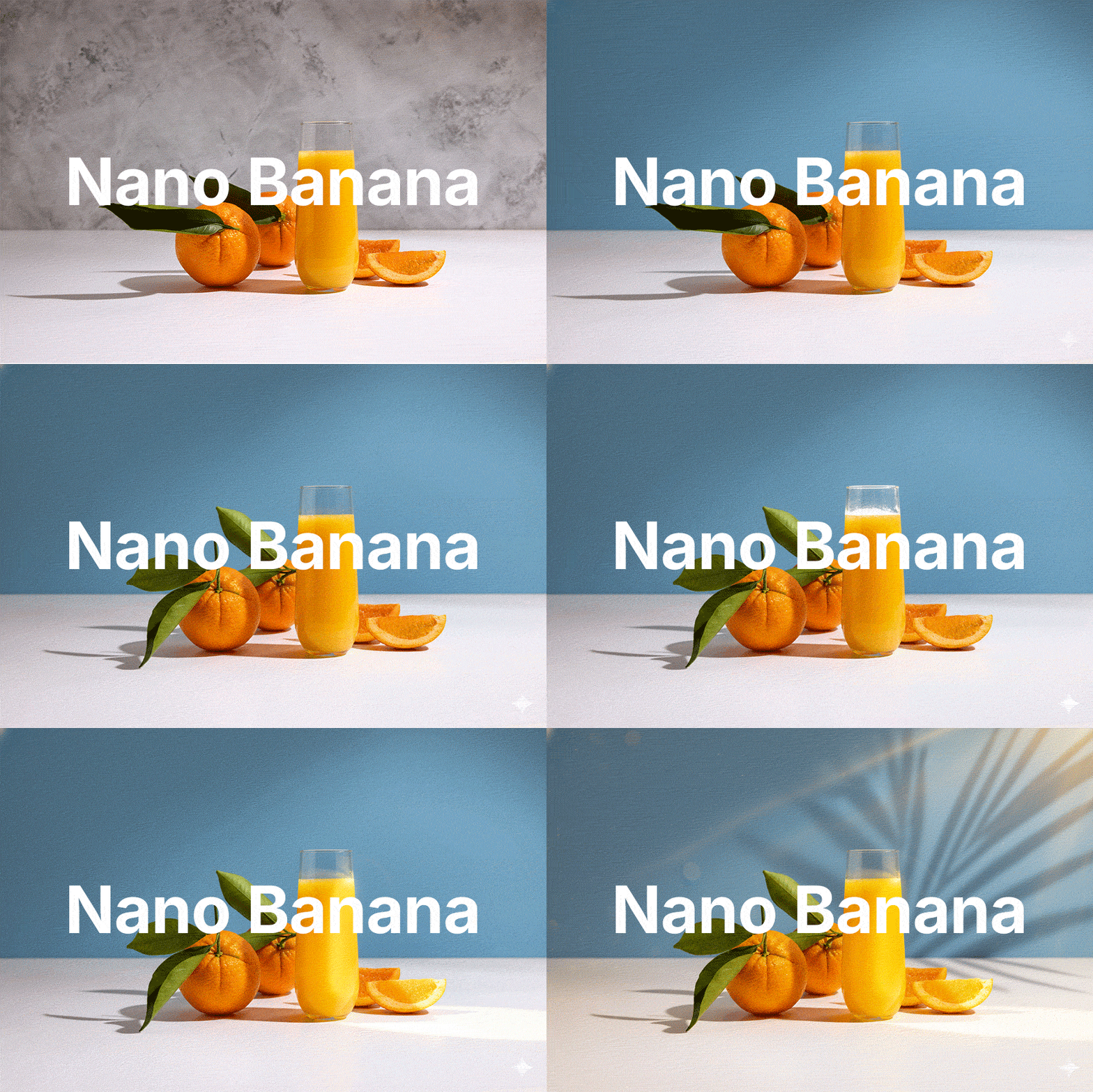
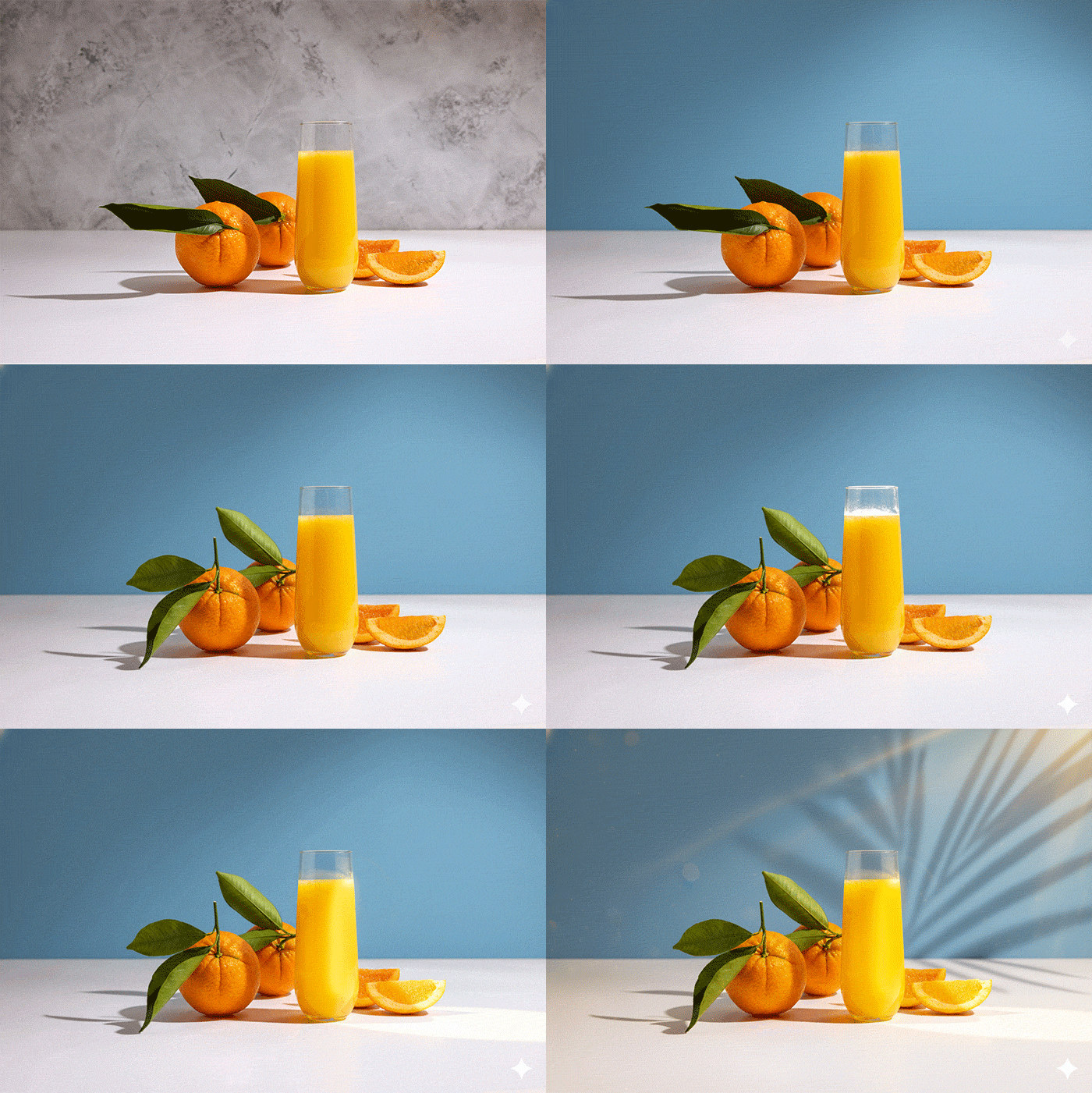
The final shot is a classic shot of orange juice with fruit. We think it’s possible to add a little more advertising flair to the photo (nano banana).
As in the second photo we will use the small steps method. Let’s see how it works in this case.
First approach
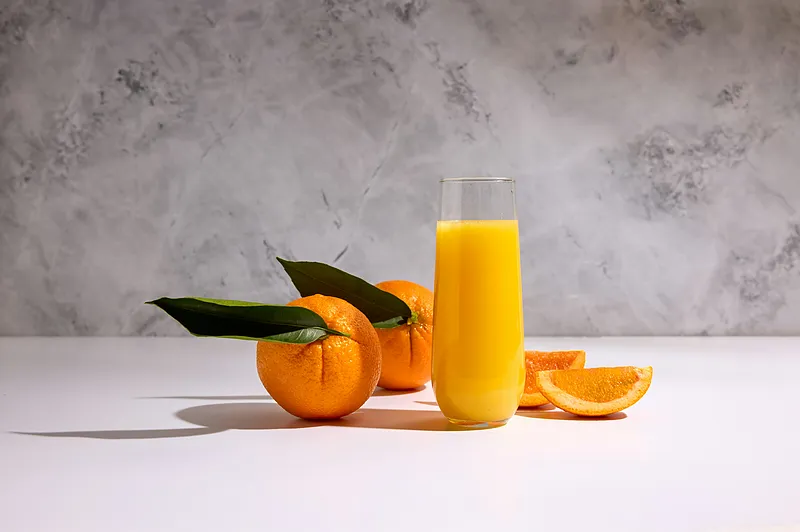
Change the background to blue with soft and realistic sunlight.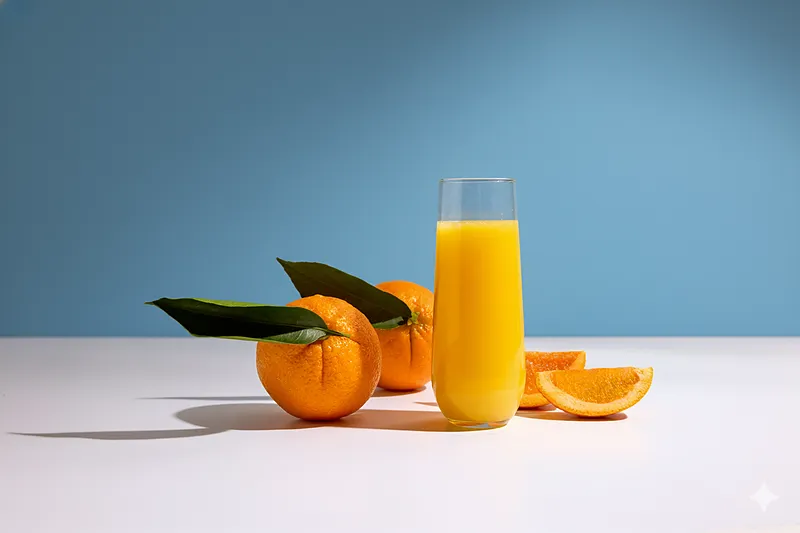
What worked:
- Background replaced perfectly
Problems:
- Background does not stand out in any way
- A clearer lighting effect is missing
Rating: 9/10 – we got what we wanted, only a bolder background was missing
Second approach
Add more sunlight to the floor. Replace the two orange leaves with fresh, greener, and smaller ones.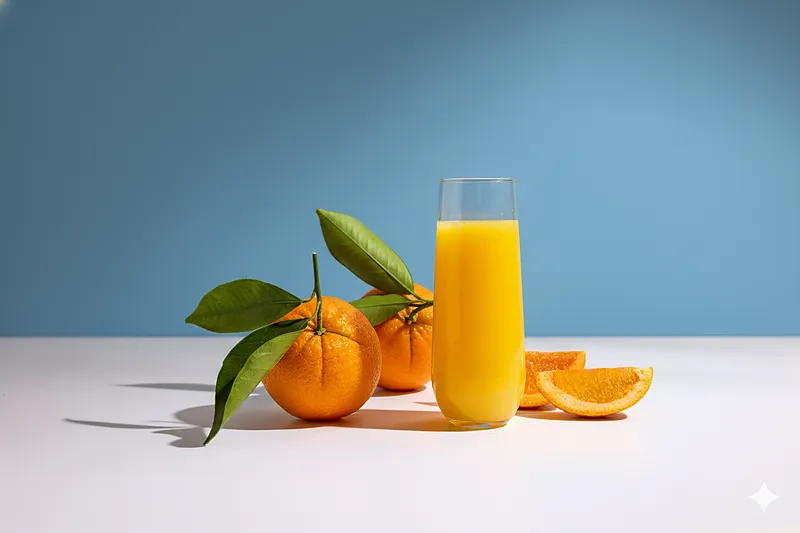
What worked:
- Leaves perfectly substituted
- The oranges have not changed their appearance
Problems:
- The model did not add the light on the ground we asked it to
- The added foliage could have been more ‘fresh’
Rating: 5/10 – task half done, no major errors
Third approach
Add more sharp backlighting to the glass of juice and sliced oranges on the right.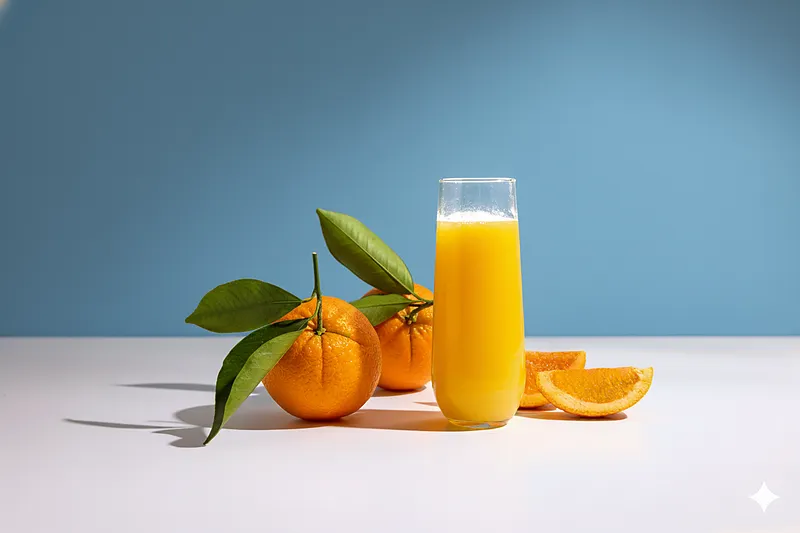
What worked:
- The light on the glass appeared
Problems:
- Lack of illumination on oranges
- Incorrect light on the glass
Rating: 1/10 – the effect is certainly unfavourable and partial. The light that appeared on the glass is technically incorrect. You can look at it from the other side – it is realistic 😅 We take a step back, change the prompt and try again.
Fourth approach
Brighten up the juice in the glass so that it is not so plain. Add sharp light on the sliced oranges on the right.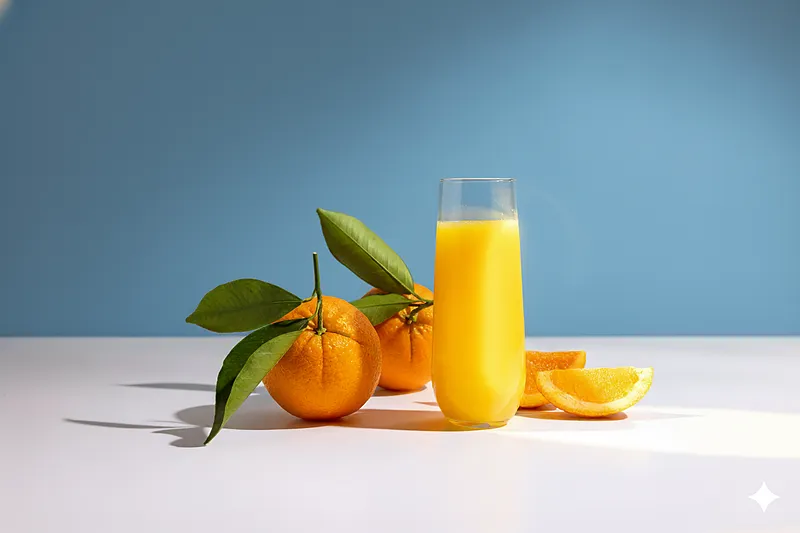
What worked:
- Technically correct light on the glass
- Sharp light on the oranges
Problems:
- Unfavourable blik in place of the juice panel on the right side
Rating: 10/10 – We got it! The model shone well from the right side. The light spills well over the glass, making the juice look much more attractive. It is not dull. Similarly, the light on the oranges on the right – a spot appeared, there were blips on the oranges, making them look more juicy.
Fifth approach
Let the shadow of a palm tree created by sunlight be reflected in the background. Give the entire photo much warmer, sunny tones.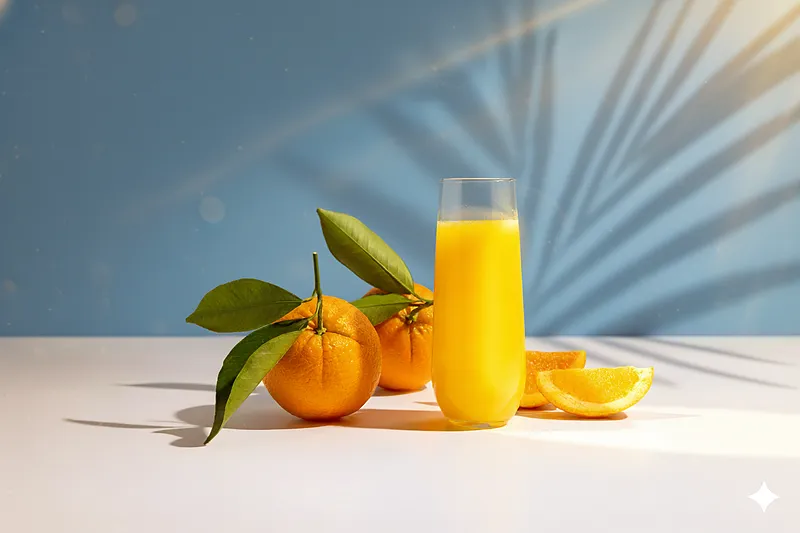
What worked:
- Effect in line with the prompt
Problems:
- Lack of
Rating: 7/10 – The effect may be too ‘graphic’ for some, but we got everything we asked for 🙌 After a few steps we have a photo that is true to the original and looks far more commercial in our opinion. It’s good!
Nano Banana AI in photography: Final verdict
Nano Banana surprises us with its creativity – it is worth using in a way that is not always planned, using what the model suggests to us. An iterative approach works better than trying to make all the changes at once. For more on creative process, see how creative agencies work.
- A methodology of small steps gives you better control
- The model interprets commands creatively – sometimes favourably
- Better results are obtained with major changes rather than subtle retouching