Affinity Photo is no longer paid software. On 30 October 2025 Canva announced that the new Affinity 3 (a unified app combining Photo, Designer and Publisher in one package) is completely free for every user. Over one million new users in less than a week after launch (PetaPixel), a complete "no subscription, no upfront cost" distribution policy. This is the biggest shake-up in the raster graphics market since Photoshop CC launched in 2013 - and most blogs still claim Affinity costs around £60, which has been out of date since October 2025. If you have searched for the best free photoshop alternative in 2026, this is it.
What you get for free: a full raster editor with RAW processing, layers, smart objects (from v3), CMYK workflow, frequency separation retouching, plus the plugin ecosystem (Nik Collection 8 officially compatible from January 2026). What still costs money - Canva Pro at $18/month (or $12/month billed yearly, according to Canva's pricing) adds the AI tools of the Canva AI Studio (Generative Fill, Generative Expand, Remove Background) and access to your Canva Brand Kit. Most users will not even need the AI tier - vanilla Affinity 3 is enough for most product photography work, making it a genuine free alternative to Photoshop.
This article compares Affinity with seven other photo editing tools, explains the real consequences of the Canva acquisition (with warnings about a possible future paywall), shows the 5-year Total Cost of Ownership (TCO) for a typical UK e-commerce business and gives you a concrete migration map from Photoshop. Spoiler: for most online shops Affinity 3 + DxO PhotoLab 10 (€249.99 one-off) replaces Adobe Creative Cloud and saves over 75% over five years.
What happened: Canva, Affinity and the new business model
Here is the timeline of the events that led to a free Affinity 3:
- 26 March 2024 - Canva announces the acquisition of Serif (the Nottingham-based UK studio behind Affinity Photo, Designer and Publisher). The price was not officially disclosed; according to Bloomberg the deal was worth "several hundred million pounds" (9to5Mac). Canva pledges: "perpetual licences will remain - existing users will not be forced onto a subscription".
- September-October 2024 - integration phase. Canva keeps Serif as a separate brand. The Affinity dev team (led by Andy Somerfield) stays in Nottingham at Serif Labs.
- 30 October 2025 - Canva Creative Freedom keynote. Reveal of the unified Affinity 3 app (Photo + Designer + Publisher in one programme), completely free. Only the AI features are paid, via Canva Pro at $15/month.
- The first month after launch - over one million new users in less than a week and 3 million downloads after 33 days (Affinity figures reported by PetaPixel).
- 16 March 2026 - Affinity 3.1 update: Light UI mode (the most requested feature from professionals), Tone Brush, Live Tone Blend Groups and Convert to Curves for modern RAW formats (Canon R6 III, Sony a7 V, Fujifilm X-T30 III).
- January 2026 - DxO announces full Nik Collection 8 compatibility with Affinity 3. The biggest plugin ecosystem shift in years.
- 15 September 2026 - the September 2026 Affinity update, which Affinity calls its biggest ever photo editing update: RAW develop presets, the Mask Tool, Saturation/Hue curves, wavelet denoising and an Astrophotography Studio, plus the Scripting Studio and the Blend Tool. A bug and security fix release followed in October 2026 (Affinity release notes).
Canva's strategy is clear: Affinity is a loss leader for acquiring users who then upgrade to Canva Pro at $18/month for the AI tools (Generative Fill, Generative Expand, Remove Background) and the Canva Brand Kit integration. The business logic is simple: "Affinity Photo for power users + AI for the mainstream = both groups end up paying $18".

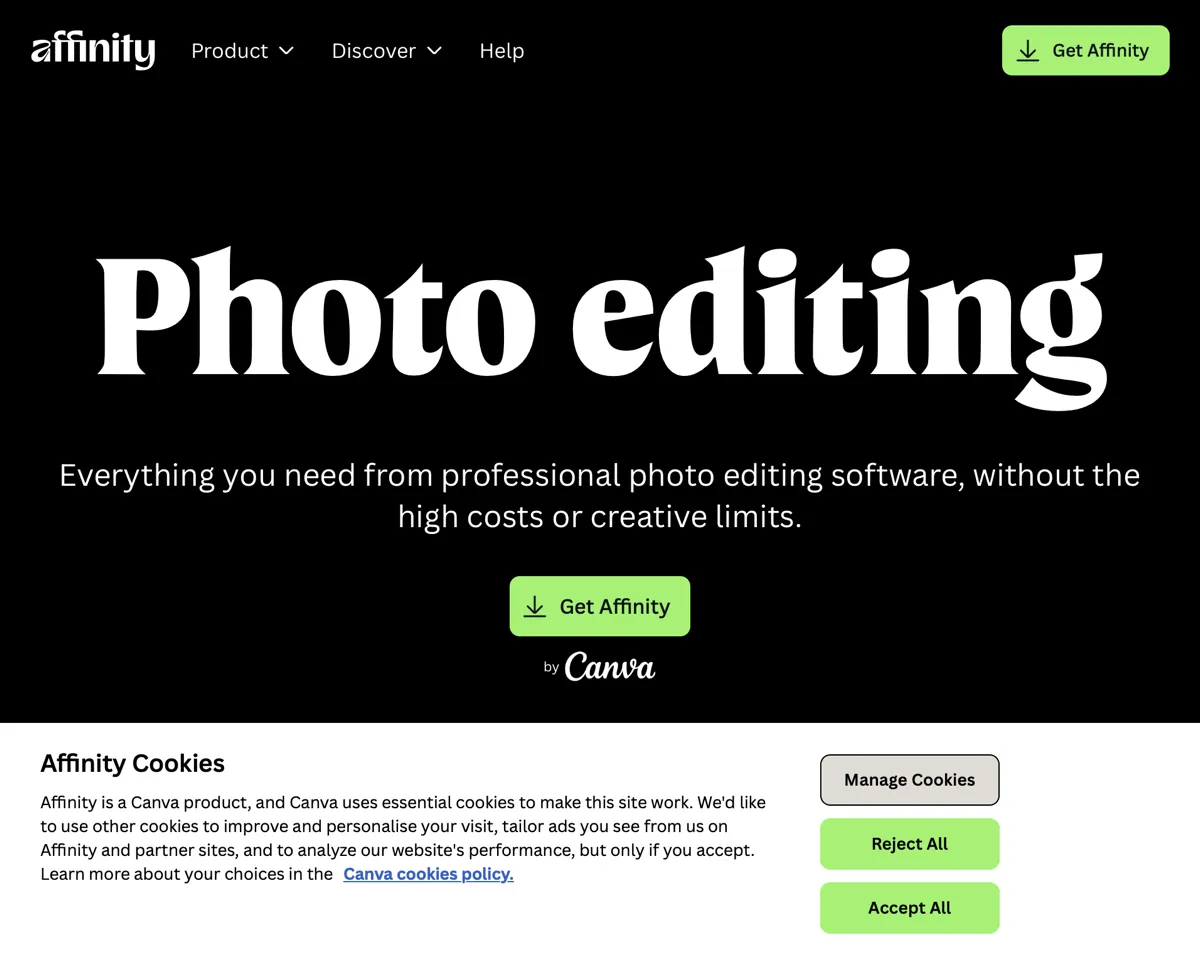
Affinity (formerly Affinity Photo) vs Photoshop CC - the free Photoshop alternative head-to-head

Here is the full feature map for both programmes as of May 2026, viewed from a product photography and e-commerce retouching perspective:
| Feature | Affinity | Photoshop CC |
|---|---|---|
| Price 2026 | $0 | $22.99/month or $69.99/month (Creative Cloud Pro), annual plan billed monthly, US prices excl. tax |
| RAW processing | Yes (Canon, Nikon, Sony, Fuji and others) | Yes (Adobe Camera Raw) |
| Layers + adjustment layers | Yes, unlimited | Yes, unlimited |
| Smart Objects | Yes (from v3, embedded or linked) | Yes |
| Frequency Separation | Yes, native via High Pass + Gaussian Blur layers | Yes, several techniques |
| Generative Fill (AI) | No (requires Canva Pro $18/month) | Yes (Firefly) |
| Remove Background (AI) | No (Canva Pro) | Yes (Object Selection AI) |
| CMYK workflow | Yes, full with proofing | Yes |
| Plugins (Nik, Topaz) | Yes (Nik 8 official from January 2026) | Yes (entire ecosystem) |
| Tethered shooting | No | No (requires Lightroom Classic or Capture One) |
| Batch processing | Yes (Macros + Batch Job) | Yes (Actions + Batch) |
| GPU acceleration | Metal (Mac), DirectX (Windows) | Metal (Mac), DirectX (Windows) |
| PSD compatibility | Yes (opens, smart objects rasterised) | Native |
The key "minus" for Affinity is the lack of native generative AI. Generative Fill in Photoshop (powered by Adobe Firefly) is both a strength and a trap - the well-known 2025 "cloud processing quirk" distorts product proportions (it warps high-end retouched cosmetics shots) when you generate background fill for a packshot on white seamless. For professional product photography Generative Fill is unpredictable and often needs manual correction. In practice most retouchers turn it off and extend backgrounds the classic way (Content-Aware Fill, Stamp Tool, Patch).
Photoshop's "plus" is its mature premium plugin ecosystem (Topaz Photo AI, Aurora HDR, Luminar Neo all run natively in Photoshop). Affinity has been catching up since January 2026, when DxO announced full Nik Collection 8 compatibility.
DxO PhotoLab 10 Elite - the choice for RAW processing
If your main workflow is camera files (rather than Photoshop-style retouching), DxO PhotoLab 10 Elite is the strongest alternative to Adobe Lightroom Classic. Price: €249.99 perpetual (one-off payment, no subscription), with upgrades from version 8 or 9 from €129.99 (DxO shop, October 2026). What you get:
- DeepPRIME and DeepPRIME XD - deep-learning noise reduction and demosaicing; according to DxO, DeepPRIME XD extracts even more detail from the most challenging files (on high-ISO shots, compare it with Lightroom Denoise on your own photos before you decide)
- Optics Modules - profiles for over 80,000 camera/lens combinations, with automatic correction of vignetting, distortion and colour shift
- Smart Lighting - intelligent HDR-style tonal optimisation in a single slider (works far better than Lightroom HDR Merge)
- Colour rendering profiles - 12 film emulations (Kodak Portra, Fuji Velvia, etc.) and 20 original presets
- Local adjustments with U Point - point edits without masking, technology bought from Nik (the creator of Color Efex)
5-year TCO comparison: Adobe Lightroom Classic (Photography Plan 1 TB with Photoshop, $19.99/month on the annual plan billed monthly) = about $1,199 over 5 years. DxO PhotoLab 10 Elite (perpetual €249.99 + an optional upgrade to the next version, currently €129.99) = roughly €380 over 5 years. Still cheaper than the subscription, plus full ownership of the software (it keeps working even if DxO disappears from the market).

Capture One Pro - is $18/month worth it
Capture One remains the benchmark in advertising photography - it is the standard in beauty studios, fashion editorial and automotive shoots. The pricing history of the programme, however, is a cautionary tale:
- 2018-2023 - Capture One Pro as a perpetual licence at $299 one-off, with an optional upgrade to each new version once a year for $129
- June 2019 - Silverfleet Capital sells Phase One, including the Capture One software business, to funds managed by Denmark's Axcel (Travers Smith).
- June 2026 - Capture One raises the prices of all plans and perpetual licences by 6% (Capture One notice).
- October 2026 - currently in the Capture One store: Pro annual plan $216 (about $18/month), monthly plan $28 or a perpetual licence at $349
What Capture One does better than the competition: tethered shooting (live view during a studio session with the camera plugged in via USB), colour science (calibrated profiles per camera, much better "out of the box" than Lightroom) and session-based workflow (faster than Lightroom catalogues for one-off projects). Weaker: a limited plugin ecosystem, no native mobile, and rather sluggish performance on lower-spec Macs.
The practical recommendation: for a product studio that uses tethered shooting, Capture One Pro perpetual ($349 one-off) is the default choice. It pays back after about 20 months (compared with the annual plan at about $18/month). For hobbyist photographers and bloggers, free Affinity Photo plus DxO PhotoLab 10 (€249.99 perpetual) is usually enough, at over 75% lower 5-year cost than the Adobe Photography Plan with Photoshop.

Full comparison of 8 photo editing tools in 2026
| Tool | Price 2026 | Model | Strongest for |
|---|---|---|---|
| Affinity | $0 | Free + Canva Pro $18/m | Retouching, layers, RAW, CMYK |
| Adobe Photoshop CC | $22.99/month | Subscription | AI, plugin ecosystem |
| Adobe Photoshop Photography Plan | $19.99/month (1 TB) | Subscription (PS + LR) | Photoshop + Lightroom combo |
| DxO PhotoLab 10 Elite | €249.99 | Perpetual | RAW denoising, optics |
| Capture One Pro | about $18/month (annual plan) or $349 perpetual | Hybrid | Tethering, colour science |
| ON1 Photo RAW 2026 | $99 (Standard) / $199 (Max) | Perpetual | Cataloguing + RAW |
| Pixelmator Pro | $49.99 one-off (Mac) or in Apple Creator Studio ($12.99/month) | Perpetual (Mac) / subscription (Mac + iPad) | Mac native, AI features (Apple) |
| Luminar Neo | $119 one-off | Perpetual | Sky replacement, presets |
| GIMP 3.0 | $0 | Open-source | Linux, full control |
| Photopea | $0 (or $5/month no-ads) | Online (browser) | Quick edits, PSD compatibility |
Pay attention to Pixelmator Pro: in 2025 Apple acquired the company. Pixelmator stays paid: the Mac version can still be bought outright ($49.99 on the Mac App Store), and since 28 January 2026 Pixelmator Pro has also been part of the Apple Creator Studio subscription ($12.99/month or $129/year), which is how it runs on iPad. For Mac users it is potentially the best Photoshop alternative after Affinity - a single $49.99 cost, no subscription required.
5-year TCO - over 75% saving vs Adobe

A realistic cost comparison for a typical UK e-commerce business with one full-time retoucher (over 5 years; Adobe US prices excl. tax from adobe.com, annual plans billed monthly, October 2026; DxO is priced in euros, so for the percentages its price is converted at the ECB reference rate of 21 October 2026, €1 = $1.1234):
| Stack | 5-year cost | Notes |
|---|---|---|
| Adobe Creative Cloud Pro ($69.99/month) | $4,199 | Photoshop + Lightroom + Illustrator + InDesign |
| Adobe Photoshop ($22.99/month) | $1,379 | Photoshop only |
| Adobe Photography Plan 1 TB ($19.99/month) | $1,199 | Lightroom + Photoshop |
| Affinity (free) + DxO PhotoLab 10 Elite | about €250 (about $281) | Full retouch + RAW processing |
| Affinity (free) + Capture One Pro perpetual ($349) | $349 | Retouching + tethered + colour science |
| Pixelmator Pro ($49.99) + Photomator ($29.99/year) | about $200 | Mac only, full Apple ecosystem |
| GIMP + darktable (open-source) | $0 | Steeper learning curve, but 100% free |
The recommended stack for most UK shops: Affinity (free) + DxO PhotoLab 10 Elite (€249.99 one-off) = about €250 over 5 years (about $281 at the ECB rate of 21 October 2026). That is over 75% less than the Adobe Photography Plan 1 TB ($1,199) and over 90% less than Adobe Creative Cloud Pro ($4,199). On top of that you get full ownership - the software keeps working even without an internet connection and survives the company leaving the market.
Edge cases where Adobe still wins: multi-seat enterprise (Adobe offers SSO, centralised billing and team collaboration), Lightroom Mobile integration (one catalogue across multiple devices) and specific Adobe XD / After Effects workflows (out of scope for this article). For most UK online shops Adobe is simply not necessary.
Migrating from Photoshop - feature retention map

If you are moving from Photoshop to Affinity, here is what you keep, what you lose and what you have to relearn:
- PSD files - they open in Affinity, but Smart Objects are rasterised or embedded (from v3) with the option to convert to the Affinity Smart Object format. Layers import ready for editing (Affinity Help), but check layer effects (drop shadow, stroke, glow) on your own file.
- Brushes (ABR) - import only from Photoshop CC+ with mixed quality. Some custom brushes (with dynamic shape) lose their animation.
- Actions (ATN) - do NOT work. There is no conversion tool - you have to rebuild them in Affinity Macros (technically similar, but a different format).
- Adjustment layers - Affinity maps certain adjustment layers to its own equivalents; after import, check that Curves, Levels, Hue/Saturation and Color Balance give the same result.
- Smart Filters - preserved as Live Filters in Affinity (filters remain editable after they are applied).
- Colour management (ICC profiles) - the full workflow is preserved. Affinity ships with a profile for every print scenario (ProPhoto RGB, Adobe RGB, sRGB, CMYK ISO Coated).
What you have to learn from scratch (1-2 weeks for an intermediate Photoshop user):
- The Persona system - Affinity has 5 modes (Photo, Liquify, Develop, Tone Mapping, Export) that you switch between using buttons in the top-left corner. It is a different logic from Photoshop, where everything happens in a single window.
- Develop Persona - this is where you do RAW processing (the equivalent of Adobe Camera Raw, but built-in).
- Studio Panels - a different layout from Photoshop, but everything can be customised through View - Studio.
- Keyboard shortcuts - Affinity has its own, but you can import the Photoshop shortcuts via Edit - Preferences - Keyboard Shortcuts - Photoshop Profile.
Three YouTubers worth following while you learn Affinity (in English): Affinity Revolution / Ally (the best beginner tutorials), James Ritson (the official Serif ambassador, advanced techniques) and Affinity Spotlight (the official Serif channel with tutorials from the lead developers).

Paywall risk - what could happen in 2-3 years

The most important warning for anyone betting on a long-term photoshop alternative free of subscription costs: Canva has already broken an earlier promise. In March 2024 the company stated: "perpetual licences will remain - existing users will not be forced onto a subscription". On 30 October 2025 that promise was fulfilled in the opposite direction - instead of preserving perpetual licences, Canva removed paid versions altogether and moved to a "free + Canva Pro $18/month for AI features" model.
What does that mean for the user? In the short term, it is great - you get a free programme at zero cost. In the medium term (2-3 years): a real risk of a paywall on core features. The pattern that warrants caution:
- "Normies Over Power Users" - a well-known industry analyst wrote in November 2025: "Canva treats Affinity as a loss leader for the mass market, power users will gradually be pushed towards Canva Pro through restrictions on features that are currently free"
- "Iceberg issues v3" forum bugs - a long Affinity forum thread debating whether the current development model can sustain professional-grade quality
- "Please NO MORE NEW FEATURES!" beta backlash - power users asking for stability rather than new AI gimmicks
- No long-term roadmap - Canva does not publish a 3-5 year vision for Affinity, every decision is ad-hoc
The practical recommendation for professionals: use Affinity 3 as your daily driver, but always have a plan B. Two options:
- Fall back to perpetual Affinity 2 - keep the installer and licence key for Affinity Photo 2 ($69.99 perpetual before October 2025). It works without an internet connection and does not need a Canva account.
- Open-source backup stack - GIMP 3.0 + darktable. A steeper learning curve, but 100% free of business risk (a foundation, not a company).
Recommended 2026 stack for 4 user types
Concrete tooling recommendations for four typical UK e-commerce profiles:
- Hobbyist / private seller (up to 100 photos/month): Affinity (free) + smartphone apps (Lightroom Mobile). Total: $0/month.
- Solo founder / small shop (100-1000 photos/month): Affinity + DxO PhotoLab 10 Elite (€249.99 perpetual). Total: about €250 over 5 years.
- Mid-size e-commerce with a dedicated retoucher: Affinity + Capture One Pro perpetual ($349) + Nik Collection 9 (€169.99). Total: $349 + €169.99 one-off. Full tethered control plus pro retouching.
- Agency / photo studio: Capture One Pro on every seat + Affinity (free) + DxO PureRAW 6 (€129.99) + plugins.

Yes, Affinity (the unified app combining Photo, Designer and Publisher in one programme) has been completely free since 30 October 2025, after Canva acquired Serif. It is available at affinity.studio (formerly affinity.serif.com) with no upfront cost or subscription. Only the AI tools (Generative Fill, Generative Expand, Remove Background) and the Canva Brand Kit integration are paid and require a Canva premium plan, such as Canva Pro at $18/month (or $12/month billed yearly). For most product photography work the free Affinity 3 is enough. Most blogs still claim Affinity costs around £60 - that has been out of date since October 2025. Affinity is the strongest free Photoshop alternative on the market right now.
For most product photography work Affinity replaces Photoshop. It has RAW processing, layers, smart objects (from v3), CMYK, frequency separation and a plugin ecosystem (Nik Collection 8 officially compatible from January 2026). The only thing missing is native generative AI (Generative Fill) - which requires Canva Pro at $18/month. Photoshop still wins on generative AI and a more mature plugin ecosystem (Topaz Photo AI, Aurora HDR), but Generative Fill has the well-known "cloud processing quirk" that distorts product proportions on packshots. 5-year TCO Affinity + DxO PhotoLab 10 Elite = about €250 (about $281 at the ECB rate of 21 October 2026). Adobe Photography Plan 1 TB = $1,199. Adobe Creative Cloud Pro = $4,199.
The update released on 15 September 2026 is, according to Affinity, its biggest ever photo editing update. For product photographers the key additions are RAW develop presets (also usable for panoramas, HDR merge, focus merge and batch jobs), the Mask Tool, bone-based deformation in the Deform Tool, new Saturation/Hue curves, wavelet denoising and a dedicated Astrophotography Studio. On top of that come the Scripting Studio for automation and the Blend Tool for vector work. With a Canva premium plan you also get new AI tools such as Generative Upscale and SDR to HDR conversion. In October 2026 Affinity shipped a release with bug and security fixes (build 4940). The earlier 3.1 update came out in March 2026.
DxO PhotoLab 10 Elite (€249.99 perpetual) is stronger than Adobe Lightroom Classic in three areas: 1) DeepPRIME and DeepPRIME XD - deep-learning noise reduction and demosaicing, which DxO says extracts even more detail from the most challenging files, 2) Optics Modules - profiles for over 80,000 camera/lens combinations, automatic correction of vignetting, distortion and colour shift, 3) Smart Lighting - intelligent HDR-style tonal optimisation. Lightroom still wins on cataloguing (managing libraries of hundreds of thousands of photos) and mobile sync (Lightroom Mobile, one catalogue across multiple devices). 5-year TCO: DxO PhotoLab 10 Elite = roughly €380 with an optional upgrade (currently €129.99), Adobe Photography Plan 1 TB = $1,199. DxO stays cheaper, and the licence is yours.
Capture One Pro in October 2026 (Capture One store): an annual plan at $216 (about $18/month), a monthly plan at $28 or a perpetual licence at $349 one-off. In June 2026 Capture One raised the prices of all plans and perpetual licences by 6%. Choose perpetual if you use Capture One full-time - it pays back after about 20 months versus the annual plan. Capture One does tethered shooting (live view during a studio session) and colour science (calibrated profiles per camera) better than anyone else.
Yes, for Mac users Pixelmator Pro ($49.99 one-off for the Mac version) is one of the best Photoshop alternatives. In 2025 Apple acquired the Pixelmator Team - the programme remains paid, and since 28 January 2026 it has also been part of the Apple Creator Studio subscription ($12.99/month or $129/year), which also covers iPad. AI tools include one-click background removal, Super Resolution and smart selection. Pros: native Mac performance (Metal acceleration), a full raster + vector workflow, PSD and RAW support, no subscription needed on Mac. Cons: no Windows version, iPad only via the subscription, a smaller plugin ecosystem. For Apple users with a budget of up to $50 it is the top choice after Affinity (free).
It is a real risk. In March 2024 Canva promised: "perpetual licences will remain - existing users will not be forced onto a subscription", but on 30 October 2025 the company removed paid versions altogether and moved to "free + Canva Pro $18/month". The pattern warrants caution: Affinity is treated as a loss leader for the mass market, there is no long-term roadmap and possible restrictions on features that are currently free. Practical recommendation: keep the installer and licence key for Affinity Photo 2 ($69.99 perpetual) as a backup. A risk-free alternative: GIMP 3.0 + darktable (open-source, no business risk).
For most UK online shops: Affinity (free) + DxO PhotoLab 10 Elite (€249.99 perpetual). Total: about €250 over 5 years (about $281 at the ECB rate of 21 October 2026). That is over 75% less than the Adobe Photography Plan 1 TB with Photoshop ($1,199) and over 90% less than Adobe Creative Cloud Pro ($4,199). A full raster workflow + RAW + retouching + CMYK + plugins (Nik Collection 8 officially from January 2026). For a photo studio with tethered shooting: add Capture One Pro perpetual ($349) and Nik Collection 9 (€169.99), together $349 + €169.99 one-off. For Mac users an alternative: Pixelmator Pro ($49.99) + Photomator ($29.99/year) = about $200 over 5 years. Adobe is only really necessary for multi-seat enterprise (SSO, team collaboration) and specific Adobe XD/After Effects workflows.
Summary - how to choose and what to avoid
May 2026 is the best moment in 10 years to leave the Adobe Photography Plan. As a free Photoshop alternative, Affinity has been free since 30 October 2025, received a stable 3.1 update in March 2026 (official Nik Collection 8 compatibility) and its biggest ever photo editing update in September 2026, and now covers most of a professional retoucher's product photography work. There is no other free photo editing software with this feature breadth. 5-year TCO comparison: Affinity + DxO PhotoLab 10 Elite = about €250 (about $281 at the ECB rate of 21 October 2026). Adobe Photography Plan 1 TB = $1,199. Adobe Creative Cloud Pro = $4,199. About a quarter of the cost of the Photography Plan and over 90% less than Creative Cloud Pro, with no loss of quality.
Remember three things before migrating: 1) Canva broke an earlier promise about perpetual licences - if you are investing time in Affinity, have a plan B (keep the perpetual Affinity Photo 2 installer or move to GIMP/darktable open-source); 2) Photoshop Actions (ATN) do NOT work in Affinity - you need to rebuild your workflow in Macros (technically similar, but a different format); 3) for tethered studio shooting you still need Capture One Pro ($349 perpetual) - Affinity does not support it. Affinity itself is built in Nottingham at Serif Labs by the same team that has shipped raster software since 1987 - the ownership has changed, but the codebase is British. For most British online shops Adobe Creative Cloud is not necessary - at marszalstudio we retouch in Capture One + Affinity Photo, a complete pipeline from session to final packshot without Adobe.
Further reading: Lightroom for free - alternative workflows | Photoshop for free - is it legal and how to use it | What is a RAW file - the complete guide | Canva 2026 - the complete graphics editor guide | Photoroom 2026 - new AI features for e-commerce