
Photoroom has undergone a major transformation in 2026. What started as a simple AI background remover is now a full-featured AI photo editor packed with tools that seemed like science fiction just a year ago. We tested the latest Photoroom AI features to see if the Pro plan is worth your money.
Key Takeaways
- 6 new AI features in 2026 - Virtual Model, AI Relight, Batch editing (250 photos), Listing Score, AI Ironing, Image Enhancer
- Pro plan from ~£11/month (annual) - cheaper than a single product photoshoot
- Best for product photos - beats Canva and Remove.bg for e-commerce imagery

What's New in Photoroom 2026?
Photoroom in 2026 is no longer just about AI background removal. The Paris-based team has rolled out dozens of new AI-powered features built on proprietary models. The biggest additions include virtual models, intelligent relighting, and mass photo editing - all in one app. If you're looking for the best AI photo editor, Photoroom deserves a spot on your shortlist.
Top Photoroom Features in 2026
Virtual Model - AI-Generated Fashion Models
The Virtual Model feature lets you dress AI-generated models in your actual clothing products. In 2026, Photoroom introduced three tiers:
- Tier 1 - single garment on one model
- Tier 2 - multiple garments on different models in one session
- Tier 3 - multi-product complete outfits with several items at once
This is a game-changer for Vinted, eBay, and Etsy sellers who can't afford professional model photoshoots. The results are surprisingly realistic. Keep in mind that Photoroom can work wonders with backgrounds and lighting, but the quality of product details - texture, fabric weave, colour accuracy - depends entirely on your source photo.

AI Relight - Smart Studio Lighting
AI Relight analyses your product photo and automatically improves the lighting. You can adjust light direction, intensity, and colour temperature. The result? Photos that look studio-quality, even if you shot them on your phone at home. That said, even the best AI feature cannot replace a sharp, well-lit base image - that is the foundation every algorithm builds upon.
Batch Editing - Process 250 Photos at Once
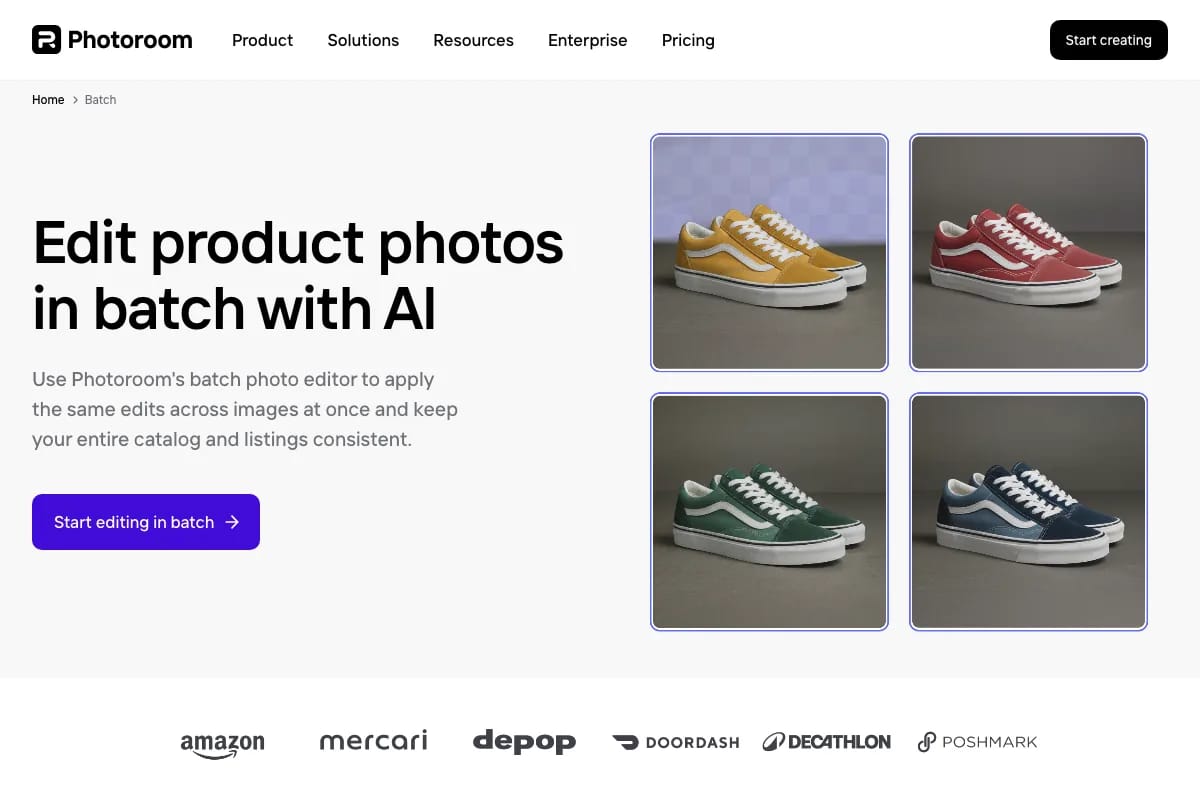
For sellers with large product catalogues, this is the standout feature. Photoroom now lets you edit up to 250 images simultaneously - background removal, resizing, adding shadows and logos. The previous limit was just 50.
Listing Score - Photo Quality Check
The new Listing Score feature rates your product photos for e-commerce readiness. Shopify integration lets you check whether your images meet marketplace standards. Handy when preparing photos for Vinted or other platforms.
AI Ironing and Image Enhancer
AI Ironing automatically smooths out wrinkles and creases on clothing - no more ironing before a shoot. Image Enhancer sharpens details, reduces noise, and corrects colours. Both tools work in the background without any manual setup. The better your input photo, the better the final result - AI enhances quality, it does not create it from scratch.

Photoroom Pricing 2026 (GBP and EUR)
One of the most common questions: how much does Photoroom actually cost? Here's the breakdown in both GBP and EUR.
| Feature | Free | Pro (Monthly) | Pro (Annual) |
|---|---|---|---|
| Price | Free | ~£11/mo (12.99 EUR) | ~£77/yr (89.99 EUR) |
| Background removal | Yes (with watermark) | Yes (no watermark) | Yes (no watermark) |
| Batch editing | No | Up to 250 photos | Up to 250 photos |
| Virtual Model | No | Yes | Yes |
| AI Relight | No | Yes | Yes |
| Export resolution | Limited | Full (up to 4K) | Full (up to 4K) |
| Templates | Basic | All + custom | All + custom |
On the annual plan, that works out to roughly £6.40 per month - less than a single professional product photo would cost. For sellers with large catalogues, the investment pays for itself quickly.
Photoroom vs Canva vs Remove.bg - Comparison
How does Photoroom AI stack up against the competition? We compared the three most popular AI image editors for product photography. For more options, check our full guide to photo editing apps.
| Feature | Photoroom | Canva | Remove.bg |
|---|---|---|---|
| Background removal | Excellent | Good | Excellent |
| Virtual Model | Yes | No | No |
| Batch editing | Up to 250 photos | Limited | Yes (API) |
| AI Relight | Yes | No | No |
| E-commerce templates | Extensive | Basic | None |
| Pro price/month | ~£11 | ~£11 | ~£8 |
| Best for | Product photos | General graphics | Background removal only |
Photoroom wins for product photography thanks to features like Virtual Model and AI Relight that the competition simply doesn't offer. Canva is better for marketing graphics, while Remove.bg does one thing - but does it well.
How to Use Photoroom for Vinted and eBay Photos
Photoroom works brilliantly for preparing product photos for online marketplaces. Here's a quick workflow:
- Snap a photo of your product with your phone (ideally on a light background)
- Open Photoroom and use automatic background removal
- Choose a marketplace template (1:1 format, white background)
- Add a shadow and adjust lighting with AI Relight
- Export at the right size (min. 800x800 px for most platforms)
For more platform-specific tips, check our guide on taking better Vinted photos. Looking for alternative tools? See our ranking of the best AI background removers.

FAQ - Frequently Asked Questions About Photoroom
Is Photoroom free to use?
Yes, Photoroom offers a free version with basic features, including background removal. However, the free version adds a Photoroom watermark to your images. Full access to AI features (Virtual Model, AI Relight, batch editing) requires a Pro plan starting at around £11/month.
How good is Photoroom at removing backgrounds?
Photoroom has one of the best background removal algorithms on the market. It handles hair, fur, and fine details very well. In our tests, the quality was comparable to Remove.bg - and for product photos specifically, it was even better.
Photoroom or Canva - which is better for product photos?
For product photography, Photoroom is the clear winner. It offers dedicated e-commerce features (marketplace templates, batch editing, Virtual Model) that Canva lacks. Canva excels at marketing graphics, social media posts, and presentations instead.
Can I use Photoroom on my computer?
Yes, Photoroom is available as a mobile app (iOS and Android) and as a web version at photoroom.com. The web version offers the same features as the mobile app, including batch editing and Virtual Model.
Need professional product photos for your online store? At marszalstudio we create images that sell. Get in touch - we will help you showcase your products at their best.