Google Gemini AI is the multimodal model that has changed how UK e-commerce teams edit product photography in 2026. Instead of learning Photoshop, you describe the change in plain English and the AI handles the rest. This guide shows how to use Gemini AI photo editor for professional product retouching, what it costs in pounds, and where its limits sit for British online sellers.
What is Gemini AI and why it changes the game for photo editing
Google Gemini is not just another filter slapped on top of an image. It is a natively multimodal AI model, trained from the ground up on text and images together. In practice, this means it understands both your text instructions and the actual content of the photo - context, lighting, composition and even the surface materials of the product itself.
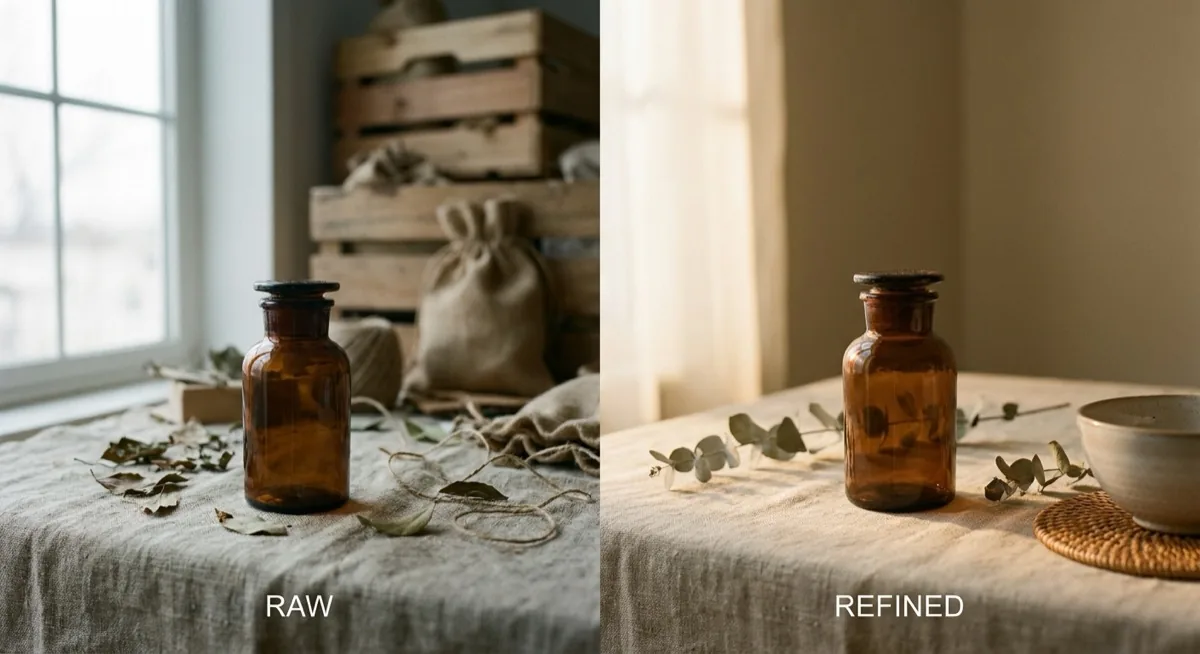
Traditional editors require mastering dozens of tools - layers, masks, tonal curves. The free Gemini AI photo editor lets you describe an edit in a single sentence: "swap the background for clean white studio" or "add warm lighting from the left". The model interprets the instruction and performs the edit, preserving the original detail of the input image.
As of April 2026, Google offers three models for working with images. Nano Banana 2 (Gemini 3.1 Flash Image) is a faster, cheaper version that delivers around 95% of the Pro model's quality. Nano Banana Pro (Gemini 3 Pro) provides the highest quality of textures and lighting. Separately, Imagen 4 is reserved for paid plans only.
What Gemini can do - a tour of the photo editing features
Background swap and removal
The most common use case in e-commerce. You upload the product shot and write something like "place the product on a marble countertop in warm side lighting". Gemini processes it in seconds, preserving the original shadows and reflections. This is ideal when you need background variants without booking another studio session - particularly useful for Amazon UK, eBay UK and Etsy listings where multiple lifestyle variants drive conversion.

Adding and removing objects
Need to remove an unwanted cable from the frame? Or add seasonal props - pinecones and evergreen branches for a Christmas campaign? Gemini AI rebuilds the background naturally, with no obvious artefacts. Important rule: one edit per prompt. Stacking multiple instructions in a single prompt usually means only one of them is executed cleanly.
Style and aesthetic transformation
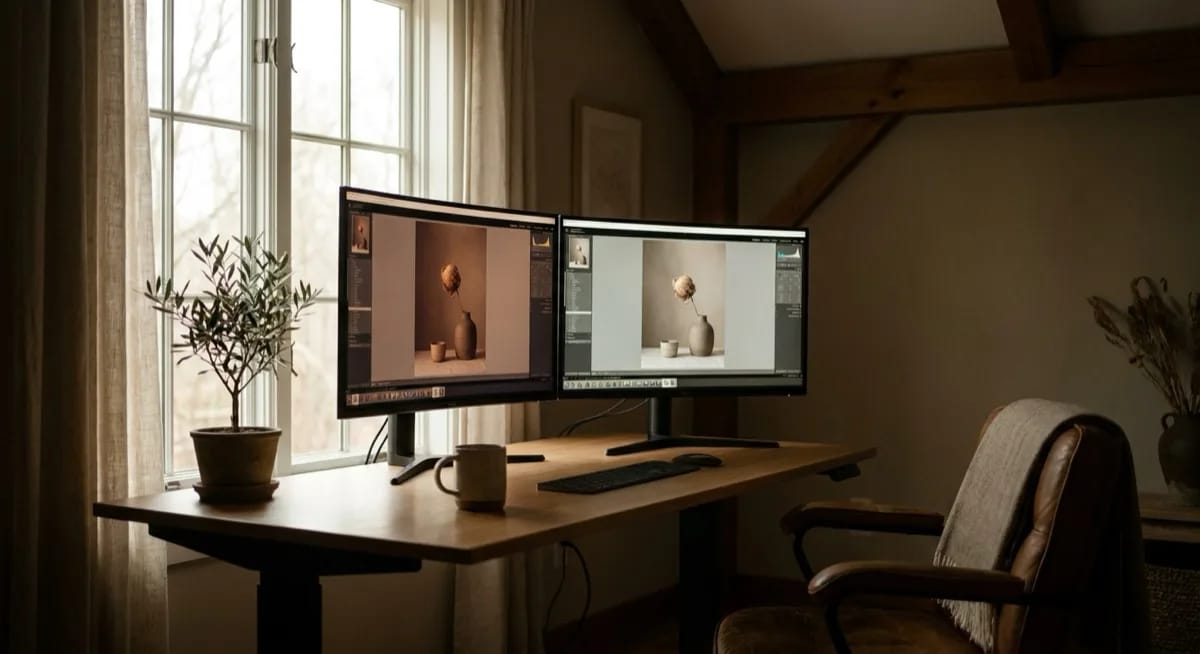
Take a single base shot and turn it into a series of completely different aesthetics - editorial Kinfolk style, clean Scandinavian minimalism, vivid maximalist Vinted-friendly compositions. The same product, ten different mood boards, in minutes. Gemini handles colour grading, prop swaps and style transfer with consistency that beats older diffusion-only models.
Text and labels in images
One of the underrated strengths of Nano Banana 2 is reliable text rendering. You can ask the model to add a price tag, a "Sale" badge, a label on a packaging mockup - and the typography stays sharp and legible. This solves the classic problem with older AI generators where text usually came out as scrambled gibberish. For UK sellers preparing campaign assets in pounds (£) or with British English copy, the difference is significant.
Multi-image fusion
You can upload up to 14 reference images at once. Gemini combines elements from multiple sources - take the product from one shot, the lighting from another, the background from a third. This is closer to how creative directors actually think than traditional single-prompt generation.
Step-by-step: how to edit product photos in Gemini
The whole process boils down to four steps. No installation, no plug-ins, no learning curve - just a browser and a Google account.
- Sign in to Gemini. Go to gemini.google.com and log in with your Google account. The interface is identical for free and paid users.
- Open Create Image. From the Tools menu, pick "Create image". This is the dedicated image-editing surface.
- Upload your photo. Drag and drop a product shot - up to 10 files, each up to 100 MB. JPEG, PNG and WebP all work.
- Describe the edit. Write your instruction in plain English. Iterate by sending follow-up messages to refine the result. Download the final version.
The 4-element method - the key to a consistent series
To keep an entire product series visually consistent, repeat the same four parameters in every prompt: light direction (e.g. "soft light from left"), colour temperature (e.g. "5500K neutral daylight"), camera parameters (e.g. "85mm f/2.8, shallow DoF") and background (e.g. "pure white RGB 255,255,255"). UK sellers running cross-platform listings on Amazon UK and eBay UK find this approach saves hours when scaling catalogue uniformity.
5 copy-and-paste prompts
- Hero shot: "Transform this product image into a professional e-commerce hero shot. Place on pure white background (RGB 255,255,255). Three-point softbox lighting. 45-degree elevated camera angle. Ultra-sharp focus."
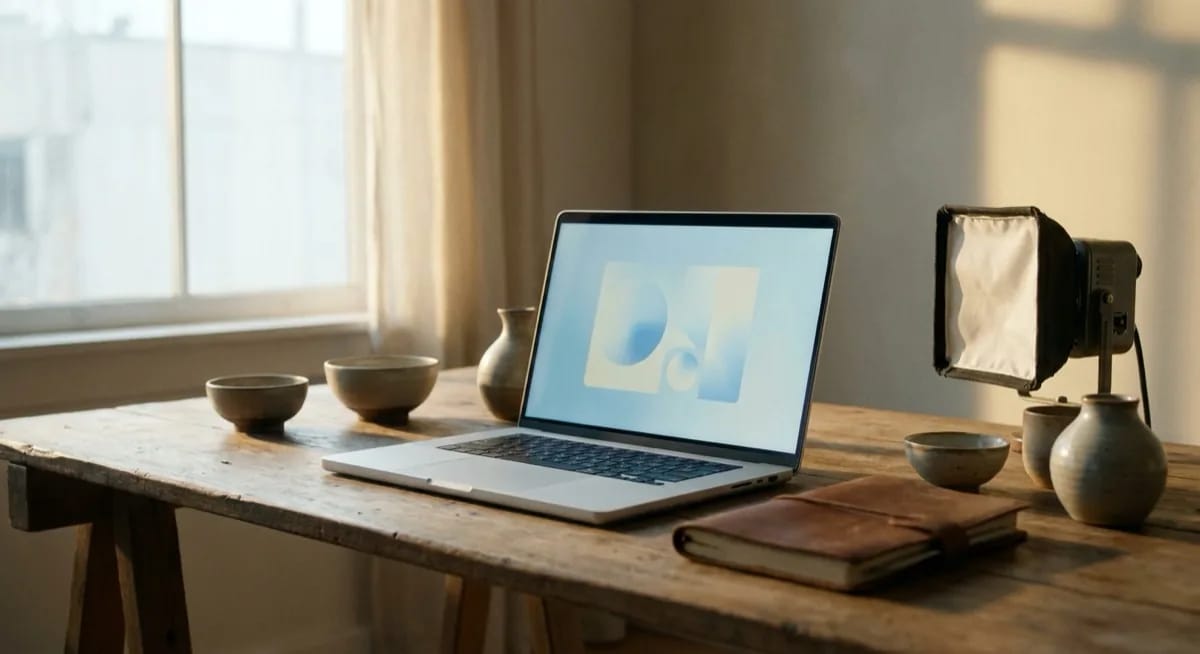
- Office lifestyle: "Place this product on a modern minimalist home office desk with a MacBook and coffee cup. Warm natural window light from the left. Shallow depth of field. Editorial photography style."
- Winter campaign: "Create a winter holiday scene with this product. Add pinecones, evergreen branches, warm bokeh lights. Cosy warm lighting 3200K. Premium gift-giving context."
- Floating product: "Product appearing to float in mid-air with subtle grounding shadow below. Clean gradient background white-to-light-grey. Dramatic rim lighting. Premium luxury feel."
- Flat lay set: "Arrange all product components in a top-down flat lay composition on a clean white surface. Even soft lighting from above. Each item clearly visible and labelled. Minimalist editorial style."

How much does Gemini photo editing cost? Free vs paid plans
One of the biggest selling points of the free Gemini AI photo editor is that basic editing costs nothing. Google offers four subscription tiers, but even the free one delivers real working capacity. All prices are in USD - converted to GBP at current rates these are roughly £6 to £200 per month.
| Plan | Price (USD/mo) | Approx. GBP | Nano Banana 2 | Nano Banana Pro | Max resolution |
|---|---|---|---|---|---|
| Free | $0 | £0 | ~20 images/day | none | 1K (1024 px) |
| AI Plus | $7.99 | ~£6.30 | 50/day | 50/day | 1K |
| AI Pro | $19.99 | ~£15.80 | 100/day | 100/day | 2K |
| AI Ultra | $249.99 | ~£198 | 1000/day | 1000/day | 4K |
Free plan - what you actually get
About 20 edits per day on the Nano Banana 2 (Flash) model - enough for testing and small projects. Resolution is capped at 1024 px, fine for social media but too low for serious online shop photography. No access to Nano Banana Pro on the free tier.
The Google AI Studio trick - 500 images per day for free
Few people know that Google AI Studio (the developer tool) offers a separate quota of up to 500 requests per day - free, independent from the Gemini consumer app limit. With normal use you can generate several hundred images daily without spending a penny. It requires basic API knowledge, but the savings are huge for UK SMEs starting out with AI photography.
Monthly cost comparison
| Tool | Cost/mo | Images/mo | Cost per image |
|---|---|---|---|
| Gemini (free) | $0 | ~600 | $0 |
| Gemini AI Plus | $7.99 | ~1500 | ~$0.005 |
| Gemini AI Pro | $19.99 | ~3000 | ~$0.007 |
| Adobe Photoshop | $22.99 | unlimited | - |
| ChatGPT Plus | $20 | ~750-1000 | ~$0.02 |
| Canva Pro | $12.99 | 500 AI credits | ~$0.026 |

Gemini vs ChatGPT vs Photoshop - AI editor comparison
Tests by techradar.com show the picture clearly: Gemini preserves the original photo better than ChatGPT. When you ask for a background change, ChatGPT often quietly alters a person's hairstyle, the colour of clothing, or product details. Gemini minimises unintended changes - critical when you need to publish on Amazon UK or John Lewis where image accuracy matters.
| Aspect | Gemini AI | ChatGPT | Photoshop |
|---|---|---|---|
| Original preservation | Best - minimal drift | Often alters details | Full control |
| Generation quality | Realistic, consistent | Artistic, stylised | Perfect (manual) |
| Edit speed | Seconds | 10-30 seconds | Minutes to hours |
| Learning curve | Zero | Zero | Steep (hundreds of tools) |
| Price (entry) | $0 | $20/mo | $22.99/mo |
| Batch processing | Yes (API) | Limited | Yes (Actions) |
| IP indemnity | None | None | Yes (Adobe Firefly) |
| Best for | Precise photo edits | Creative generation from scratch | Advanced retouching |
The takeaway from the tests? "ChatGPT is an idea machine, Gemini is a photo editor, Photoshop is a surgeon's scalpel." Each tool has its place. For most UK e-commerce sellers, Gemini offers the best balance of price, speed and quality.
Curious how it compares to the broader landscape? See our ranking of the 8 best AI image generators for a complete breakdown of where Gemini sits among Midjourney, Firefly and DALL-E.
Google Product Studio - free editing inside Merchant Center
If you sell through Google Shopping, you already have access to Product Studio - a free AI tool built into Google Merchant Center Next. You don't even need to open Gemini directly - you edit product photos straight inside the merchant dashboard. For UK retailers running Google Shopping campaigns, this is the lowest-friction entry point.
Product Studio offers one-click background change, quality upscaling for low-resolution photos, seasonal scene generation, and - new in 2026 - short video creation from single product photos. All of it free, with no per-image cap. Read our full Google Product Studio guide for hands-on examples.
Google's own data is clear: products with more than one image get +76% impressions and +32% clicks. Product Studio lets you generate several variants from one master shot in minutes - so there's really no excuse not to do it.
Gemini's limitations - what you need to know before you start
Gemini AI is not perfect, and you should know its weak spots before going all-in. The safety filter blocks editing of recognisable people - celebrities and politicians. If your photo includes a famous face, Gemini will refuse the request.
Detail hallucinations are a frequent issue. The model can add small elements (an extra button, a slightly altered material tone) even when the prompt says "preserve the original". Always compare the output to the input pixel-by-pixel before publishing on a marketplace - especially under Amazon UK A+ Content rules where misleading imagery can trigger listing suspension.
A critical legal point: Google does not offer IP indemnity. Unlike Adobe Firefly, which protects users from copyright claims, Gemini provides no such cover. For larger UK brands, this can be a problem. Privacy is another factor - all photos are uploaded to Google servers for processing, which has data-protection implications under the UK GDPR. The UK's pro-innovation AI regulation framework is lighter-touch than the EU AI Act, but the underlying data law still applies.
- Download quality - the preview often looks better than the downloaded file (varies by subscription tier)
- Quality instability - users report quality drops after model updates
- Regional limits - Personal Intelligence (Google Photos integration) is not yet available in the UK or EU
- No offline mode - every edit needs an internet connection
- Large file compression - Google automatically compresses images above a certain size

For the broader regulatory picture across the UK and EU, see our explainer on the EU AI Act and product photography - rules that affect British sellers exporting to the EU.
Why AI cannot replace a strong base photo
Gemini AI is a powerful post-processing tool. But there is one rule no AI model can break: garbage in, garbage out. Even the best prompt cannot fix blurry focus, bad lighting or weak composition in your source photo.
AI edits existing pixels - it does not invent new visual information from thin air. If you upload a dark, grainy phone snap, Gemini can change the background and add effects, but the quality of textures, details and product colours will stay low. Google's own documentation says it plainly: "start with moderate-sized, high-quality images".
The best ROI in e-commerce comes from combining professional base photography with AI editing. One well-lit studio session is an investment from which Gemini can spin out dozens of variants - different backgrounds, lifestyle contexts, seasonal campaigns. Without that foundation, AI can produce a hundred variants and none of them will look properly professional.
Need base photography that lets you squeeze the most out of Gemini AI? Get in touch with marszalstudio - we deliver the source material that AI can transform into dozens of variants for your e-commerce needs. You can also browse our overview of the top 5 AI photo editors if you are still narrowing down your stack.


2026 updates - Gemini in Photoshop and Google Photos integration
Adobe Photoshop 2026 integrates Gemini 3 (Nano Banana Pro) as one of the available AI models alongside Adobe Firefly and FLUX. This confirms Gemini's position as a reference model for image editing - even Adobe acknowledges it as a valuable addition to its own ecosystem.
The second big update is Personal Intelligence - Gemini reaches into your Google Photos library and recognises people and pets from labels. Instead of describing "a woman with brown hair" you write "my partner". For now this feature is US-only for AI Plus/Pro/Ultra subscribers, but UK and European rollout is a matter of months.
Worth tracking too: the new markup tools - lets you draw on the image to indicate the area to edit, replacing positional descriptions in words. You highlight a region and write the instruction - edit precision goes up dramatically. This feature is currently in beta. For deeper context on Nano Banana itself, see our dedicated piece on Nano Banana in product photography.

If you want to compare Gemini to a tool built specifically for product photography, read our review of the Photoroom AI Photo Editor.
Frequently asked questions
Yes - basic photo editing in Gemini AI is completely free. The free plan offers around 20 edits per day on the Nano Banana 2 (Flash) model at up to 1024 px resolution. Google AI Studio adds a separate quota of up to 500 requests per day, also free. Paid plans (from $7.99 per month, around £6.30) raise the limits, the resolution and unlock the Nano Banana Pro model.
Go to gemini.google.com, sign in with your Google account, and pick "Create image" from the Tools menu. Upload your product photo (up to 10 files, 100 MB each). Describe the change in plain English - for example, "swap the background for clean white studio, keep the original shadows". Iterate by sending follow-up messages to refine the result, then download the final version using the download button.
For precise editing of existing photos, Gemini is the better choice - it preserves more original detail and rarely introduces unintended changes. ChatGPT performs better in creative image generation from scratch. Gemini is also cheaper - the free plan offers 20 edits per day, while ChatGPT requires a $20 per month subscription.
For 80% of typical e-commerce edits - yes. Gemini handles background swaps, object removal, style changes and variant generation. Photoshop remains essential for advanced layered retouching, RAW workflows and precise colour correction - work that requires a specialist. Notably, Photoshop 2026 itself integrates Gemini as one of its AI models.
In the Gemini consumer app, the free plan allows around 20 edits per day. Additionally, Google AI Studio offers up to 500 requests per day for free (a separate quota). Combined, you can process several hundred images per day at no cost. The AI Plus plan ($7.99/month, around £6.30) raises the limit to 50 images per day across both models.